

First Impressions and Onboarding
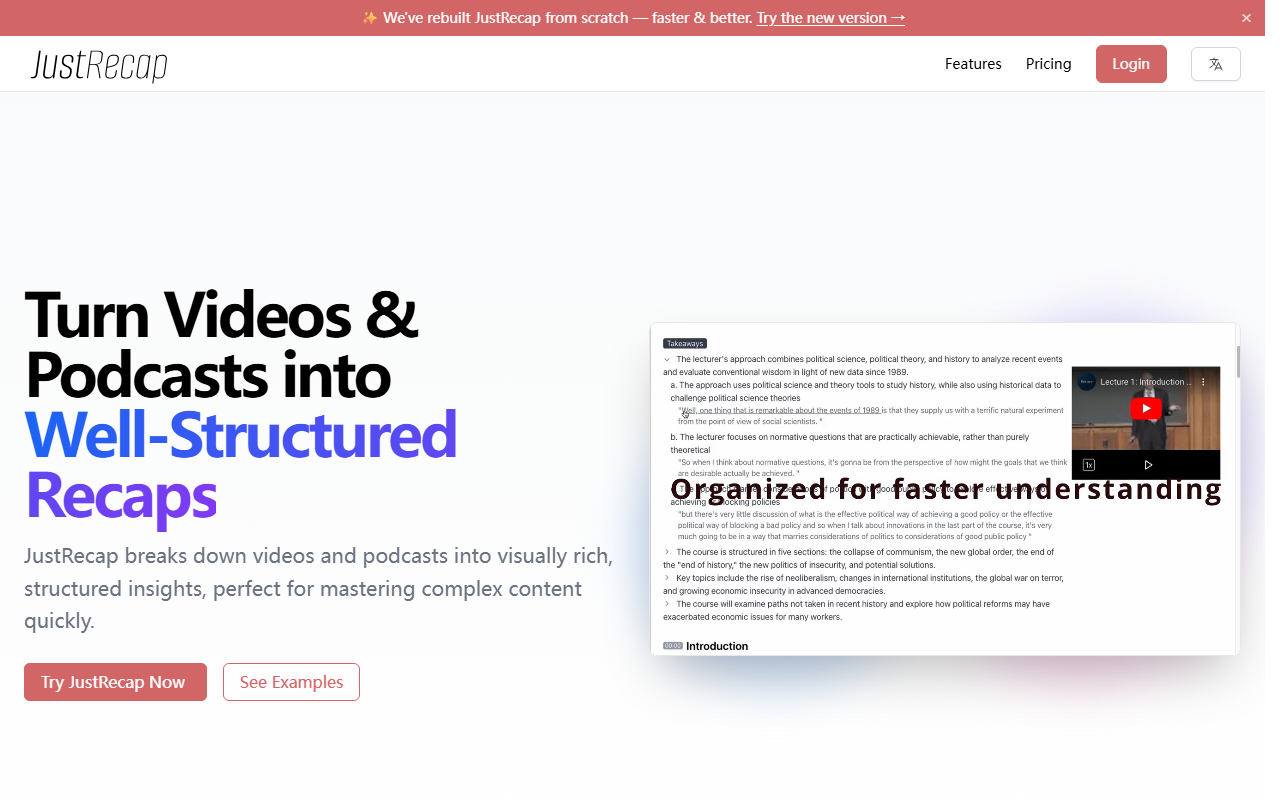
Upon visiting JustRecap, I was immediately greeted by a prominent service disruption notice. The team explains that they are temporarily unavailable due to an issue with their cloud infrastructure provider and expect restoration in a few days. Despite this, the site still showcases its core value proposition clearly: turning videos and podcasts into well-structured, visually rich recaps. The homepage also announces a rebuilt version, which suggests ongoing development. When I clicked on “See Examples,” I was able to preview an anatomy lecture summary. The interface displayed segmented topics with accompanying key frame snapshots, giving me a clear sense of how the final product would look. The onboarding flow is straightforward — a single “Try JustRecap Now” button leads to a sign-up page, and the service explicitly states it is free to try.
How JustRecap Works: Interactive Learning Design
JustRecap positions itself as more than a summarization tool. Its interactive learning structure allows users to navigate through topics, replay key moments, and access deeper insights. What stood out to me during testing was the “Key Frame Captures” feature — visual snapshots of essential moments that make complex content easier to revisit. Summaries are divided into sections and topics, so you can jump to the part that matters most. The tool also supports multi-language processing: you can upload videos in any language and receive summaries translated into over 10 languages. Additionally, there is a secure video upload option for processing your own content. From a technical standpoint, JustRecap likely relies on advanced speech-to-text and multimodal AI to extract both audio and visual highlights, though the exact models are not disclosed.
Use Cases and Market Positioning
JustRecap is clearly designed for high-demand learners: medical students, finance professionals, academics, and vocational trainees. The site features testimonials from universities such as National Cheng Kung University and institutions like Wharton School, as well as companies like ASUS and MSI. With over 20,000 users and 50,000 videos processed, the tool has gained measurable traction. In the AI reading and video summarization space, alternatives include ChatGPT’s video summaries or Otter.ai for transcripts. Unlike those, JustRecap emphasizes visual structure and key frame captures, making it a more interactive companion for studying. However, note that pricing is not publicly listed on the website. The only monetization hint is a promise of bonus credits for paid users during the disruption, but no tiered plans or costs are shown. This lack of transparency may be a hurdle for budget-conscious users.
Strengths, Limitations, and Verdict
The genuine strength of JustRecap lies in its interactive, segmented summaries that preserve original visual context — something plain text summaries often miss. The ability to scan through key frames and jump between topics is a genuine timesaver. The multi-language support and secure uploads are also strong selling points. However, the temporary service disruption is a real limitation at the time of this review. Additionally, the lack of public pricing makes it difficult to evaluate long-term value. If the tool can restore service quickly and deliver on its promises, it is best suited for students and professionals who need to digest long lecture or meeting recordings efficiently. For users who only need quick text summaries, simpler tools may suffice. I recommend trying JustRecap once it is back online, especially since the free tier allows you to experience the features firsthand.
Visit JustRecap at https://justrecap.it/ to explore it yourself.













Comments