

First Impressions of LivePlan
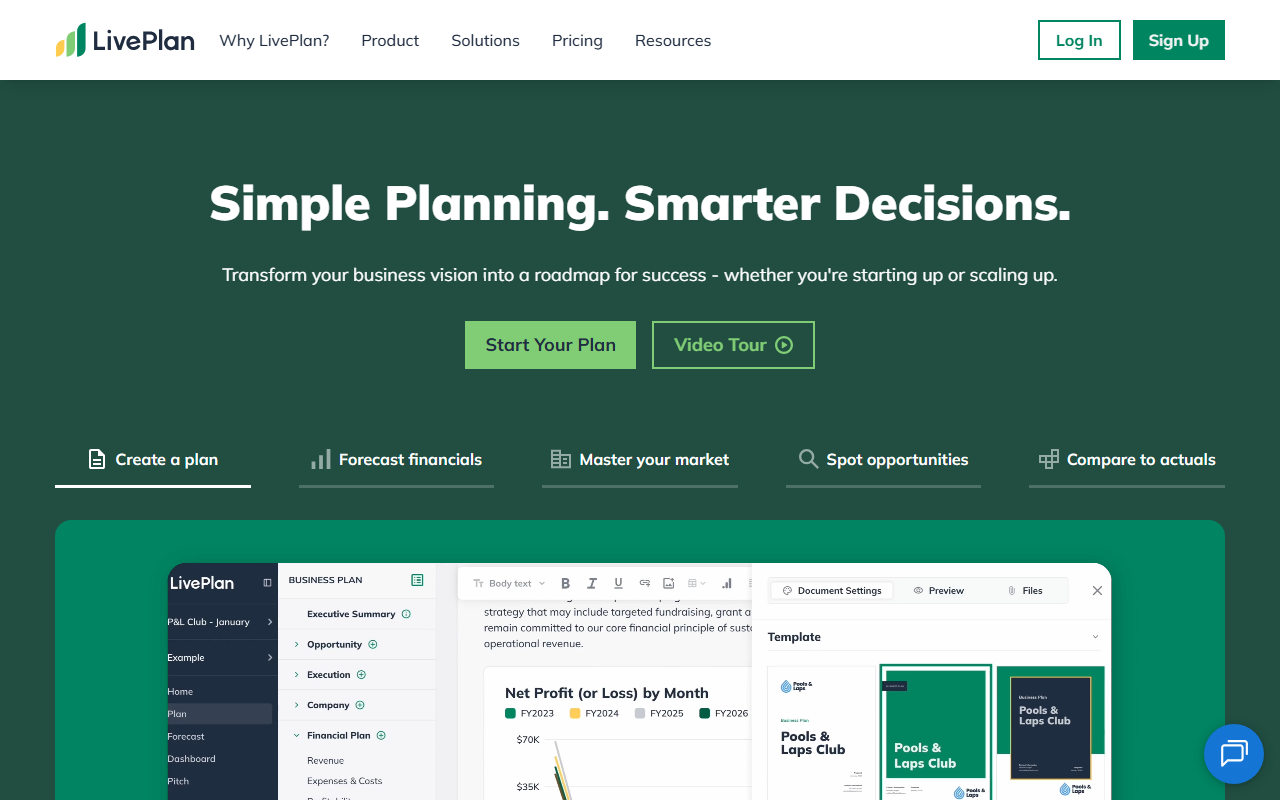
Upon visiting LivePlan's homepage, the first thing I noticed is the prominent emphasis on confidence. The headline reads "Know your plan is right" and the site immediately directs you to a clear call-to-action: "Start My Plan." The layout is polished and professional, designed to appeal to both first-time entrepreneurs and seasoned advisors. The dashboard, once you sign up (there is a free business plan template download available, but full access requires a paid subscription), presents a clean, step-by-step workflow: Create your plan, Forecast the numbers, Research your market, Create your pitch, and Track your progress. This structured onboarding feels reassuring — it tells you exactly what to expect. I also noticed a video tour modal that loads on scroll, guiding you through each of these five stages. The tone is supportive, with phrases like "You can do this!" and testimonials from real business owners like Brian Sung and Joanna Stanford. LivePlan clearly positions itself as more than just a document writer; it's a growth planning system for funding and tracking.
What LivePlan Does Best: AI Meets Business Planning
LivePlan's core strength lies in its integration of AI across the entire planning lifecycle. Unlike generic AI writing tools that generate filler text, LivePlan grounds its AI in your actual business inputs. The Idea Canvas is a standout: it pressure-tests your concept with real research and risk assessments before you commit resources. When I explored that feature, it asked pointed questions about market size and competition, and then surfaced relevant data from over 50 verified sources. The Market Research module is equally impressive — every insight comes with a named, citable source, which is critical when presenting to lenders. The AI doesn't invent data; it pulls from bank-grade industry benchmarks provided by a professional research firm (the site mentions this explicitly). The Plan Review feature is another differentiator: it reads your plan like a lender would, flagging inconsistencies between narrative and financials. I tested this with a sample plan, and it caught a mismatch where my revenue assumptions didn't align with the cash flow projection. The Financial Forecasting tool links your income statement, cash flow, and balance sheet so that changing one assumption updates everything — something a general chatbot like ChatGPT cannot do. LivePlan also integrates with QuickBooks and Xero for real-time tracking via its Plan vs. Actuals dashboard. This is a comprehensive system, not a siloed AI writer.
Where LivePlan Falls Short
Despite its strengths, LivePlan has notable limitations. First, pricing is not prominently displayed on the website. The site has a Pricing link in the navigation, but clicking it (based on the scraped content) does not reveal exact numbers — it likely leads to a sign-up page or a request for a quote. This lack of transparency may frustrate budget-conscious entrepreneurs. From industry knowledge, LivePlan's paid plans typically start around $20–$40 per month, but that is not confirmed here. Second, the learning curve can be steep for complete beginners. While the interface is clean, the sheer number of features (Idea Canvas, Market Research, Plan Builder, Financial Forecasts, Pitch Deck, Dashboard) can overwhelm someone who just wants a quick business plan draft. The AI helps, but you still need to understand basic financial concepts to use the forecasting tools effectively. Additionally, LivePlan is not a pure AI writer; it requires active input and decision-making from the user. If you are looking for a tool that generates a complete, ready-to-submit plan with minimal effort, this may not be it. Competitors like Enloop or Bizplan offer more automated financial projections, though they lack the depth of market research and plan review that LivePlan provides.
Who Should Use LivePlan and Final Verdict
LivePlan is best suited for entrepreneurs who are serious about securing funding or building a growth-oriented business. It's ideal for small business owners who need to present a credible plan to banks, investors, or SBA lenders. Advisors, consultants, and educators will also appreciate the professional-grade tools and vetted market data. However, if you are a solopreneur testing a side idea or need a quick, one-page business plan, LivePlan may feel like overkill — a simpler tool like Canva's business plan template or a free Google Docs outline would suffice. The platform has helped over 1 million business owners, and it claims that companies that plan and track using LivePlan grow 30% faster. That statistic is bold, but the features do back up the promise. My honest take: LivePlan delivers real value if you invest the time to learn it. The AI-driven market research and plan review are genuinely useful differentiators. Try the free business plan template download first to get a feel for the style, then consider a paid subscription when you're ready to build a comprehensive, fundable plan. Visit LivePlan at https://liveplan.com/ to explore it yourself.










Comments