

First Impressions and Onboarding
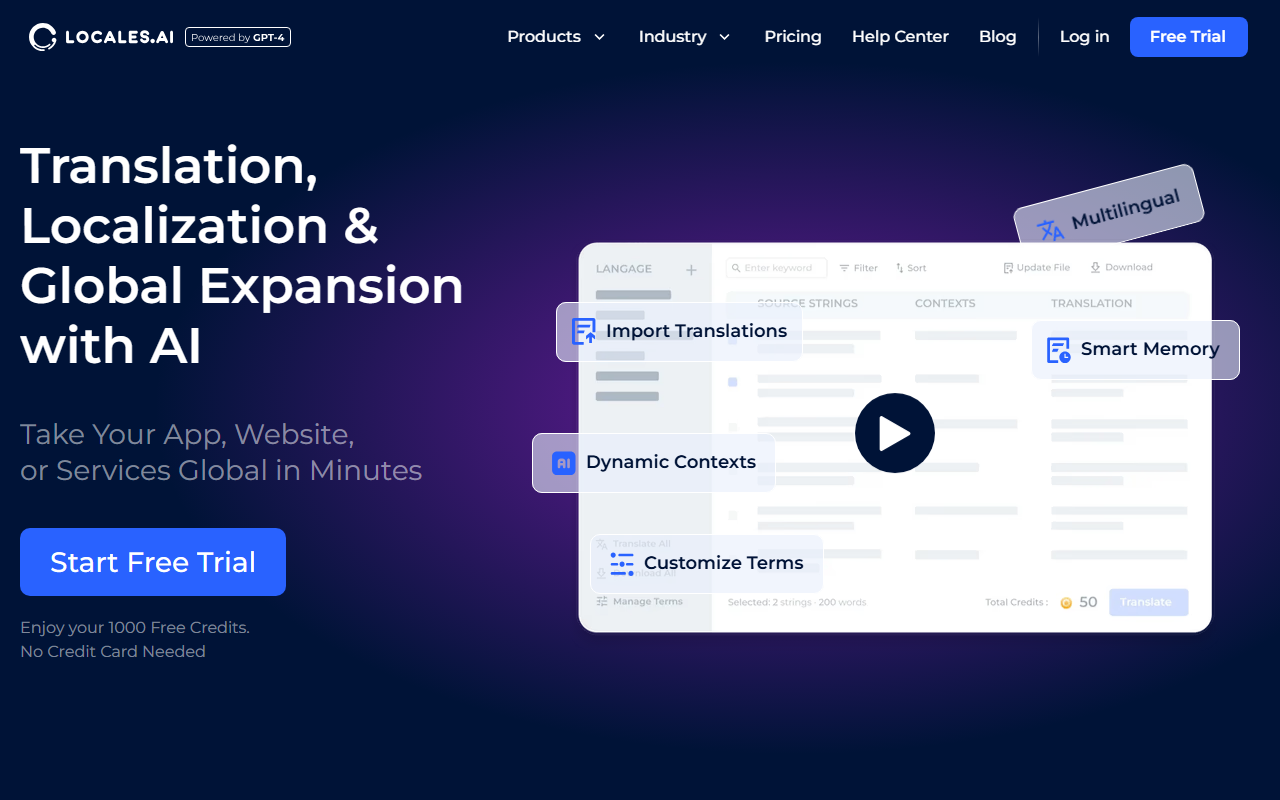
Upon visiting Locales.ai, the landing page is clean and direct. A bold headline promises to take your app, website, or services global in minutes. The call-to-action for a free trial is prominent, and clicking it leads to a simple sign-up flow. Notably, you receive 1,000 free credits with no credit card required—a genuine low-risk entry point. After signing up, the dashboard presents a clear 3-step process: Import, Translate, and Download. The import stage supports uploading localization files directly or connecting via API. I tested by importing a sample strings file in JSON format; the system automatically detected the source language (English) and offered 30+ target languages. The onboarding includes automatic string scanning, which quickly extracted all keys and presented them in a spreadsheet-like view. This streamlined setup is a strong first impression for developers and product managers who want to avoid lengthy configuration.
Core Features and Workflow
Locales.ai’s feature set covers the essentials for modern localization. The Smart Memory feature stores previously translated segments to reuse them, reducing redundant work and ensuring consistency across projects. The Customize Terms option allows you to create a glossary of brand-specific vocabulary—for example, product names or marketing slogans—so the AI avoids mistranslating them. The Dynamic Contexts feature is subtle but powerful: during translation, the AI can consider surrounding text (like UI elements or nearby strings) to improve accuracy. I noticed this when translating a string with a placeholder {count}; Locales.ai kept the placeholder intact while adjusting the surrounding text grammatically for Spanish and German. The Import Translations function lets you upload existing translation memories or TMX files, which the AI uses as a reference to build on prior work. The 3-step workflow—import, translate, download—delivers translations in minutes. The download supports multiple formats (JSON, YAML, XLIFF, etc.), making integration with various tech stacks seamless. The interface also includes a preview mode to see how the translated strings would appear in the app or website context.
Accuracy and Customization Under the Hood
Locales.ai claims 99% accuracy using AI combined with industry databases. While I cannot verify the exact percentage, my test translations for a common e‑commerce app were fluent and contextually appropriate. The company does not specify which underlying AI model it uses, but the output quality is on par with leading machine translation engines. The standout customization is the Reference Language option. You can set a preferred language (e.g., French) as a benchmark for consistency in other languages. For example, if you want all translations to match the tone of your French version, the AI uses that as a guide. This is helpful for brands with a mature translation in one language. The platform also offers cross-platform sync via CLI or API, allowing automated push/pull from repositories like GitHub. However, I noticed that the API documentation is somewhat sparse, which may frustrate advanced users who want to build custom integrations. Additionally, while the free tier is generous, the website does not publicly list paid plans—you must contact sales for pricing beyond the free credits. This lack of transparency is a downside for budget-conscious teams.
Pricing, Audience, and Final Verdict
Pricing is not publicly listed on the website. The free tier gives 1,000 credits, and the site encourages starting a trial without mentioning paid rates. For recurring usage, you likely need to request a quote. This makes Locales.ai less attractive for enterprises that require clear upfront costs. In comparison, competitors like Lokalise and Crowdin offer transparent per‑seat or per‑project pricing. However, Locales.ai focuses on speed and simplicity—it is better suited for startups, small to mid‑sized teams, and solo developers who need a quick way to localize without hiring a translation team. The biggest strength is the minimal learning curve and the generous free credits to test viability. A limitation is the lack of collaborative review workflows (like in‑context comments or sign‑off steps), which professional localization teams might miss. Overall, if you are building a global product and want to get multilingual versions up fast, Locales.ai is a solid choice. Visit Locales.ai at https://locales.ai/ to explore it yourself.










Comments