

First Impressions: A Playground Without Limits
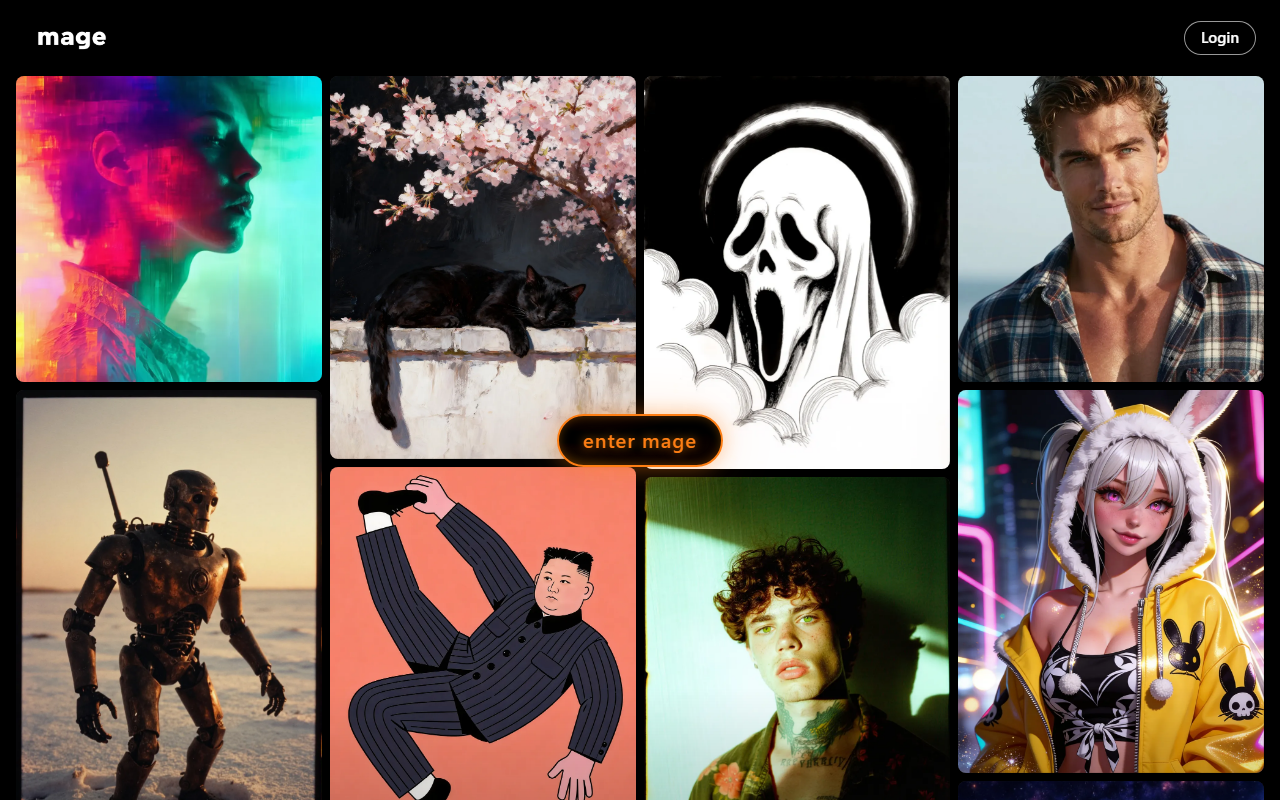
Upon visiting Mage at mage.space, I was greeted by a clean, dark-themed dashboard that immediately emphasizes action over explanation. The main interface presents a text-to-image input box, model selection, and a gallery of recently generated public images. The onboarding flow is minimal: you can start generating right away without signing up, but creating an account unlocks the free 300 Gems bonus. I tested the free tier by generating a fantasy landscape using the Flux model; the output came back in about 15 seconds at 512x512 resolution. The quality was impressive, with coherent lighting and composition, though details like fingers were slightly off. For a free, unlimited service, this is remarkable.
Mage positions itself as an uncensored alternative to mainstream AI generators. During my review, I noted that the FAQ proudly states NSFW content is allowed within legal boundaries, and all creations are private by default. This immediately sets it apart from competitors like Midjourney or DALL·E, which enforce strict content policies. The interface also offers a "Create Anything" prompt, reflecting its philosophy of minimal restrictions. I observed that the community gallery includes a wide range of artistic styles, from anime to photorealism, but also some explicit content, which is clearly tagged for filtering.
Pricing and Tiers: From Free to Power User
Mage offers five membership tiers: Free ($0/month), Basic ($10/month), Pro ($30/month), Pro Plus ($60/month), and Max ($200/month). The free tier provides limited access to base models (SD1.5, SDXL, Flux, etc.) and 300 Gems as a one-time sign-up bonus. Gems act as a currency for premium features like video generation, LoRAs, and upscaling. The Basic tier unlocks unlimited image generations and 2x speed, plus 500 monthly Gems. Pro adds unlimited video generation, character creation, and 4x speed for $30/month. Pro Plus ($60) brings 2K enhance, multiple LoRAs, and custom model imports. The Max tier ($200) offers 1080p HD video, 10-second durations, and motion control—ideal for serious creators.
One notable detail: while the free tier is generous, video generation is locked behind the Pro plan, and high-resolution enhancements require at least Pro Plus. For heavy video users, the Max plan’s $200/month might be steep, but it undercuts enterprise solutions like Runway’s plans. The pricing structure is transparent and matches the feature table on the website. Compared to alternatives like Leonardo AI, Mage offers more raw speed and model variety at similar price points, but lacks the fine-tuning polish of some competitors.
Models and Features: Technical Depth and Creative Freedom
Under the hood, Mage supports an extensive list of models: Stable Diffusion 1.5, SDXL, SD3.5, Flux, Flux 2, Chroma, Z-Image, Qwen, Wan, Hunyuan, FramePack, Veo, and several exclusive fine-tuned models named after fruit (Mango, Guava, Kiwi, Peach, Cherry, Blueberry). These exclusive models are designed for greater creative freedom and are available only to premium members. During testing, I used the Mango model (a fine-tuned Flux variant) to generate a portrait; the result had notably better skin texture and lighting than the base Flux model.
Mage also supports consistent characters via upload of a single reference image, a feature useful for storytelling and AI influencers. I tested this by uploading a cartoon character and generating two different scenes; the consistency was decent but not perfect—facial proportions shifted slightly. Video generation uses models like Wan, Hunyuan, and FramePack, and the motion control feature lets you apply movement from a reference video. I tried a short 5-second video with motion control, but the free tier didn’t allow it; I could only preview the feature in the Pro plan’s documentation. The API is available in limited beta, which is great for developers needing integration.
Strengths include the sheer number of models, the uncensored policy, private generations, and the commercial license included in all plans. Limitations: The free tier’s Gems system can be confusing—Gems replenish monthly but only in paid tiers. Also, video generation quality is not yet on par with dedicated video AI tools like Pika or Runway; motion control videos can be jerky. The interface lacks advanced inpainting controls found in tools like Stable Diffusion WebUI, though basic inpainting is available.
Final Verdict: Who Should Use Mage?
Mage is best suited for creators who want maximum creative freedom without worrying about content filters or usage caps. It’s ideal for fantasy artists, NSFW creators, AI influencers, and indie game developers needing quick concept art. The free tier is excellent for experimentation, while the Pro plan at $30/month provides solid value for video and character work. If you need enterprise-grade video quality or strict safety filters, look elsewhere—Midjourney or Runway might be better. Additionally, those who prefer a polished, all-in-one tool like Adobe Firefly may find Mage’s interfaces slightly rough around the edges.
Finally, Mage’s transparency about limitations (like gem usage and video resolution) and its active Discord community suggest a company responsive to user feedback. The API, though in beta, hints at future growth. For now, if you want unchecked creative power and are willing to navigate a few wrinkles, Mage is a compelling choice.
Visit Mage at https://mage.space to explore it yourself.













Comments