

First Impressions and Onboarding
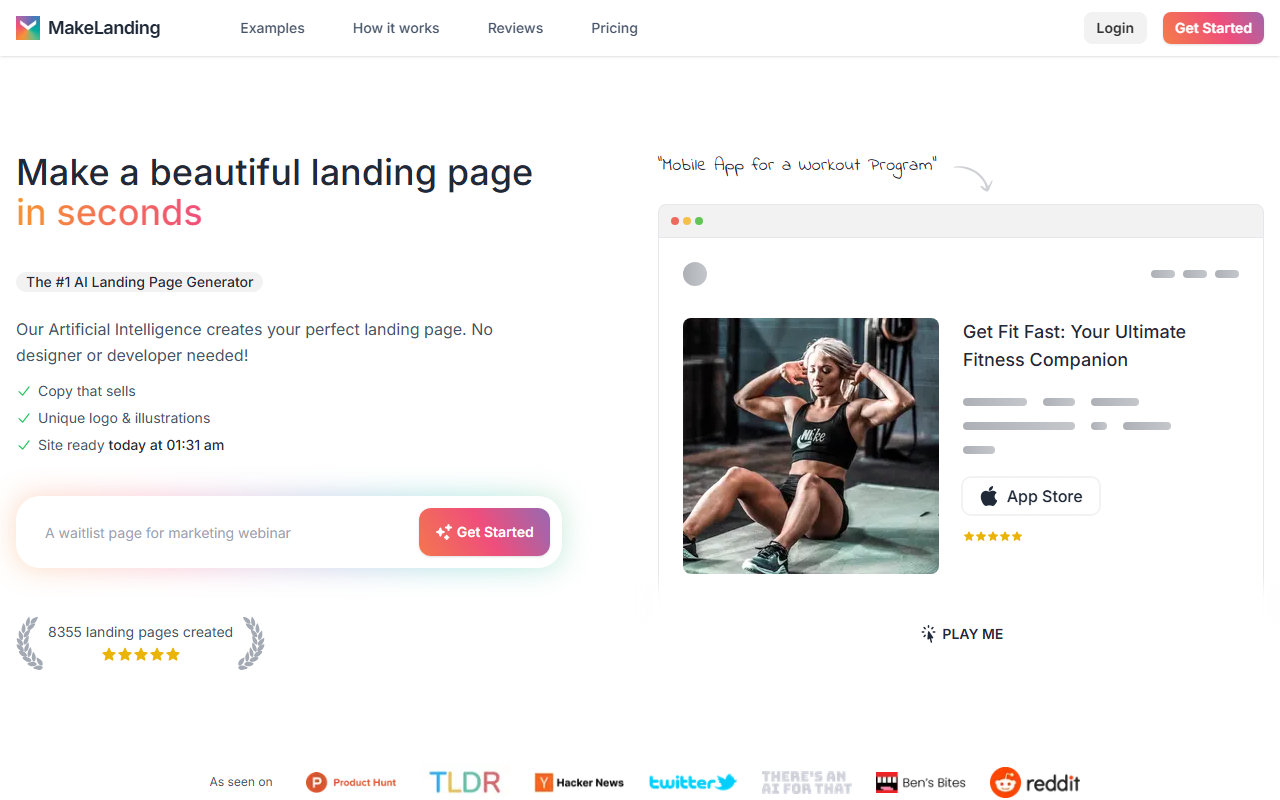
Upon visiting Makelanding's site, I was greeted by a clean, modern dashboard that immediately showcases the core value proposition: "Make a beautiful landing page in seconds." The homepage claims over 8,360 landing pages have been created, and high-profile testimonials from users like @wonji and @basv lend credibility. The onboarding process is straightforward. I clicked "Get started" and was prompted to describe my project in just a few words. Within seconds—actually less than a minute—the AI generated a full landing page including copy, a unique logo, and illustrations. I chose a mobile app for a workout program and the output was remarkably coherent, with a headline, feature list, and app store buttons.
How It Works and Key Features
Makelanding uses what it calls "the #1 AI Landing Page Generator" to produce content. The technology appears to leverage large language models for copywriting and image generation for illustrations. The tool supports over 50 languages, 6 art styles, and 12 color themes. I appreciated the option to customize further: after the AI creates a page, I could edit the copy, buttons, links, and even swap illustrations from a library of 5 million stock photos. The editor is simple and responsive, and the resulting pages are mobile-friendly and SEO-optimized. Features include easy analytics, custom domain support (on Pro and Premium plans), and API access for developers on the Premium tier. The AI-generated copy is designed to convert, drawing from millions of headline patterns.
Pricing and Value
Makelanding offers three monthly subscription tiers: Starter at $9/month for 10 pages, Pro at $19/month for 50 pages, and Premium at $29/month for 150 pages plus API access. All plans include unlimited logos, illustrations, and copywriting output. There is no free trial—the FAQ states "Generative AI costs money to run, we don't do free previews." Refunds are also not offered, though credits may be provided for re-generations. Compared to alternatives like Unbounce (which starts around $90/month) or Carrd (free tier but manual design), Makelanding is significantly cheaper for AI-generated pages. However, the page limits per month may be restrictive for heavy users, and the lack of a free tier means you must commit money to test the quality.
Strengths and Limitations
Strengths: Makelanding excels at speed and simplicity. For non-technical users like solo entrepreneurs and founders who want to quickly test a hypothesis or launch a minimal viable product, it's a game-changer. The AI produces surprisingly good copy and consistent visuals, saving hours of design and writing work. The ability to export with a custom domain on higher plans is useful for professional use.
Limitations: The AI-generated illustrations may feel generic compared to custom design. The page structure is somewhat rigid—adding custom sections beyond the predefined template is limited. The lack of a free trial is a significant drawback for cautious buyers. Also, the page limit on the Starter plan (10 per month) might be too low for users running multiple A/B tests. Support is only available on Pro and Premium plans.
Verdict: Makelanding is best suited for early-stage startups, freelancers, and non-designers who need a quick, attractive landing page without any technical fuss. If you require deep customization or high-volume page creation, look elsewhere. Try the Starter plan to see if the AI output meets your standards—just be aware there's no free preview. Visit Makelanding at https://makelanding.ai/ to explore it yourself.













Comments