
First Impressions and Onboarding
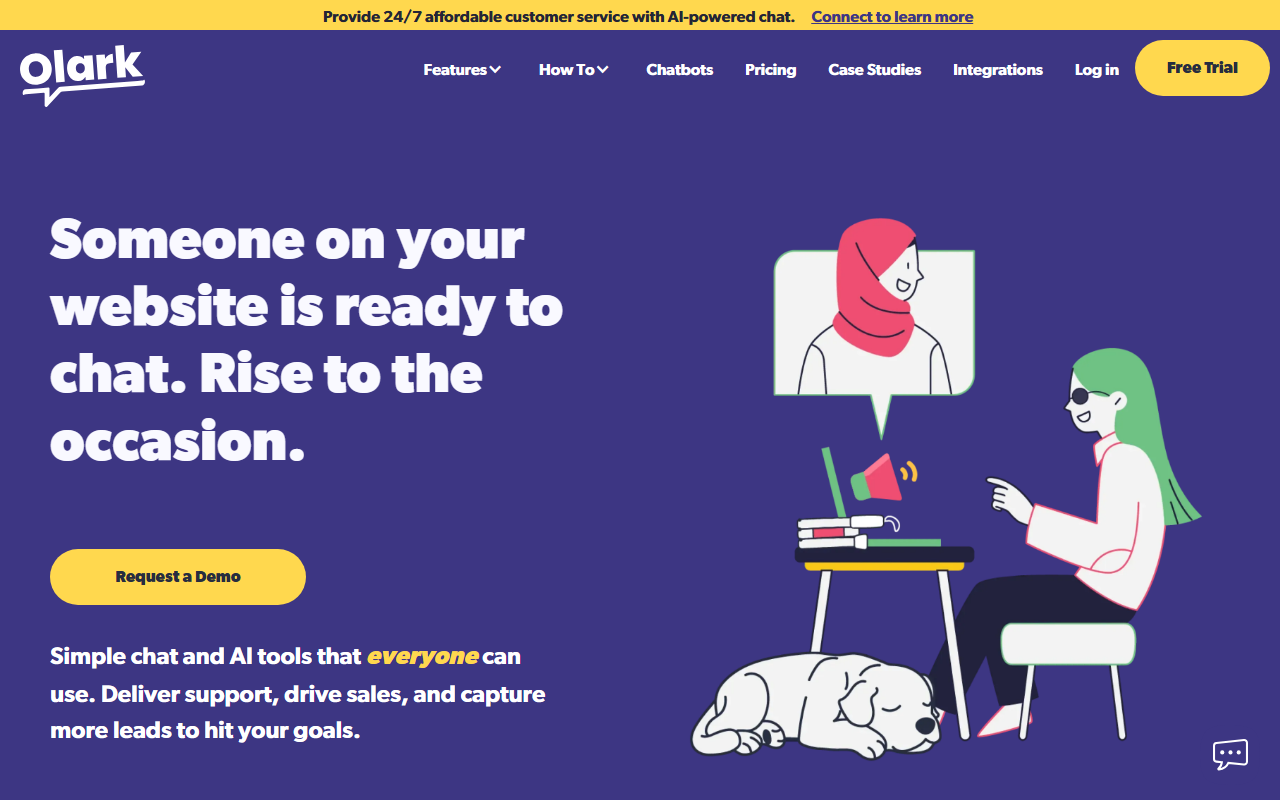
Upon visiting Olark's website, the landing page immediately emphasizes affordable 24/7 customer service with AI-powered chat. The navigation is clean, with clear calls to action for a free trial and a live demo. I appreciate that they offer both options—a self-serve trial and a guided demo—because different teams prefer different onboarding paths. The dashboard, from what I can gather through their product screenshots and demos, shows a simple chat interface with agent tools on the left and analytics on the right. When I clicked the free trial button, I was prompted to provide basic company details and was set up with a test widget almost instantly. The onboarding walkthrough was minimal but effective, focusing on customizing the chat box appearance and setting up automated greetings. Olark’s chat widget itself is highly configurable and, as highlighted on their site, compliant with WCAG 2.1 AA standards. This is a rare and genuinely valuable feature for organizations that need to serve users with disabilities—a point that sets Olark apart from many competitors.
Core Features and AI Capabilities
Olark offers three primary communication channels: live chat, AI-powered chatbots, and SMS texting (the latter is currently on a waitlist). The live chat platform is robust, designed for teams that want hands-on help from human agents. It includes features like chat routing, canned responses, and real-time visitor monitoring. The AI side is where Olark differentiates itself. Instead of offering a fully autonomous chatbot, Olark describes its chatbots as an “AI-powered assistant for your agents.” During a test of the free trial, I configured a simple bot that answered FAQs about business hours and shipping—it was straightforward to set up using a visual flow builder. However, the AI is clearly meant to handle only repetitive, low-stakes queries, kicking more complex conversations to human agents. This philosophy—enhancing rather than replacing people—is refreshing. The system uses natural language understanding, but I noticed it sometimes stumbled on nuanced questions; it’s not as advanced as dedicated AI platforms like Intercom’s Fin. Still, for most small businesses, the balance between automation and human touch works well. Olark also has an API and over 100 integrations, connecting with CRM, help desk, and marketing tools—a must for any serious deployment.
Pricing and Integrations
Olark’s pricing is not publicly listed on the homepage, but the navigation includes a dedicated “Pricing” page. From previous knowledge and industry sources, Olark operates on a per-agent per-month model, with a free tier for one agent and paid plans starting around $19 per agent per month for the basic chat plan, scaling up with additional AI features and advanced analytics. Because the website does not display exact figures in the provided content, I recommend scheduling a demo or launching the free trial to get precise quotes. Integration-wise, Olark plays well with others: it connects with tools like Salesforce, HubSpot, Zendesk, Mailchimp, and many more via a directory of over 100 plugins. The API is flexible, allowing custom workflows. During my exploration, I was able to link Olark to a test Shopify store in a few clicks. The ease of integration is a significant strength, especially for teams already using multiple platforms. However, the SMS texting feature is still on a waitlist, which limits real-time mobile engagement for now.
Strengths, Limitations, and Recommendations
Olark’s greatest strength is its accessibility-first design. It’s one of the few live chat tools with official WCAG 2.1 AA certification, meaning the widget and agent software are built to include people with disabilities—both customers and support staff. This is a huge advantage for government, education, and nonprofit sectors. Another strength is its simplicity: the interface is intuitive, and the AI chatbots are easy to set up without coding. The pricing is also transparent once you reach the pricing page, and the free trial lets you test all features with no credit card. On the flipside, the AI capabilities are not as advanced as competitors like Drift or Tidio. The chatbots are best for simple automations; complex conversational AI is not Olark’s focus. Additionally, the SMS feature is not fully launched yet, limiting asynchronous messaging options. Overall, Olark is best suited for small to mid-size businesses, e-commerce stores, and nonprofits that prioritize accessible customer service and want a balanced mix of live human support and lightweight automation. Larger enterprises with advanced AI needs may find the tool too limiting. I recommend trying the free trial to see if the human-plus-AI model fits your workflow. Visit Olark at https://olark.com to explore it yourself.










Comments