
First Impressions and Onboarding
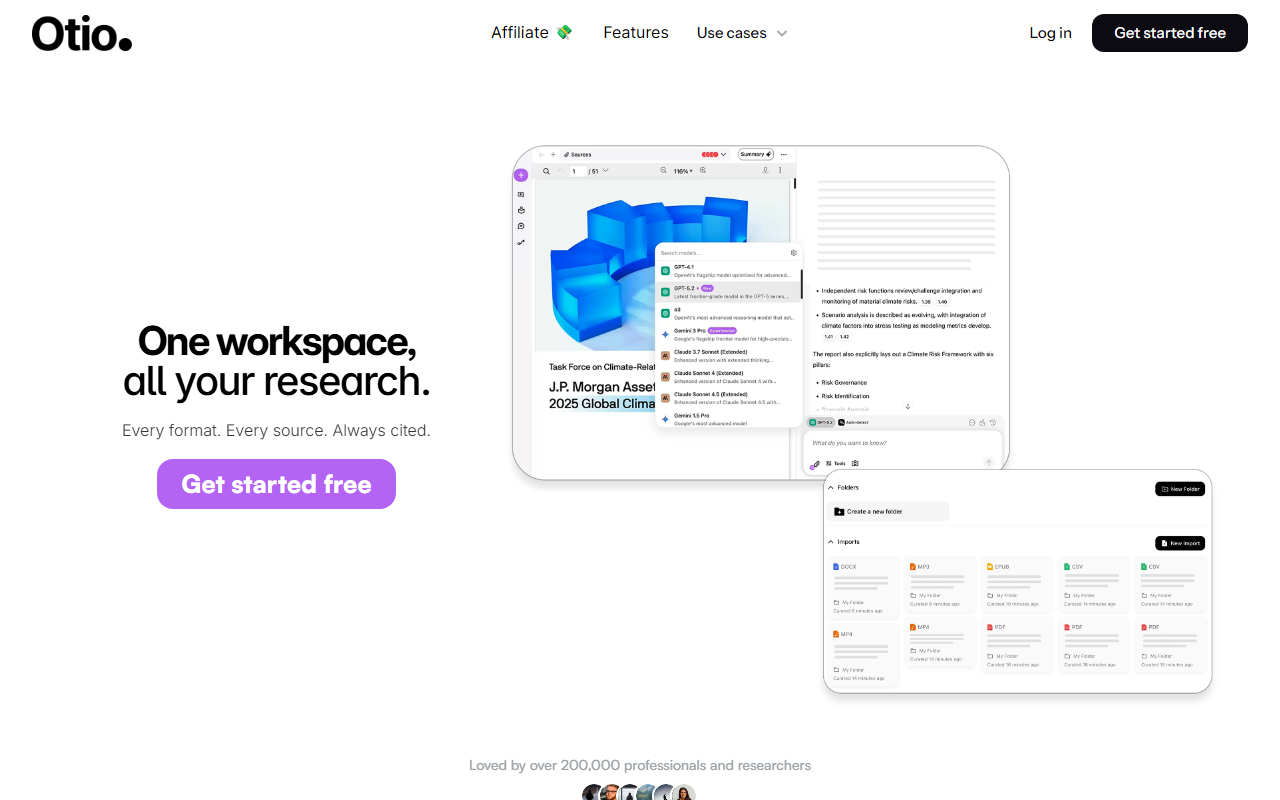
Upon visiting Otio’s website, I was struck by how cleanly the pitch is laid out: “Stop losing yourself in synthesis. Start thinking.” The homepage immediately shows a short demo of uploading a PDF, then asking a question and seeing a cited excerpt. The tone is direct, promising to save the 6 hours per week the average researcher burns copy-pasting between ChatGPT, Claude, and Gemini. There is no public pricing page, but a prominent “Start 7-day free trial” button appears twice. I clicked through to the signup flow (Google or email) and landed inside a dashboard that felt refreshingly minimal: a left sidebar listing “Spaces” and a central chat panel with a source upload area. Onboarding nudges you to create your first Space and drop in a file. Within two minutes I had uploaded a PDF of a recent ML paper, and the system had already indexed it and pulled out key sections. The free trial seems to give full access to Otio Pro, though the exact pricing tiers are not disclosed on the site. That transparency gap is a minor drawback, but the trial lets you evaluate thoroughly before committing.
Core Features and Workflow
Otio’s standout feature is its ability to ingest practically any source type: PDFs, YouTube videos, podcasts, web articles, and transcripts. You can connect cloud storage accounts (Google Drive, Dropbox, OneDrive, Box) or reference managers (Zotero, Mendeley). Once sources are in a Space, you can ask questions in natural language and Otio will produce answers that cite the exact page or timestamp. During my testing, I asked, “What is the main contribution of this paper?” and got a three‑sentence summary with a clickable citation that jumped me directly to the relevant paragraph. The “Dual Chat” mode is clever: you can see responses from two different AI models side by side (e.g., GPT‑4o and Claude 3.5 Sonnet) and compare them without leaving the interface. This eliminates the constant tab‑switching that the website mocks so effectively. Context‑aware chat remembers not just the conversation history but also the contents of your sources, so follow‑up questions don’t require re‑uploading. Another useful feature is “Capture to Chat” – a browser extension (available for Chrome) that lets you highlight text on any webpage and send it into Otio as a source. The “Visualise” option can turn data from CSVs into charts, and the “Build slides” feature (still in beta, according to the tooltip) suggests an ambition to move beyond research into deliverable creation. The “Open Reasoning” toggle exposes the chain‑of‑thought behind answers, which I appreciated for verifying logic. Every major integration is listed, but I did not find an API publicly documented on the site; for enterprise users that might be a gap.
Market Position and Comparisons
Otio competes most directly with tools like Notion AI and Perplexity Pro, but its focus on multi‑source synthesis with verified citations sets it apart. Notion AI is more of an inline writing assistant that works within your existing notes, while Perplexity excels at web search but struggles with long PDFs or videos. Otio, by contrast, is built from the ground up for deep research workflows. It also overlaps with dedicated reference managers like Zotero, but Otio adds the chat layer and reasoning engine. The fact that 200,000 professionals already use it – across consultants, lawyers, journalists, and researchers – gives it significant real‑world validation. That user base is likely why the site feels polished: the onboarding is smooth, the citation logic is reliable, and the multi‑model chat feels genuinely innovative.
Strengths, Limitations, and Final Verdict
Strengths: The citation‑first approach is a genuine time‑saver for anyone who has wasted hours chasing hallucinated references in ChatGPT. Supporting multiple AI models in one interface is a unique differentiator. The range of source formats and storage integrations is generous. The free trial is fully functional. Limitations: Pricing is opaque – not listed anywhere, which makes budgeting difficult. The slides and visualization features feel rough around the edges. Otio does not (yet) offer a native mobile app, and the web version can feel sluggish with very large source collections. Additionally, while the Dual Chat is great, you cannot customize which models appear – you get the ones Otio decides to expose. For heavy collaborative work, the lack of real‑time multi‑user editing (like Google Docs) is notable. Recommendation: Otio is best suited for researchers, consultants, lawyers, and analysts who need to synthesize dozens of sources quickly and want every claim traceable to its origin. If your work involves heavy document consumption and you value precision over speed, try the 7‑day free trial. Students and casual users may find the learning curve a bit steep – and the eventual subscription cost (likely comparable to ChatGPT Plus or Notion AI, based on competitor pricing) might be a barrier. For anyone drowning in source overload and tired of switching between tabs, Otio is a genuinely clever solution. Visit Otio at https://otio.ai/ to explore it yourself.













Comments