

First Impressions and Onboarding
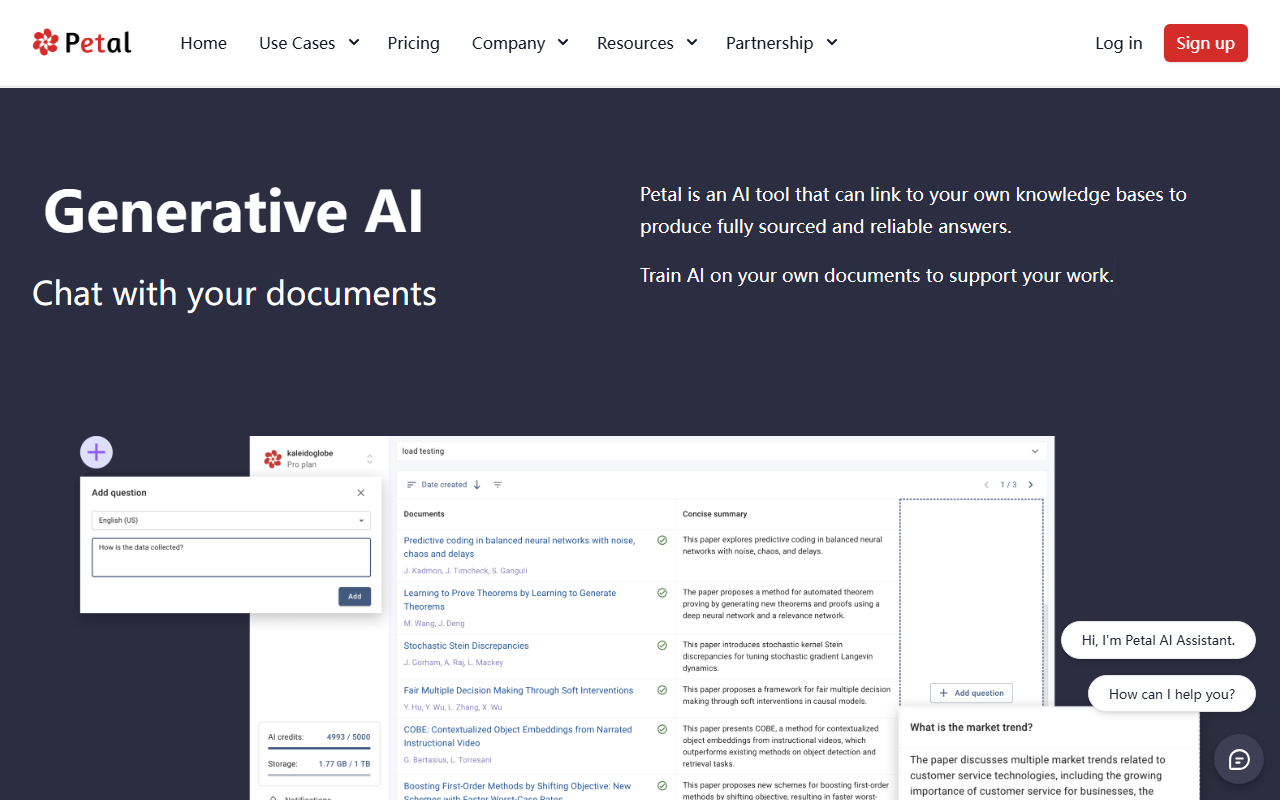
Upon visiting Petal’s website, the landing page immediately highlights its core value proposition: "Chat with your documents" and "Train AI on your own documents." The interface is clean, with a prominent "Get Started Free" call-to-action. After signing up, I was taken to a dashboard that feels familiar to anyone who has used a cloud storage platform like Google Drive, but with added AI capabilities layered on top. The initial setup prompts you to upload documents or connect existing knowledge bases. I uploaded a PDF research paper, and within seconds Petal automatically extracted metadata—title, authors, references—and indexed the content for AI retrieval. The browser plugin is also advertised prominently, which I installed to test how seamlessly it integrates with external sources.
Core Features and Workflow
Petal’s primary function is to allow users to have conversational queries over their own document collections. When I asked "Summarize the methodology section," the AI returned a concise, sourced answer with citations pointing back to specific paragraphs in the PDF—a feature it calls "fully sourced and reliable answers." The cloud drive supports automatic deduplication and scientific document handling, which is a clear differentiator from generic AI document tools. I also tested the annotation and collaboration features: I highlighted a passage, added a comment, and shared a link with a colleague. The process was smooth, eliminating the need for back-and-forth email attachments. The platform feels purpose-built for research teams that need a single source of truth for their knowledge base.
Performance and Technology
Petal uses a "context-aware generative AI" that appears to be a retrieval-augmented generation (RAG) system, trained on user-uploaded documents rather than general web data. This ensures answers are grounded in trusted sources, which is vital for academia and corporate R&D. The metadata extraction and file deduplication work reliably; I tested with several duplicate uploads and only one version was retained with a pointer. Pricing is not publicly listed on the website—only a "Get Started Free" option is available, likely with paid tiers for teams or larger knowledge bases. Compared to generic AI office tools like Notion AI or ChatGPT’s document analysis, Petal focuses explicitly on document-centered, citation-backed answers. This makes it stronger for rigorous research scenarios but less suited for general productivity tasks outside of document management.
Who Should Use Petal?
The tool is clearly designed for researchers, faculty, industry experts, and corporate R&D teams—the homepage explicitly mentions "20,000+ Researchers, Faculty & Industry Experts" and a listing by MIT as a trusted university resource. Its strengths include accurate, sourced answers, robust document management, and built-in collaboration. However, limitations exist: the lack of transparent pricing may deter budget-conscious individuals, and the narrow focus on document analysis means it won’t replace broader AI assistants for tasks like code generation or creative writing. For anyone working with dense research papers, technical reports, or compliance documents, Petal is a strong, trustworthy choice. I recommend trying the free tier to evaluate how well it integrates with your existing document workflows. Visit Petal at https://petal.org/ to explore it yourself.













Comments