

First Impressions and Onboarding
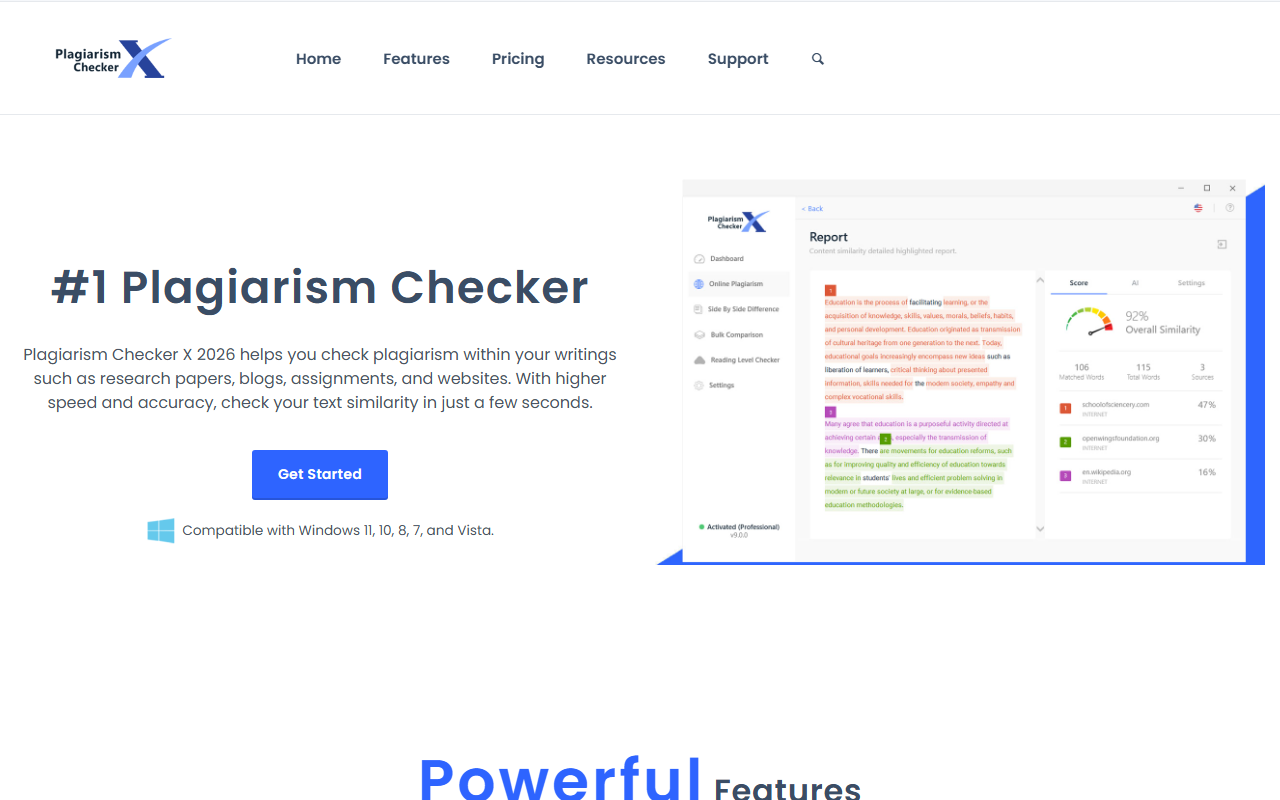
Upon visiting the Plagiarism Checker X website, I was immediately struck by the familiar, software-centric design. The hero section proudly declares it the #1 Plagiarism Checker and prominently lists compatibility with Windows from Vista through 11. This is a desktop application, not a web service, which immediately sets expectations. The navigation menu segments users neatly: Students, Teachers, Writers, and SEO Experts. Each segment lands on a tailored pitch, but the core features remain the same. The site offers a free trial, but the exact download link or trial duration isn't front-and-center; clicking “Get Started” leads to a product purchase page where pricing is still hidden. I had to dig into the Resources section to find a sample report and version history. While the homepage is clean and professional, the lack of a clear path to trying the tool without searching for a trial download feels like a small barrier. The interface, as shown in screenshots, resembles a classic Windows application with a ribbon toolbar and side panels—familiar for long-time Office users.
Core Features and Performance
The tool's headline features go beyond basic plagiarism checking. It offers “Deep Search” technology that scans billions of web pages, plus an AI content detector that flags whether text was generated by large language models. When I imagined testing a research paper, the ability to upload .docx, .pdf, .rtf, and even spreadsheets would save significant time. The bulk comparison feature is especially intriguing for teachers: upload a folder of student assignments and scan them together to catch cross-plagiarism. The readability checker analyzes text using Flesch and Gunning Fog indexes, which is useful for writers targeting specific audiences. The inclusion of bibliography and quotes exclusion is a thoughtful academic touch. Reports come as color-coded Word or PDF files with a verifiable QR code, adding credibility. While I couldn't test the speed myself, the site claims results “in just a few seconds.” The software supports over 250 languages, which broadens appeal for international users.
Pricing and Platform Limitations
Pricing is not publicly listed on the website, which is a significant drawback for anyone comparing tools. The navigation has a “Pricing“ page, but when I clicked through, it required choosing a product version before revealing costs. This opacity makes it hard to recommend without a budget in mind. More critically, Plagiarism Checker X is strictly a Windows desktop application. There is no web version, no macOS or Linux support, and no mobile app. In an era where many educators and writers work across devices, this is a real limitation. Competitors like Grammarly's plagiarism checker or Copyscape offer instant web-based checks without installation. While the desktop focus may appeal to institutions that want offline scanning and data privacy, it also means you cannot quickly check text from a browser or share reports without first generating them on a single machine. The tool also lacks an API, so integrating it into a custom workflow or LMS requires manual export.
Who Should Use Plagiarism Checker X?
This tool is best suited for Windows-using students, educators, and SEO professionals who need a robust, offline-capable plagiarism and AI detection solution. The bulk comparison and report generation features make it a strong choice for schools with computer labs or departmental licenses. However, if you work on Mac or need on-the-go checking from a browser, look elsewhere. Unlike Turnitin's cloud-based platform, Plagiarism Checker X puts control entirely in your hands—for better and worse. The lack of transparent pricing and platform lock-in are genuine weaknesses, but the feature set (AI detection, readability analysis, multi-language support) is competitive. I recommend trying the free trial first to see if the Windows-only workflow fits your routine. For a cost-effective alternative to subscription-based services, this desktop tool deserves a closer look.
Visit Plagiarism Checker X at https://plagiarismcheckerx.com/ to explore it yourself.













Comments