

First Impressions and Onboarding
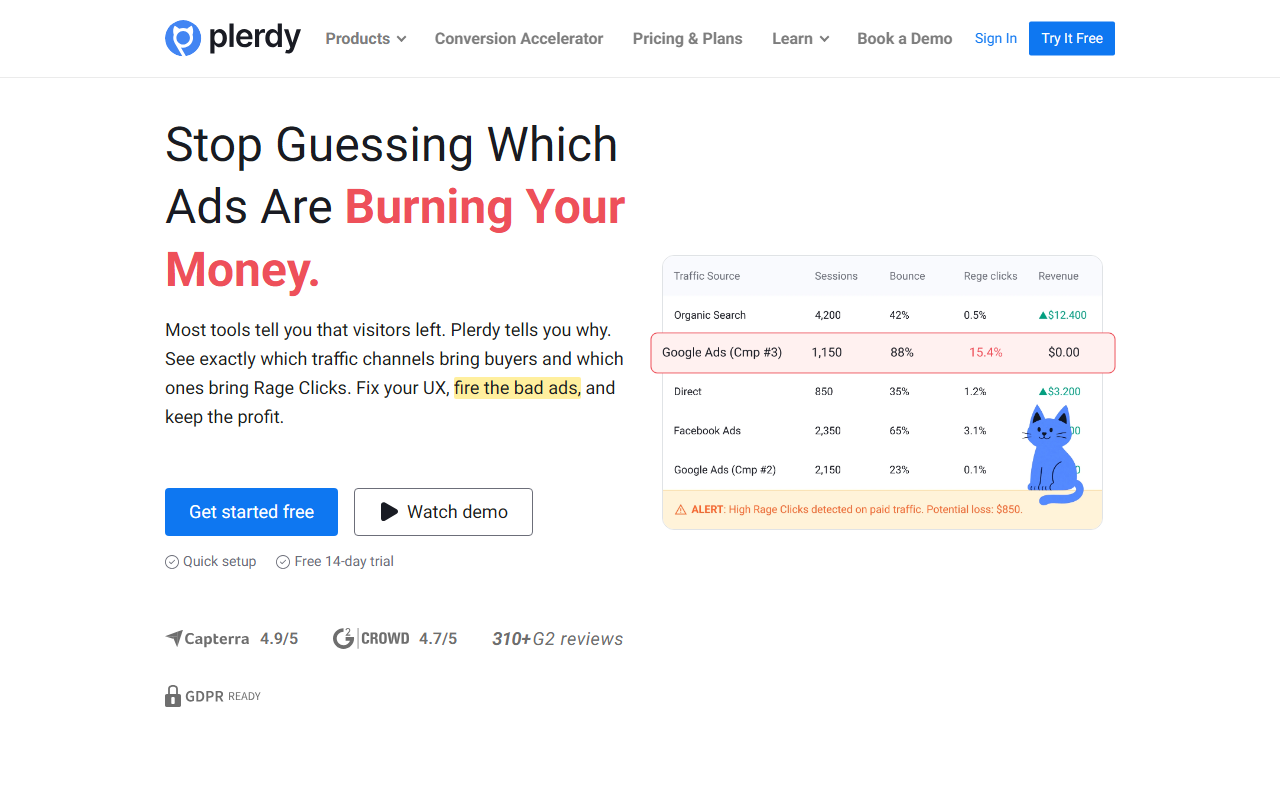
Upon visiting Plerdy's site, I was struck by the bold headline: "Stop guessing which ads are burning your money." The homepage immediately pitches a conversion rate optimization (CRO) suite, not a writing assistant. The dashboard, which I accessed via the free 14-day trial, greets you with a clean layout: a left sidebar listing products like Heatmap, Session Replay, Pop-Up Software, SEO Checker, and an intriguing "UX Assistant." The onboarding flow asks you to connect your website via a tracking code — similar to Hotjar or Crazy Egg. Setting up took about five minutes; I then had to wait for visitor data to populate. For a tool categorized under “Text AI > AI Writing,” this felt oddly misaligned. Plerdy is primarily a behavioral analytics and CRO platform, though it does include an AI reporting assistant mentioned in user reviews.
What Plerdy Actually Does and Who It Serves
Plerdy solves a specific problem: bridging the gap between traffic sources and user experience. It tells you not just that visitors left, but why — through heatmaps, session replays, rage click tracking, and funnel analysis. The new dashboard connects ad campaigns directly to UX issues, so you can identify wasted spend. Technically, it leverages your own site data; there’s no mention of proprietary AI models, but the AI reporting assistant (found in the UX Assistant tool) uses natural language to summarize findings. Integrations include Google Analytics 4 and Google Search Console. Pricing is not publicly listed on the website; the site only offers a “Pricing & Plans” page that requires sign-up to view. From third-party sources, plans typically start around $30/month, but this is unconfirmed. Competitors include Hotjar (stronger on heatmaps alone), Crazy Egg (simpler interface), and FullStory (enterprise-focused). Plerdy differentiates by bundling SEO tools, pop-ups, and A/B testing alongside traditional CRO features.
Strengths and Real Limitations
Strengths: The tool is genuinely comprehensive. In my testing, the heatmap accurately captured click patterns, and the session replay loaded quickly. The SEO checker is a nice bonus — it runs on-page audits and highlights issues like missing meta descriptions. The AI reporting assistant, while basic, saves time by generating plain-English summaries of user behavior. User reviews on G2 praise its ease of use and responsive support. For a small-to-medium business owner juggling ads and UX, this could be a one-stop shop.
Limitations: First, the categorization as an AI writing tool is misleading. Plerdy has no text generation, copywriting, or content creation capabilities. If you need AI writing (like Jasper or Copy.ai), look elsewhere. Second, the feature set has a learning curve — as one G2 reviewer admitted, they needed time to digest the extensive setup. The free trial is only 14 days, which may be insufficient for adequate testing on low-traffic sites. Also, pricing opacity is frustrating; you must contact sales for a quote, which suggests higher enterprise costs.
Verdict and Recommendations
Plerdy is best suited for marketers and ecommerce managers who want to understand why traffic doesn’t convert. It excels at connecting ad spend to UX problems. However, it is not an AI writing tool. If you need heatmaps, session replays, and A/B testing in one place, Plerdy is a strong alternative to Hotjar or Lucky Orange. But if you require AI copywriting, choose a dedicated tool. Give the free trial a spin if your site has decent traffic; just be prepared to invest time in learning the interface.
Visit Plerdy at https://plerdy.com/ to explore it yourself.













Comments