

First Impressions and Onboarding
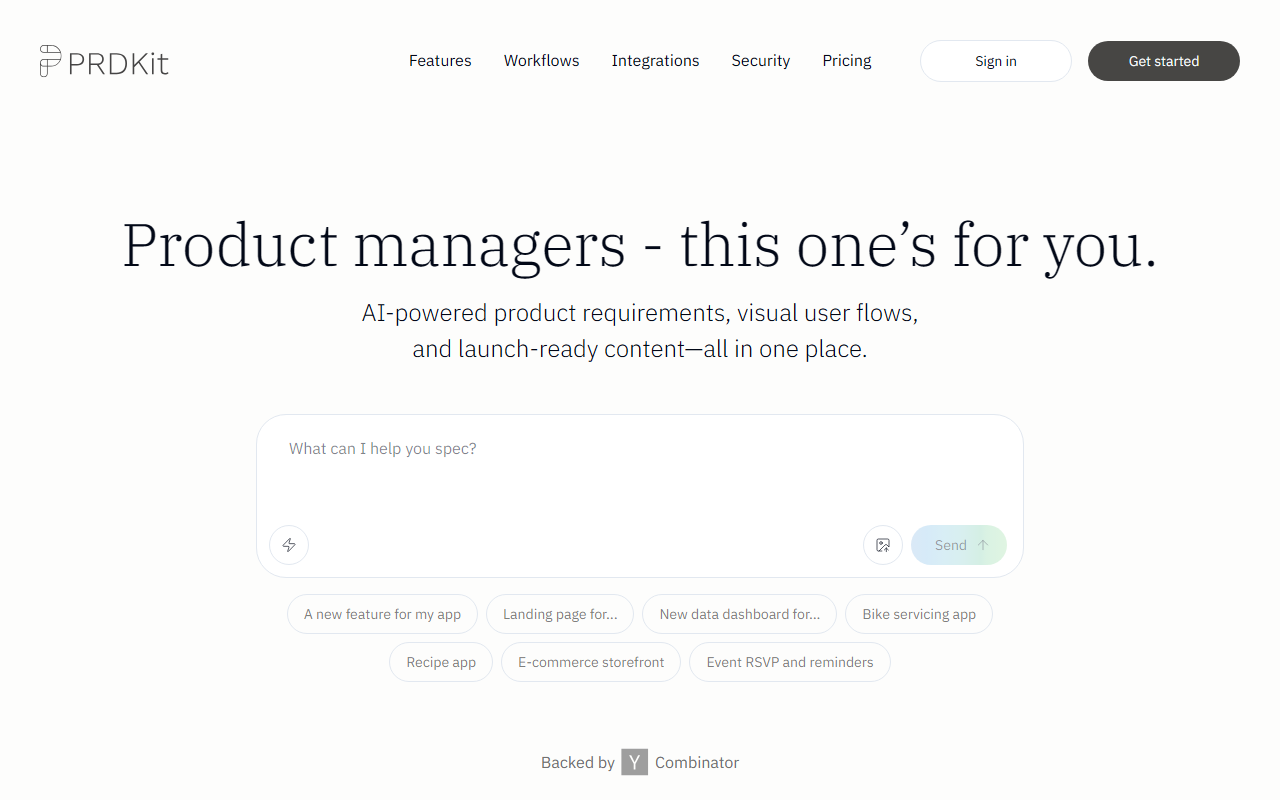
Upon visiting prdkit.ai, I was greeted by a clean, focused landing page that immediately tells product managers, “this one’s for you.” The navigation is minimal—just “Features,” “Workflows,” “Integrations,” “Security,” and “Pricing,” with prominent “Sign in” and “Get Started” buttons. The tagline, “AI-powered product requirements, visual user flows, and launch-ready content—all in one place,” sets clear expectations. I clicked “Get Started for Free” and was prompted to describe a feature or project. I typed “New data dashboard for a SaaS analytics app” and hit send. The response was structured and surprisingly detailed: a PRD outline with title, problem statement, user stories, acceptance criteria, and even suggested metrics. The interface splits into a chat window on the left and a live preview of the generated document on the right. I could edit the document inline and ask the AI to refine sections. The onboarding took less than two minutes—no credit card required, no onboarding wizard. It immediately felt like a purpose-built tool for product managers who need to move fast without sacrificing clarity.
Core Features and Workflow
PRDKit does much more than generate text. After creating a PRD, I noticed a sidebar with options to enhance the document with complementary artifacts. These include Wireframes, User flows, Social posts, and upcoming features like Simulated reviews, Press release, and Demo scripts (marked as “Soon”). I clicked on “Wireframes” and the AI produced a set of low-fidelity mockups representing the data dashboard’s main screens. While not pixel-perfect, the wireframes were sufficient to communicate layout and hierarchy during early alignment. The User flows diagram was generated as a simple flowchart—again, useful for discussing navigation without any external diagramming tool. I also tested the “Product Screen Analysis” feature: I uploaded a screenshot of an existing analytics dashboard, and PRDKit automatically extracted UI elements and mapped them to user flows. This saved me from manually documenting what already exists. The “Knowledge Hub” generated personas, user journeys, and business objectives based on my project description, which I could then export as a shareable link or copy directly into Notion or Confluence. The tool also exports to an “LLM-optimized format” for live prototyping with Bolt, Lovable, v0, or Cursor—a thoughtful integration for teams using AI coding assistants.
Pricing, Integrations, and Security
Pricing is not publicly listed on the website—the “Pricing” link leads to a placeholder section with only “Get Started for Free.” During testing, the free tier allowed me to create one project with unlimited documents within it. No usage limits or watermarking were apparent, but this may change after beta. The tool is backed by Y Combinator, which signals early-stage credibility and likely means pricing will come later. Integrations are currently limited to the web app; Slack and Microsoft Teams are listed as “Soon.” However, the export features (shareable link, Notion, Confluence, and LLM-optimized format) already cover common collaboration scenarios. On the security front, PRDKit explicitly states, “We never use your data to train public AI models,” and offers a link to detailed security documentation. This is a strong trust signal for enterprise teams handling sensitive product specs. The tool runs in a browser and requires no installation, which lowers the barrier for evaluation. For comparison, Notion AI can generate PRDs but lacks visual artifacts, while ChatGPT requires careful prompting and manual structuring. PRDKit focuses entirely on the product manager’s workflow, which is its key differentiator.
Verdict and Recommendations
PRDKit excels at converting conversation into structured, actionable documents fast. Its strongest feature is the combination of written requirements with visual aids (wireframes, user flows) that promote cross-team alignment. The ability to analyze existing products via URL or screenshots is genuinely useful for iterative or enterprise-scale work. However, the tool is not yet feature-complete: simulated reviews, press releases, and demo scripts are still pending, and Slack/Teams integrations are missing. The lack of transparent pricing might deter budget-conscious evaluators, though the free tier provides ample room to test. I would recommend PRDKit primarily to product managers and product teams who want to cut down documentation time and improve consistency across PRDs. Solo founders and early-stage startups will also find it valuable, especially given the free access. Teams already using AI coding tools (like Bolt or Cursor) will benefit from the direct export. If you need advanced diagramming, deep customization, or a mature integration suite, you may want to wait for the roadmap to unfold. For now, PRDKit delivers on its promise: a smarter, faster way to create product requirements. Visit PRDKit at https://prdkit.ai/ to explore it yourself.













Comments