

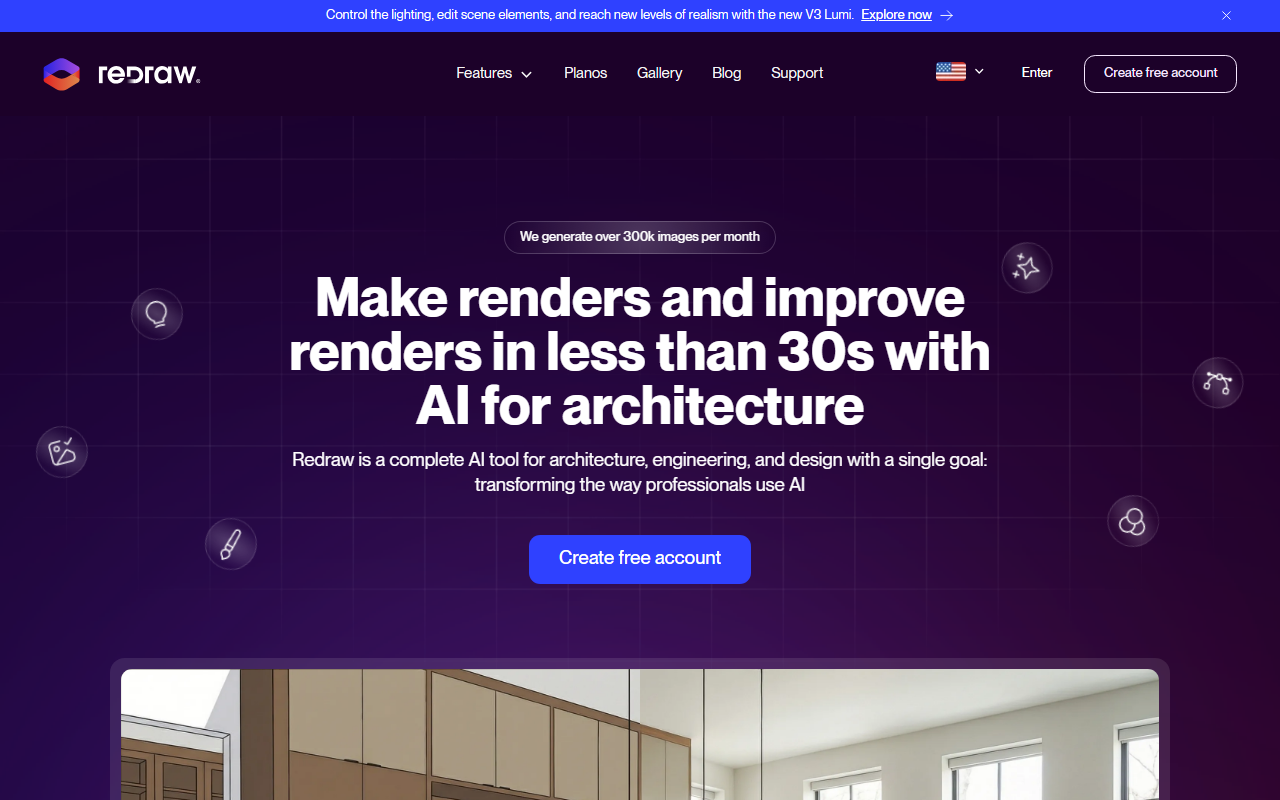
First Impressions of Redraw
Upon visiting redraw.pro, the landing page immediately conveys a clear value proposition: AI rendering built specifically for architects. The interface is clean and professional, with a minimal onboarding flow that prioritizes uploading a screenshot rather than writing prompts. I tested the free trial (no credit card required) and was able to upload a simple Revit screenshot within seconds. The platform processed the image in roughly 25 seconds, returning a photorealistic render that preserved the original geometry while adding realistic lighting, shadows, and material textures. The dashboard shows a simple layout: upload area, recent renders, and access to tools like Brush Tool and Reference Image. The entire experience felt frictionless — no installation, no GPU requirements, just a browser window.
Core Features and Workflow
Redraw centralizes multiple AI models that have been trained specifically on architectural data. The core tool — AI Render — accepts screenshots or exports from any major 3D software: SketchUp, Revit, ArchiCAD, Rhino, Blender, 3ds Max, and even hand-drawn sketches. I observed that the AI doesn’t require written prompts; it interprets the 3D scene contextually. Beyond basic rendering, the Brush Tool lets you edit specific areas — changing textures, materials, or objects — without regenerating the entire image. That’s a practical feature for iterative design. The Reference Image tool allows you to upload a photo, and the AI recreates its lighting, color grade, and atmosphere in your render. Multi-Angle Rendering ensures visual consistency across different views of the same project, which is critical for client presentations. There’s also a Video Generator that turns static renders into animated walkthroughs, and an Idea Generator that produces multiple design variations from a single base. All processing happens in the cloud, so performance depends only on your internet speed. The platform currently serves over 10,000 monthly subscribers and is developed by Thark Group, a US-based company that pioneered AI rendering for architecture.
Pricing, Comparisons, and Target Audience
Redraw’s pricing is straightforward. The Basic plan costs $15/month for 300 renders and a single user. The Expert plan at $32/month offers 1,500 renders and supports up to two users. The Business Elite plan at $92/month provides 6,000 renders and three users. All plans include full access to every tool — only the coin (render credit) allocation differs. Annual subscriptions include two free months. A free trial is available without a credit card. Compared to traditional rendering engines like V-Ray, Lumion, Enscape, D5 Render, or Twinmotion, Redraw eliminates the need for powerful local hardware, manual material and lighting setup, and long render times. While those tools offer photorealistic quality with precise control, Redraw trades that control for speed and simplicity. It’s not designed to replace those tools entirely; rather, it targets the early ideation and client presentation phase. Architects and interior designers who need quick iterations for conceptual design or approvals will find immense value. Those producing final marketing-grade renders with strict artistic direction may still prefer traditional software. Redraw’s primary market is Brazil, but it is expanding globally, with support in Portuguese and English.
Strengths and Limitations – Who Should Use Redraw?
Strengths: The biggest advantage is speed — rendering in under 30 seconds from a screenshot is genuinely impressive. The lack of a learning curve and the fact that no prompts are needed make it accessible to any architect with a 3D model. The Brush Tool and Reference Image features give reasonable creative control. The cloud-based architecture means you can work from any device. The pricing is affordable compared to traditional rendering software licenses. Limitations: The output quality, while photorealistic, can sometimes falter with complex geometry or unusual materials. Because the AI interprets the screenshot, minor artifacts or incorrect textures can appear, and the Brush Tool may not always achieve pixel-perfect edits. There’s also a dependency on the quality of the input screenshot — poorly lit or low-resolution captures yield weaker results. Finally, the platform is clearly optimized for architectural interiors and exteriors; it may struggle with highly abstract or non-architectural scenes. For professionals who need fast, decent-quality renders for client communication, concept exploration, or competition entries, Redraw is an excellent tool. For those requiring full artistic control over every pixel, traditional renderers remain necessary. Overall, I recommend Redraw for architects and interior designers who want to eliminate the rendering bottleneck from their workflow without investing in expensive hardware or software.
Visit Redraw at https://www.redraw.pro to explore it yourself.













Comments