

First Impressions and Onboarding
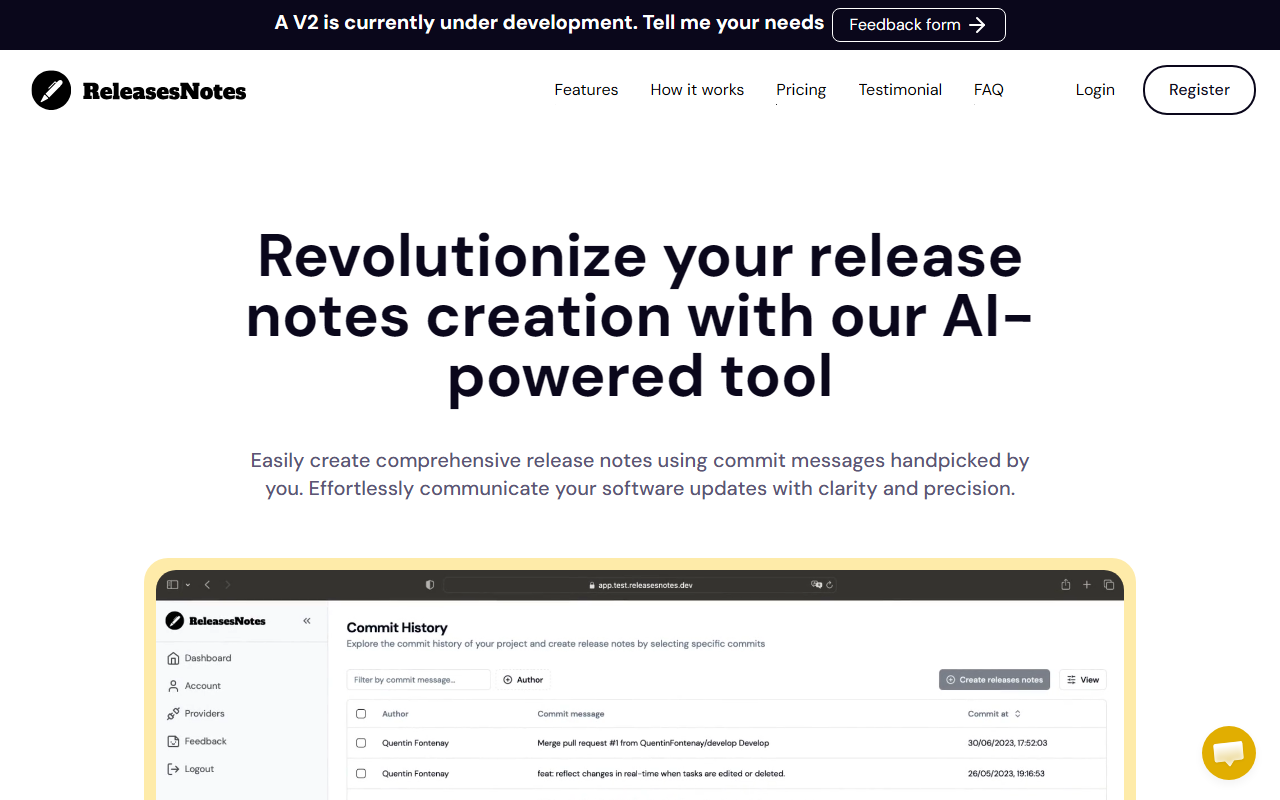
Upon visiting ReleasesNotes.dev, I was greeted by a clean, minimal landing page that immediately explains the value proposition: “Revolutionize your release notes creation with our AI-powered tool.” The site features a video demo (though my browser didn’t render it) and a clear call-to-action to try the free plan. I signed up for the free tier, which offers 3 release notes per month with up to 2 commits each. The onboarding flow is straightforward: after connecting my GitHub account, the tool presented a simple dashboard where I could select a repository and begin the process. I noticed a prominent feedback form and a note that V2 is under development—indicating active iteration.
How It Works and Key Features
The core workflow is refreshingly simple. First, you connect your GitHub repository (GitLab support is promised for launch). Then you select the specific commits you want to include—either individually or by applying filters. Finally, you click “Generate,” and the AI compiles those commit messages into a well‑structured, readable release note. I tested this with a small side project containing six commits. I selected two, and the output was concise and correctly grouped by type (fixes, features, etc.). The AI doesn’t just paste the commit messages; it rephrases them into coherent sentences. For example, “fix login bug” became “Resolved a bug in the login flow that prevented users from authenticating under certain conditions.” That kind of clarity communicates better to end users.
Key features include simplified release process, improved productivity (less time formatting, more time building), and enhanced collaboration by unifying commits from multiple contributors. The interface is uncluttered—no overwhelming options. The tool currently cannot handle more than 10 commits per release, which is fine for small projects but limiting for larger ones.
Pricing and Plans
ReleasesNotes offers three tiers. The Free plan (€0/month) includes 3 releases per month with 2 commits each and email support. The Starter plan (€12/month or €9.60/month if paid yearly) gives 40 releases per month with 5 commits each and priority email support. The Pro plan (€20/month or €16/month yearly) bumps that to 80 releases per month and 10 commits each, still with priority email support. All plans come with a 7‑day free trial for the paid tiers. Consider that 10 commits is still relatively low for a team doing many small changes—they might need to batch commits or upgrade to multiple releases. Pricing is competitive: manual tools like standard Git changelog generators are free but less polished, while dedicated services like ReleaseNote.com charge $15/month for similar commit limits.
Strengths, Limitations, and Verdict
Strengths: The AI writing quality is genuinely useful—it produces release notes that non‑technical stakeholders can understand. The connection to GitHub is seamless, and the selection UI makes it easy to pick exactly which commits to include. The free tier is generous enough for small‑scale testing. The founder’s personal story (the tool was born from their own mobile app release hassles) adds authenticity.
Limitations: The free tier’s 2‑commit cap makes it impractical for even moderate releases. There is no support for private repositories on the free plan (not explicitly stated, but likely). At launch, only GitHub is supported—no GitLab or Bitbucket yet. The 10‑commit max on the Pro plan could be restrictive for teams with high commit velocity. Also, the tool is still in V1 (V2 in development), so stability and feature completeness may evolve. I also missed the ability to customize the output format (e.g., markdown vs. plain text) or add manual annotations.
Who should use it? Solo developers or small teams using GitHub who want to stop writing release notes manually. It’s especially valuable for open‑source projects where clear communication matters. Larger teams with many commits per release will want to check if 10 commits per release is enough, or wait for V2 with potentially higher limits. If you need extensive customization or multi‑VCS support, look at alternatives like standard‑version or GitReleaseNotes. Otherwise, ReleasesNotes delivers exactly what it promises—fast, AI‑powered release notes that save time and improve clarity.
Visit ReleasesNotes at https://releasesnotes.dev/ to explore it yourself.










Comments