

First Impressions: A Tailored Academic Workspace
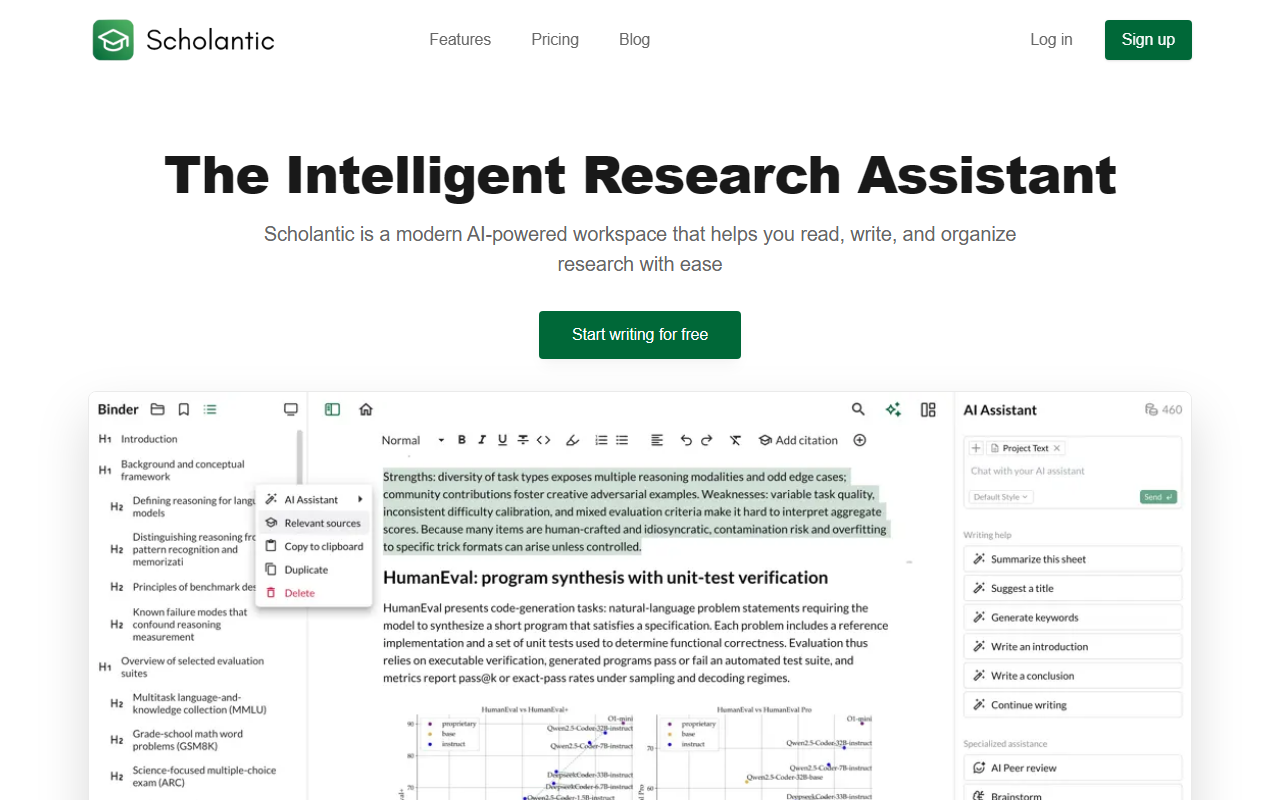
Upon visiting Scholantic's site, I was immediately struck by its clean, minimalist interface that prioritizes the writing experience. The dashboard presents a simple document list and a side panel for notebooks, which reinforces the focus on structured academic work. During onboarding, the tool prompts you to specify your writing goals and academic level, which helps tailor the AI's suggestions to your context—a thoughtful touch missing from generic writing assistants.
The distraction-free editor lives up to its name. It supports markdown shortcuts, customizable themes, and a side-by-side notes panel that keeps my sources and rough ideas accessible without cluttering the main canvas. This layout reminds me of tools like iA Writer or Bear, but with an academic slant that includes citation insertion and bibliography generation directly within the editor.
Core Features: From Brainstorming to Bibliography
Scholantic's AI assistant is always available via a chat panel on the right. I tested the brainstorming feature by asking for an outline on "the ethical implications of AI in healthcare." The AI returned a structured outline with clear sections and suggested subpoints, referencing conventions I'd expect in an academic paper. More impressive was the context-aware rewriting tool: I pasted a dense paragraph, and the AI offered several rephrase options that improved clarity without sacrificing formality.
The AI peer review feature analyzes argument strength, clarity, and structure. For a sample draft, it flagged weak transitions and suggested adding counterarguments—useful feedback for early-stage revisions. The deep research tool, limited to Pro, synthesizes information from multiple sources; in the free tier, I could only get a brief summary, but the Pro result showed a more comprehensive synthesis with citations. Citation management is seamless: add sources by DOI or URL, and Scholantic auto-generates bibliographies in APA, MLA, Chicago, Harvard, IEEE. I tested this with a book DOI—the citation appeared correctly formatted in APA.
Performance and Ethics: The AI Under the Hood
According to the FAQ, Scholantic uses a mix of models including OpenAI GPT-5 and Claude Sonnet 4.5, plus custom models. This diverse backend likely explains its strong performance on academic tasks—the responses felt more focused on scholarly conventions than general-purpose chatbots. Importantly, Scholantic claims it does not use your data to train models, which addresses privacy concerns common in cloud-based AI tools. They also state it will not intentionally plagiarize, though they note that AI responses might occasionally contain phrasing similar to existing web content. For academic integrity, this is a responsible stance: users are still encouraged to verify originality.
One limitation I observed: the free tier caps AI assistant uses to 5 per day, which may be insufficient for heavy writers. The Pro plan at $18/month is reasonable compared to dedicated citation managers or grammar tools, but for those who only need basic editing and no AI, the free version might still suffice.
Pricing, Positioning, and Final Verdict
Scholantic is best suited for undergraduate and graduate students, researchers, and academics who want an all-in-one platform to manage the entire writing workflow—from brainstorming to final export. It competes with tools like Grammarly (which focuses on grammar and tone) and Scite (which specializes in citation context), but Scholantic combines both in one workspace. However, professionals who require deep statistical analysis or integration with reference managers like Zotero may find it less comprehensive.
The pricing is clear: Basic free with 5 AI uses per day, Pro $18/month (annual likely lower). No enterprise plan visible. Export options to PDF, DOCX, Markdown with pre-configured formatting are practical for submission to journals or university systems.
Overall, Scholantic delivers on its promise of an intelligent research assistant. Its strengths lie in its tailored academic focus, unified editor, and robust citation management. The main drawbacks are the limited free tier and the inherent risk of over-relying on AI for original thoughts. I recommend Scholantic for anyone who regularly writes academic papers and wants to reduce the friction of research and drafting—just be sure to treat the AI's output as a collaborator, not a crutch.
Visit Scholantic at https://scholantic.com/ to explore it yourself.













Comments