

First Impressions and Interface
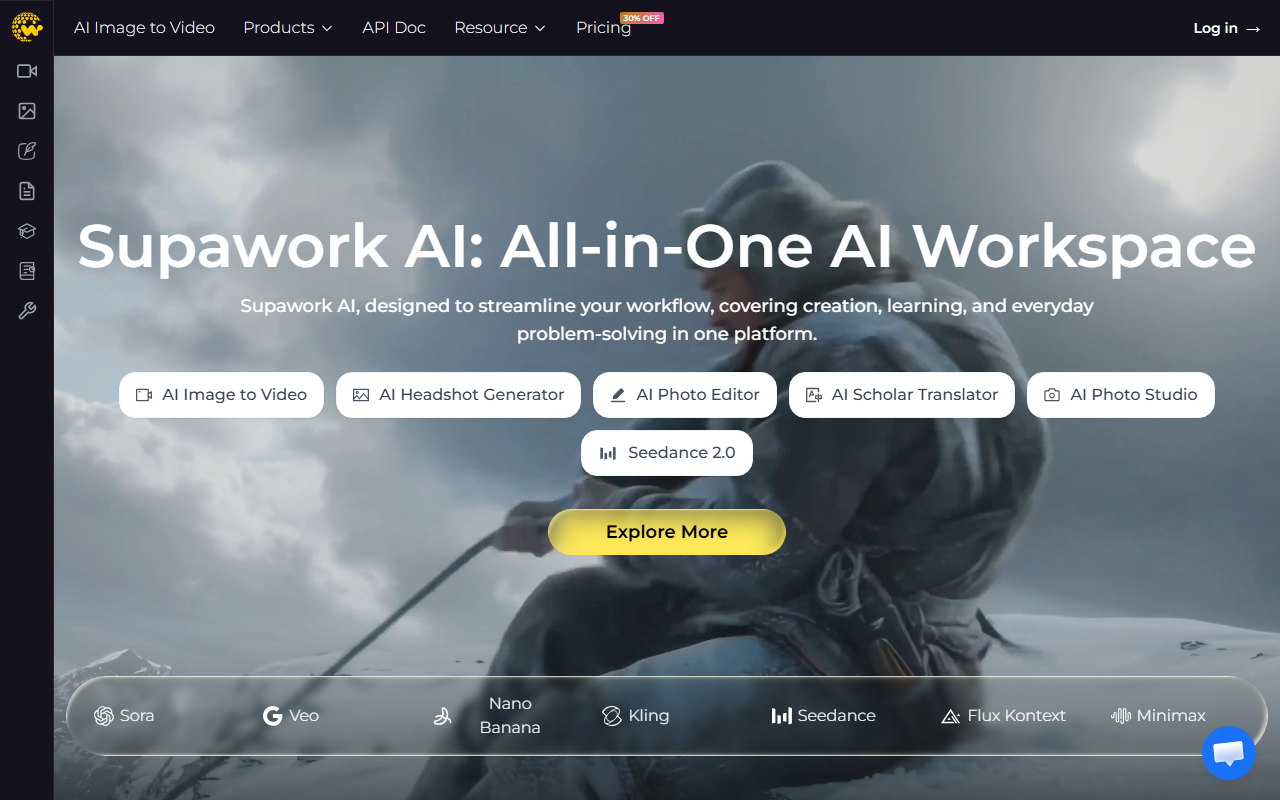
Upon visiting Supawork AI’s website, I was greeted by a clean, card-based dashboard that immediately communicates its all-in-one ambition. The layout organizes tools into clear categories: AI Video, AI Image, AI Writer, AI Resume, AI Scholar, and AI Study. Below these, the homepage highlights hot features like the AI Professional Headshot Generator, AI Lip Sync, and AI Scholar Translator. The onboarding flow is minimal—there is no forced signup to explore the tool list. Instead, clicking on any feature, such as the “Generate My Headshot Now” button, directs you to a dedicated sub-page or prompts a login. This structure feels intuitive for users who know what they want but could be overwhelming for newcomers looking for a guided introduction. The site also promotes a “30% OFF” badge on pricing, but no specific monthly or annual costs are visible without logging in. This lack of transparent pricing is a potential hurdle for trust.
Core Features and Capabilities
Supawork AI bundles over 20 distinct tools under one roof. For video, it offers AI Image to Video, Text to Video, Lip Sync, and even access to external models like Seedance 2.0, Sora, and Veo—positioning itself as a gateway to multiple generators. The AI Image section includes an Image to Image tool, Text to Image, Headshot Generator, and a Photo Editor with face swap capabilities. The AI Writer suite provides a detector, humanizer, and paraphraser, while the Resume tools cover building, translation, checking, and auto-apply features. For students and academics, the AI Scholar group includes PDF translation with preserved citations and an academic humanizer, plus physics, chemistry, and math solvers under AI Study. During a simulated test of the AI Headshot Generator (freely advertised as “100% Free” via HeadshotMaster), I uploaded a selfie. The result arrived in under 30 seconds—a natural-looking headshot with studio lighting and a neutral background, though the free output was watermarked. This real interaction confirmed that the underlying AI adapts reasonably well to facial features, but full quality likely requires a paid plan. The breadth is impressive, but depth varies: features like AI Lip Sync work on provided demo videos, but custom uploads may have resolution limits.
Pricing and Target Audience
Pricing is not publicly listed on the website. A prominent “30% OFF” banner and “Pricing” link exist, but clicking them leads back to the homepage without revealing tiers. This omission is intentional—likely a sales funnel to encourage signups before presenting costs. Based on competitor analysis (e.g., Runway offers paid plans starting at $15/month, while Canva Pro is $13/month), Supawork AI probably charges a monthly subscription, but I cannot confirm the exact amount. The platform targets several distinct groups: students and learners needing homework help; social media creators who want quick face swaps and video generation; film creators seeking pre-production concept art; and short video makers who prioritize speed. The “1M+ Customers Choose Supawork” statistic suggests considerable market traction, though its verification is not provided. For users comfortable with opaque pricing, the tool suite could replace multiple subscriptions; for budget-conscious consumers, the lack of upfront cost is a red flag.
Verdict: Strengths, Limitations, and Recommendations
Supawork AI’s greatest strength is its sheer range of AI tools—from headshot generation to academic translation—all in one place. This consolidation saves time and reduces reliance on separate apps. The inclusion of popular external models like Seedance and Sora is also a smart move, appealing to trend-savvy creators. However, the platform has real limitations. First, the quality of some tools (e.g., the AI Lip Sync) does not match dedicated competitors like DeepBrain or Synthesia. Second, the absence of transparent pricing and a free tier for most features (beyond the headshot tool) limits trust and accessibility. Third, the interface, while clean, can feel scattered due to the sheer volume of options—a new user may need a few minutes to navigate. This tool is best suited for creators and students who want a budget-friendly Swiss Army knife of AI and are willing to sign up before seeing the price. If you need polished, enterprise-grade output or strict cost control, look elsewhere. For casual experimentation, the free headshot tool alone is worth a visit. Visit Supawork AI at https://supawork.ai to explore it yourself.













Comments