

First Impressions and Onboarding
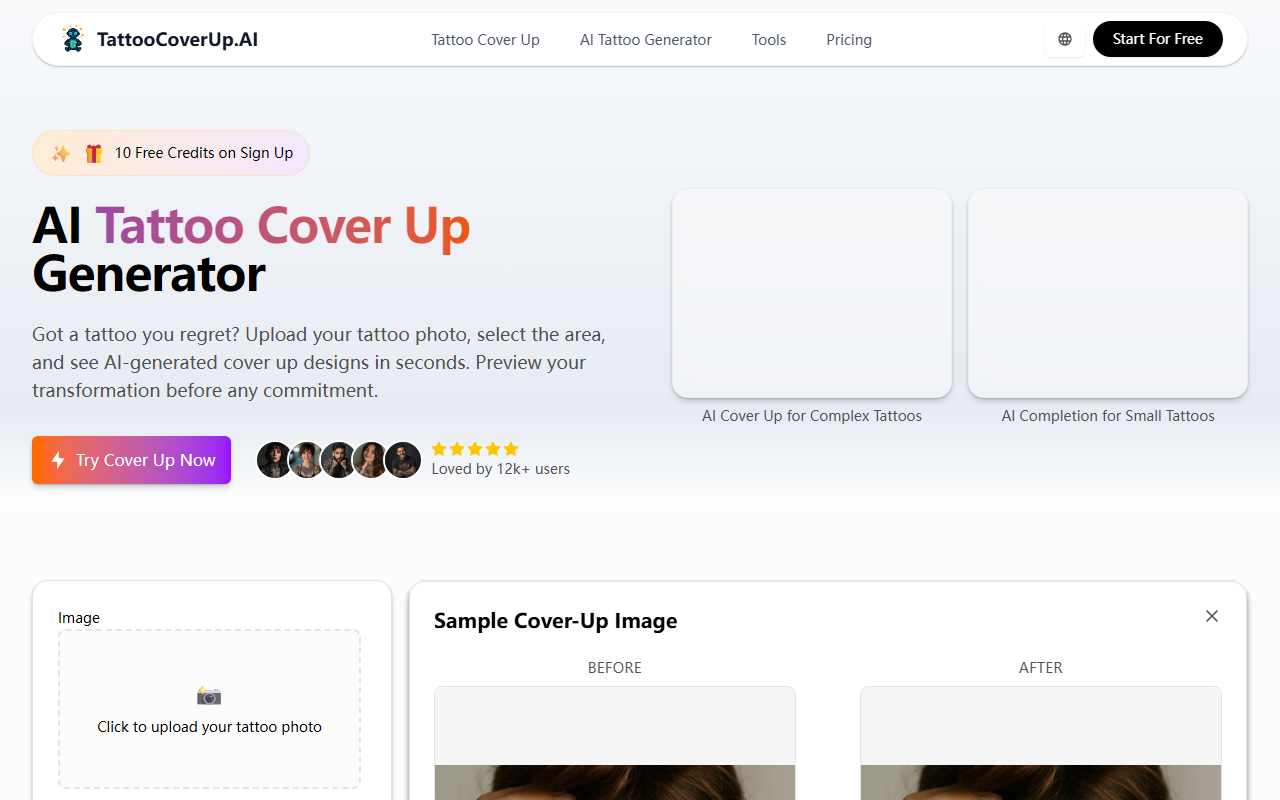
Upon visiting TattooCoverup.ai, the landing page immediately pitches its core promise: upload a photo of an unwanted tattoo, select the area you want to cover, and let AI generate cover-up designs in seconds. The design is clean, with a prominent “Start For Free” button and a counter showing “Loved by 12k+ users.” I signed up using my Google account and received 10 free credits instantly—no credit card required. The dashboard presents a straightforward workflow: upload an image (JPEG, PNG, or WEBP, max 10MB), draw a rectangle over the tattoo to define the coverage area, choose a style, input an optional idea prompt, and hit generate.
I tested it with a photo of a small, faded dragon tattoo on my forearm. The upload processed quickly, and the selection tool was surprisingly precise—you can drag and resize the rectangle to fit the exact shape of the ink. The style picker offers 22 options, ranging from Traditional and Neo Traditional to more niche ones like Cyberpunk and Trash Polka. Each style is marked “Standard” or “Pro,” with Pro styles (e.g., Hyper Real, Ornamental) locked unless you use the Pro model. The free tier gave me 9 credits for Standard model generations and 1 free use of the Pro model. After my free trial, Standard generations cost 9 credits each, and Pro requires “Standard+ required” – a note that suggests you must have first used the Standard model on that image, presumably to build a base. Pricing beyond the sign-up credits is not publicly listed; you can purchase additional credit packs, but the amounts weren’t shown until login.
How the AI Works and What It Delivers
TattooCoverup.ai uses a custom-trained AI model that understands tattoo cover-up principles: color theory, placement, and design density. When I uploaded my dragon and chose the Neo Traditional style with the prompt “a large peony covering the dragon, bold lines, deep red and black,” the AI took about 15 seconds to generate four variations. The results were applied directly onto my original photo, making it easy to see how the design would sit on my skin. The coverage was realistic—the new art blended with my skin tone and texture, and the old ink was almost completely hidden in three of the four outputs.
The Pro model, which I tried on a separate image of a dark tribal armband, produced noticeably sharper details and better color saturation. However, it required that I had already generated a Standard version for that same image—a limitation that feels unintuitive. Once I did that, the Pro output was a significant upgrade. The “AI Prompt Suggestions” feature is helpful: you can click “Generate with AI” to get a detailed prompt based on the selected style and your tattoo, which saves time for less experienced users. The platform also offers a “Public Visibility” toggle and copy protection, which is smart for users who want to keep their design ideas private.
One standout feature is the ability to compare before/after images with a drag slider, both in the example gallery and on your own results. This makes it easy to assess the coverage quality. The example gallery is extensive, with real user transformations across all styles—though I would have liked more prompt details visible without clicking each one.
Pricing, Strengths, and Limitations
Pricing is not transparent beyond the free credits. The website states “10 Free Credits on Sign Up” and shows that Standard model uses 9 credits per generation, while the Pro model requires “Standard+ required.” I found no dedicated pricing page or credit pack costs during my test—likely because you must log in to see the shop. This opacity is a drawback for anyone evaluating cost upfront. Compared to alternatives like Inkbox AI (which focuses on temporary tattoos) or general text-to-image tools like Midjourney (which lacks cover-up logic), TattooCoverup.ai is purpose-built for permanent tattoo cover-ups. Its unique strength is the direct preview on your actual photo, which no general AI can replicate.
Another limitation: the selection tool is only a rectangle. For irregularly shaped tattoos, you may need to manually mask the area in another app before uploading. Additionally, the resolution of the generated previews is adequate for inspiration but might not be print-ready for artists—though the site claims “high resolution” downloads. The Pro model’s requirement to first use Standard on the same image feels like a workflow hurdle and may frustrate users who want the best result immediately.
Overall, TattooCoverup.ai is an excellent prototyping tool for tattoo artists and individuals considering a cover-up. It eliminates weeks of back-and-forth by generating dozens of design ideas in minutes. The AI’s understanding of cover-up principles is impressive, and the real-time preview is genuinely useful. However, the opaque pricing and rectangular selection limit its polish. I recommend it for anyone exploring cover-up options, but advise using the free credits to test thoroughly before committing to a paid plan.
Visit TattooCoverup.ai at https://tattoocoverup.ai to explore it yourself.












Comments