

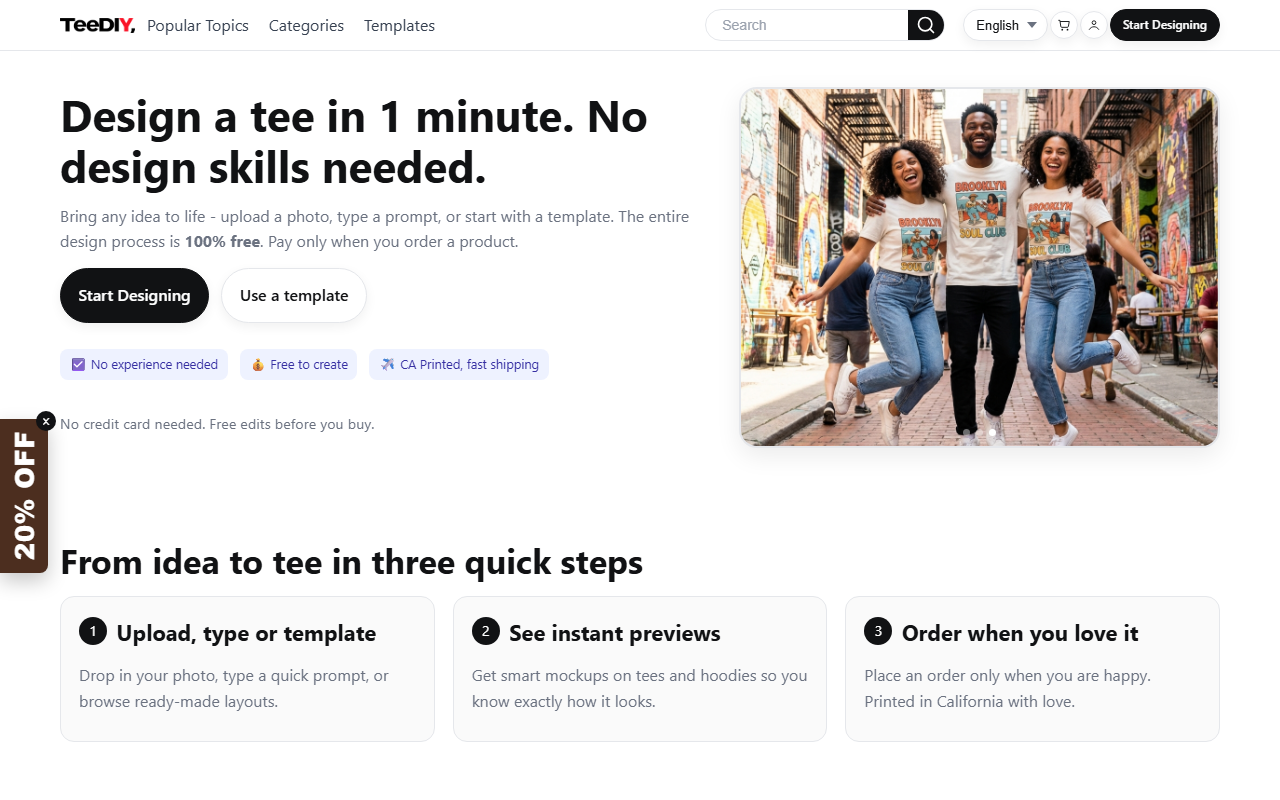
First Impressions: A Streamlined AI Design Dashboard
Upon visiting TeeDIY's website, the first thing I noticed is the clean, consumer-friendly interface. The landing page immediately presents a "Start Designing" button and a clear value proposition: "Design a tee in 1 minute. No design skills needed." The dashboard is not cluttered; instead, it offers quick access to popular topics, categories (T-shirts, Sweatshirts, etc.), and a template gallery. I tested the free tier by typing a prompt—"minimal line art cat"—and within seconds the AI generated several mockups on a tee. The preview updated in real time, and I could cycle through options. There’s also an option to upload a photo, which I tried with a simple logo; the magic cleanup tool removed the background automatically. The entire onboarding flow is frictionless: no account required to start designing, and the editor itself is intuitive, with large buttons for each feature.
Core Features and Underlying Technology
TeeDIY is essentially a text-to-print AI platform. It solves the problem of turning an idea (or a photo) into a print-ready design with zero graphic design experience. The tool leverages a proprietary AI model for image generation, though the website does not specify which backbone it uses (likely a fine-tuned diffusion model). The standout features are: Magic Cleanup for background removal, Style Assist for applying vintage or comic effects, Auto Layout for balanced composition, and Smart Edit which lets you describe a change to any element. I tested Smart Edit by asking to change the background color of my design from white to red—the AI handled it accurately. The mockup renders on the product (e.g., tee, hoodie) are realistic, with fabric folds and lighting. The platform also offers a community gallery where you can remix others’ designs, which adds a social element. For ordering, TeeDIY prints in California and claims fast shipping; customer reviews on the site show 4.8/5 stars from 379 customers, with many praising quality and speed.
Pricing and Market Position
Pricing is refreshingly transparent: designing is 100% free—no hidden charges for generating unlimited previews or using AI tools. You pay only when you order a physical product. Unfortunately, the site does not list exact product prices on the main page; you must start designing and add a product to the cart to see costs. However, given the industry standard (e.g., around $20-$30 for a custom tee), TeeDIY likely falls in that range. Unlike competitors like Printful or Custom Ink, TeeDIY focuses entirely on AI-assisted design rather than a broader print-on-demand marketplace. Another competitor, The/Studio, offers similar AI design tools but with a more complex interface. TeeDIY’s edge is the speed and simplicity—the entire design process takes under a minute for most users. It is best suited for individuals who want quick, fun custom apparel for events, gifts, or personal use. Businesses needing bulk orders or vector file exports should look elsewhere, as TeeDIY seems geared toward casual consumers.
Strengths, Limitations, and Final Verdict
Strengths: The tool is genuinely easy to use—I went from prompt to printable design in less than 60 seconds. The AI tools (cleanup, style, layout) work well and are free. The product quality and shipping speed, as highlighted by customer reviews, appear solid. The lack of a required sign-up for designing lowers the barrier to entry. Limitations: The biggest limitation is the absence of an API or bulk design features, making it unsuitable for commercial production. Also, there are no templates currently available (“No templates available right now” was displayed), which may frustrate users expecting ready-made layouts. And while you can see product prices only after adding to cart, that's a minor UX friction. For most casual users, TeeDIY is a delight. I recommend it to anyone who wants to create a unique T-shirt or hoodie quickly, especially for parties, fan gear, or gifts. Skip it if you need advanced design controls or enterprise integration. Visit TeeDIY at https://teediy.com/ to explore it yourself.










Comments