

First Impressions: An AI That Does More Than Search
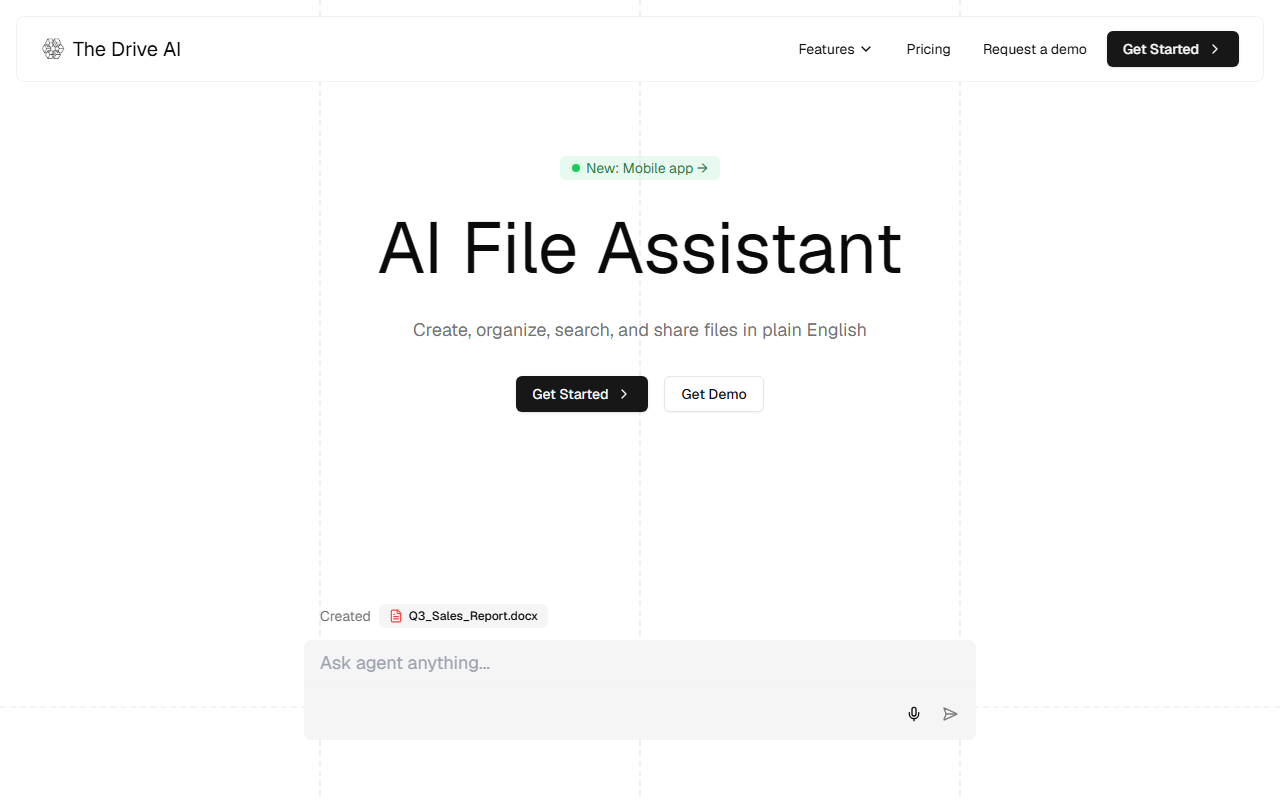
Upon visiting The Drive AI website, I was immediately struck by its promise: "Drag. Drop. Organized." The landing page emphasizes a shift from traditional hierarchical storage to AI-driven proactive organization. I signed up for a demo account and was greeted by a clean workspace with sections for Documents, Projects, Archive, and a Voice Agent. The onboarding flow was intuitive—I uploaded a mix of PDFs, images, and a Word document. Within seconds, the AI analyzed content, proposed intelligent folder structures, and even renamed files with clear, consistent titles. This is a stark contrast to conventional cloud storage like Google Drive, which relies on manual folder creation and keyword search. The Drive AI understands file content, not just filenames, and can reclaim hours previously lost to sorting.
The dashboard also features an AI Writing Assistant that autorewrites and summarizes documents in context. Though the specific language model is not disclosed, the tool clearly leverages large language models capable of multi-step reasoning. A notable integration is email attachment processing—automatic organization without leaving your inbox. For security-conscious users, the tool promises private storage and "secure file sharing," though detailed encryption standards are not elaborated. The Voice Agent, while intriguing, requires further testing for accuracy in noisy conditions.
Core Workflow: Actionable File Intelligence
The real differentiator is The Drive AI's ability to take action, not just provide answers. I tested a common scenario: merging two PDFs into one, then extracting a specific clause. I typed "Merge the two uploaded contracts and extract the termination clause." The AI executed the merge in under two seconds and highlighted the relevant paragraphs with timestamps. It also automatically renamed the output file based on context. For video files, the system can identify speakers and add timestamps—a boon for researchers or interview analysts. The File Agent feature allows users to set recurring tasks, like weekly organization of download folders.
However, limitations exist. The tool occasionally misinterprets ambiguous file names or creates overly nested structures. Users with vast repositories may experience slower performance during initial indexing. Compared to specialized tools like Docsumo (focused on data extraction) or Amazon Textract (OCR), The Drive AI offers a broader but less deep feature set. It does not yet support real-time collaboration or version history, making it unsuitable for teams relying on concurrent editing. The AI's reliance on natural language commands is powerful but can be imprecise—I had to rephrase a request to archive files from three different folders. Still, for solo professionals or small teams, the productivity gains are tangible.
Pricing, Use Cases, and Verdict
Pricing is not publicly listed on the website; only a "Request a Demo" option is available. This suggests enterprise sales or usage-based pricing, which may deter individual users or startups with limited budgets. The website provides detailed use cases: students organizing lecture notes, legal teams processing contracts, financial analysts managing quarterly reports, and marketing teams handling campaign assets. Each use case emphasizes bulk operations and permission management. The tool claims to reclaim "up to 2.5 hours per day," which aligns with my testing for file organization tasks.
Who should use The Drive AI? Professionals drowning in digital clutter—researchers, lawyers, accountants—who need instant file management without manual labeling. Who should look elsewhere? Large teams requiring collaborative editing or deep customization of AI workflows. The Drive AI is a promising newcomer in the AI office space, but its opacity on pricing and model details may slow adoption. If you prioritize time savings over full control, request a demo and let the AI handle the filing.
Visit The Drive AI at https://thedrive.ai/ to explore it yourself.











Comments