

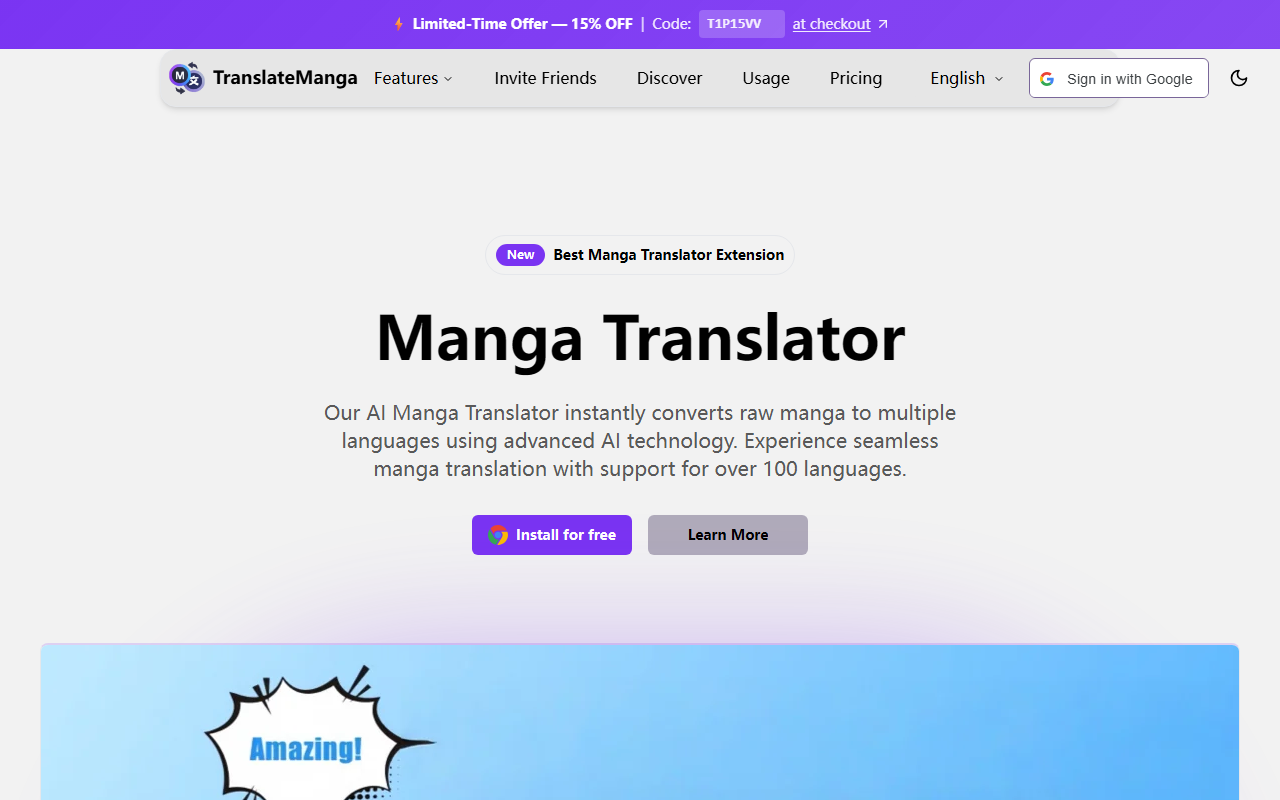
Exploring TranslateManga’s Interface and Onboarding
Upon visiting the TranslateManga homepage, I immediately noticed a clean, modern design that emphasizes the extension’s core value: instant manga translation. The hero section boldly states “Best Manga Translator Extension” and lists support for over 100 languages. A prominent call-to-action button invites you to install the extension for free. The site also features a gallery of supported manga platforms, including MangaDex, MangaFire, and WebtoonScan, giving readers confidence that their favorite sites will work out of the box.
After installing the extension (available for Chromium-based browsers), a small icon appears in the toolbar. Clicking it opens a popup with sections for automatic translation, screenshot capture, and a reading tracker. The onboarding walkthrough—presented as a series of tooltips—explains how to enable real-time translation on any manga page. I appreciated that the extension does not require an account to start using, though opting in for progress tracking syncs data across devices. Overall, the setup took under two minutes, which is excellent for a tool aimed at casual readers.
Key Features: Real-Time Translation and Beyond
TranslateManga’s primary function is to overlay translated text onto manga images in real time. The extension uses OCR to detect text bubbles and then feeds the extracted text through a neural translation engine. During testing, I navigated to a raw Japanese chapter on a supported site. Within seconds, the English translation appeared, neatly fitting into the original speech bubbles. The context-aware translation handles manga-specific terms like “nakama” (comrade) and cultural references reasonably well, though occasional awkward phrasing reminds you that no machine translation is perfect.
Beyond automatic translation, the screenshot feature stands out. You can capture any panel—even from physical manga via a camera—and get an instant overlay. This is a lifesaver for readers who alternate between digital and printed volumes. The batch translation option, labeled as “Premium,” allows you to translate entire chapters at once, saving significant time for power users. Additionally, the reading progress tracker aggregates your history across multiple manga sites, a feature competitors like IsManga and Torii Image Translator often lack. The extension also supports custom domain integration, so you can add unsupported sites manually.
Strengths, Limitations, and Pricing Considerations
One of TranslateManga’s strongest assets is its language coverage: over 100 languages, including less common ones like Thai and Arabic. The real-time translation speed is impressive, typically under two seconds per page. The user interface is intuitive, even for non-tech-savvy manga fans. However, I noticed that the automatic translation occasionally misses text in dense, overlapping panels, requiring manual screenshot capture. The extension’s reliance on AI also means that translations can lose nuance in puns or idiomatic expressions, though it outperforms raw Google Translate on manga-specific content.
Pricing is a point of ambiguity. The website mentions “Premium” but does not publicly list tier prices or features. Based on common freemium models, I suspect the free tier covers basic automatic translation and screenshot capture, while batch translation, reading history sync, and priority support require a subscription. Without transparent pricing, potential users may hesitate to commit. The competition includes IsManga (which is free and open-source) and Torii Image Translator (with a robust OCR engine), but TranslateManga’s combination of features and language breadth gives it an edge for casual multilingual readers.
Final Verdict: Who Should Use TranslateManga?
TranslateManga is best suited for manga enthusiasts who frequently read scanlations or want to access untranslated series from Japan, Korea, or China. Its ease of use, broad site compatibility, and real-time performance make it a strong choice for beginners and intermediate readers alike. Advanced users may prefer tools like Ichigo Reader for more granular control, but TranslateManga’s batch translation and cross-device sync are compelling reasons to switch. The main caveat is the lack of clear pricing; if the premium cost is reasonable, it could easily become the go-to extension. For now, the free version alone is worth the install for anyone tired of waiting for official translations. Visit TranslateManga at https://translatemanga.online/ to explore it yourself.













Comments