

First Impressions and Onboarding
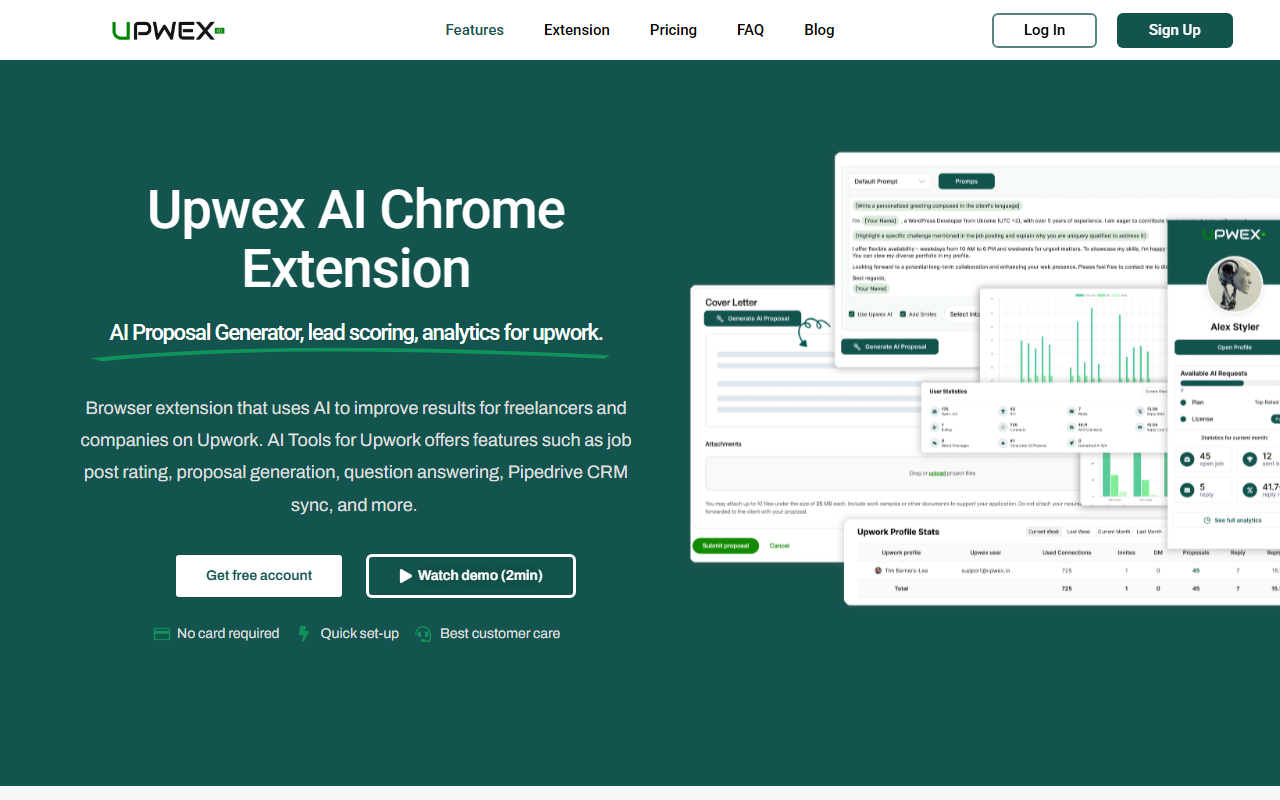
Upon visiting Upwex.io, I was greeted by a clean landing page that immediately communicates the tool's niche: an AI-powered Chrome extension designed to enhance every stage of the Upwork freelancing workflow. The prominent call-to-action buttons for "Get free account" and "Watch demo (2min)" set a low-barrier entry. I signed up with Google and was guided through a quick setup—no credit card required, which is always reassuring. The onboarding asked me to connect my Upwork profile and install the Chrome extension. Within five minutes, I had the extension pinned and was browsing Upwork job posts with a new overlay that showed a job rating score, a "Generate Proposal" button, and a Q&A assistant. The interface is minimal and unobtrusive, blending into Upwork’s own layout without feeling cluttered.
Core Features and Real-World Testing
Upwex focuses on several key pain points for Upwork users: job selection, proposal writing, client communication, and CRM management. I tested the AI Job Assistant on a handful of live job posts. The extension analyzes client history, job description, and my profile to produce a score (e.g., 8/10) and a brief recommendation like “Good match—consider bidding.” The logic seems sound, though I wish the scoring criteria were more transparent. Next, I used the AI-Powered Proposal Generator. After clicking the button, the extension pulled the job details and my profile, then drafted a tailored proposal within seconds. The output was coherent, professional, and included placeholders I could easily edit. It saved me at least 10–15 minutes per proposal. The AI-Powered Q&A feature automatically suggests answers to common client questions, which sped up my message responses. I also explored the analytics dashboard: it shows proposal acceptance rates, earnings trends, and project conversion data. Integration with Pipedrive CRM worked smoothly—I could create deals directly from Upwork messages. However, the extension doesn’t yet support other CRMs out of the box.
Pricing and Integration Details
Upwex offers a free tier that includes basic proposal generation and job scoring. The website does not list explicit paid monthly plans for the base product, only noting that an AI Job Researcher add-on costs $49/month. This add-on provides custom filters, real-time notifications via Telegram or Slack, and AI-powered evaluation of job posts—a useful upgrade for power users. The core tool runs on OpenAI’s language models combined with Upwex’s proprietary machine learning technology. An API is available for custom integrations, which is a plus for teams wanting to embed Upwex into their own systems. For freelancers concerned about data security, Upwex claims to be “by far the most secure app” for Upwork automation, though I didn’t find a detailed security whitepaper on the site. Unlike generic AI writing tools like Jasper or ChatGPT, Upwex is tightly scoped to the Upwork ecosystem, which is both its strength and limitation.
Who Should Use Upwex?
Upwex is best suited for freelancers who actively bid on Upwork and want to streamline their workflow, especially those who also use Pipedrive CRM. Sales teams and lead generators on Upwork will benefit from the analytics and CRM sync. However, freelancers who rarely write custom proposals or prefer to send generic templates may find the AI proposal output too formulaic. Also, the tool currently only supports Upwork; if you rely on multiple freelancing platforms, you’ll need separate solutions. A notable limitation: the free tier’s proposal generation seemed capped—I hit a limit after five uses and was prompted to upgrade. Despite that, the value proposition is clear: Upwex reduces the friction of winning projects on Upwork by automating repetitive tasks. I recommend serious Upwork users sign up for the free account to test the AI Job Assistant and proposal generator. If you find yourself spending hours per week on proposals, the investment in the add-on is likely to pay for itself.
Visit Upwex at https://upwex.io/ to explore it yourself.













Comments