

First Impressions of Viberot: A Multimedia Powerhouse
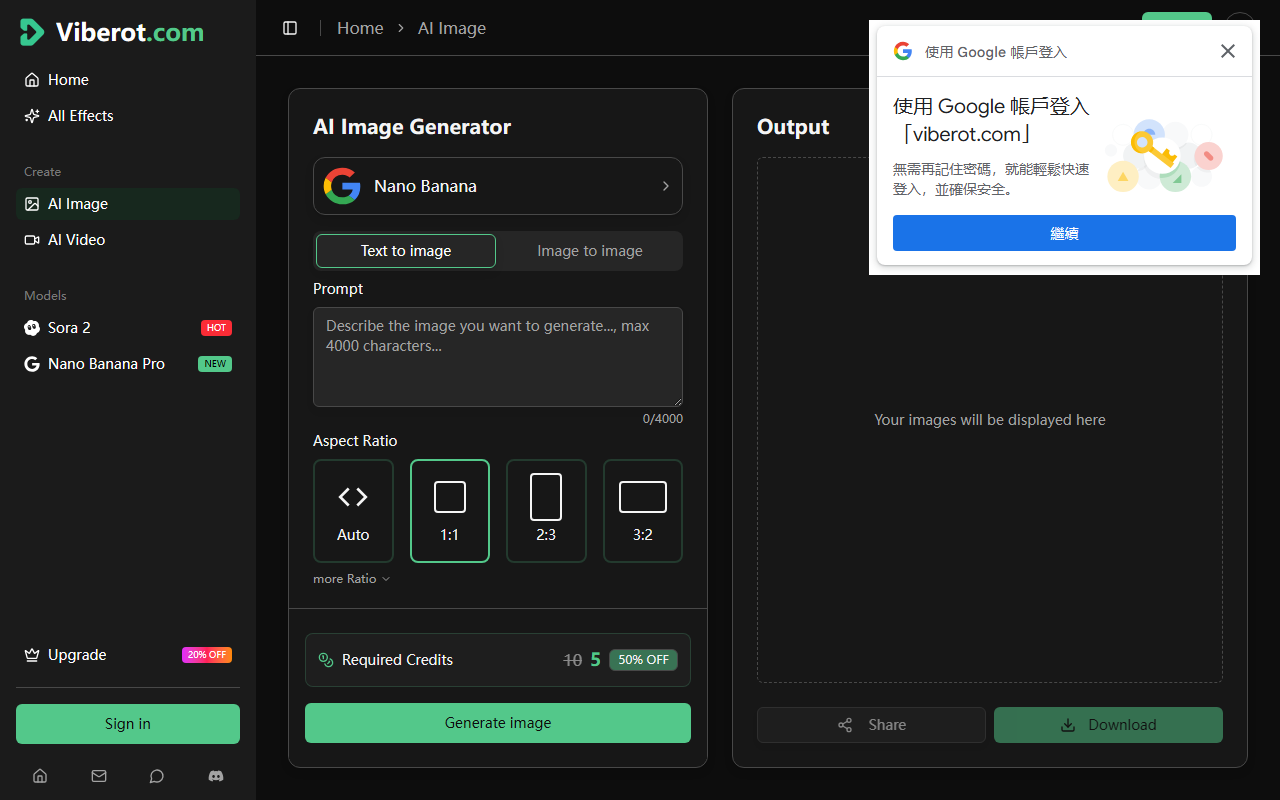
Upon visiting Viberot, I was immediately struck by the clean, modern dashboard that clearly separates image, video, and GIF generation. The landing page wastes no time—right in the center, you see a prompt input box flanked by examples like "Dragon Burst" and "Crystal Growth." The sidebar toggles language settings and navigation, making onboarding effortless. I started with the free tier, which offers 20 credits monthly—enough to explore the core capabilities. The interface allows you to pick a model (Veo 3.1 Fast, Seedance 2.0, Nano Banana 2, etc.) directly from the dropdown. Pressing Ctrl+Enter triggers creation; I tested a simple text-to-image prompt with Nano Banana 2, and within seconds I had a sharp 1080p JPEG. The generator supports multiple aspect ratios and even offers a "First & Last Frame Control" for Seedance 2.0 video, which I found impressive for maintaining narrative consistency.
Core Features and Model Portfolio
Viberot aggregates several cutting-edge AI models under one roof. The Veo 3.1 series (Fast, Quality, Lite) is designed for cinema-quality video with native audio synchronization—I observed background sound matching the scene content perfectly. Seedance 2.0 (by ByteDance) allows frame control and up to 15-second durations. For pure image generation, Nano Banana 2 and Flux Kontext deliver high-quality results rapidly. The platform also offers specialized effects like AI GIF Generator, AI Blueprint Sketch, and AI Lego Generator—making it more versatile than standard image/video tools. During testing, the video output from Seedance 2.0 was smooth and coherent, though the free tier limits you to 1 video generation per month. The dashboard includes a "Featured Creations" gallery, showcasing community work, which adds a sense of trust and inspiration. Unlike competitors such as Runway or Pika Labs, Viberot bundles both image and video generation with static effects—a time-saver for creators who need an all-in-one solution.
Pricing, Plans, and Honest Limitations
Viberot offers a clear pricing structure with three tiers. The Free plan gives 20 credits monthly (1 video, 4 images, limited templates). The Pro plan costs $19.9/month billed yearly ($192/year) or $20 billed monthly, providing 1000 credits, 50 video generations, and 200 images. The Ultra plan at $49.9/month yearly ($480/year) includes 4000 credits, 200 videos, and 800 images. All paid tiers unlock HD watermark-free downloads, commercial usage, and faster speeds. However, I noted that the free tier's restrictions are quite severe—only 1 video per month means you can't really test the video quality extensively before committing. Additionally, the "limited templates & effects" on free tier mean you miss out on many fun tools like the AI Cartoon Generator. On the positive side, the Pro pricing is competitive compared to similar platforms (e.g., Runway Gen-2 starts at $15/month but offers fewer models). A major limitation is the lack of a public API or direct integration with external apps; Viberot operates strictly as a web app. For users needing batch processing or workflow automation, this may be a showstopper.
Final Verdict: Who Should Use Viberot?
Viberot is best suited for content creators, social media managers, and small businesses who want a single platform for generating both images and short-form videos quickly. The variety of models—from Google Veo to ByteDance's Seedance—gives users flexibility without juggling subscriptions. The interface is intuitive, and the inclusion of effects (like AI Group Photo or LinkedIn Photo Generator) adds unique value. However, if you require unlimited high-volume generation or need API access, look elsewhere. The free tier is a decent taste, but the real value is in the Pro plan for regular creators. Overall, Viberot delivers on its promise of "viral content in minutes" by combining speed, quality, and diverse AI models. Give it a try if you want to experiment with multiple AI generators under one roof.
Visit Viberot at https://viberot.com/ to explore it yourself.













Comments