

First Impressions and Onboarding
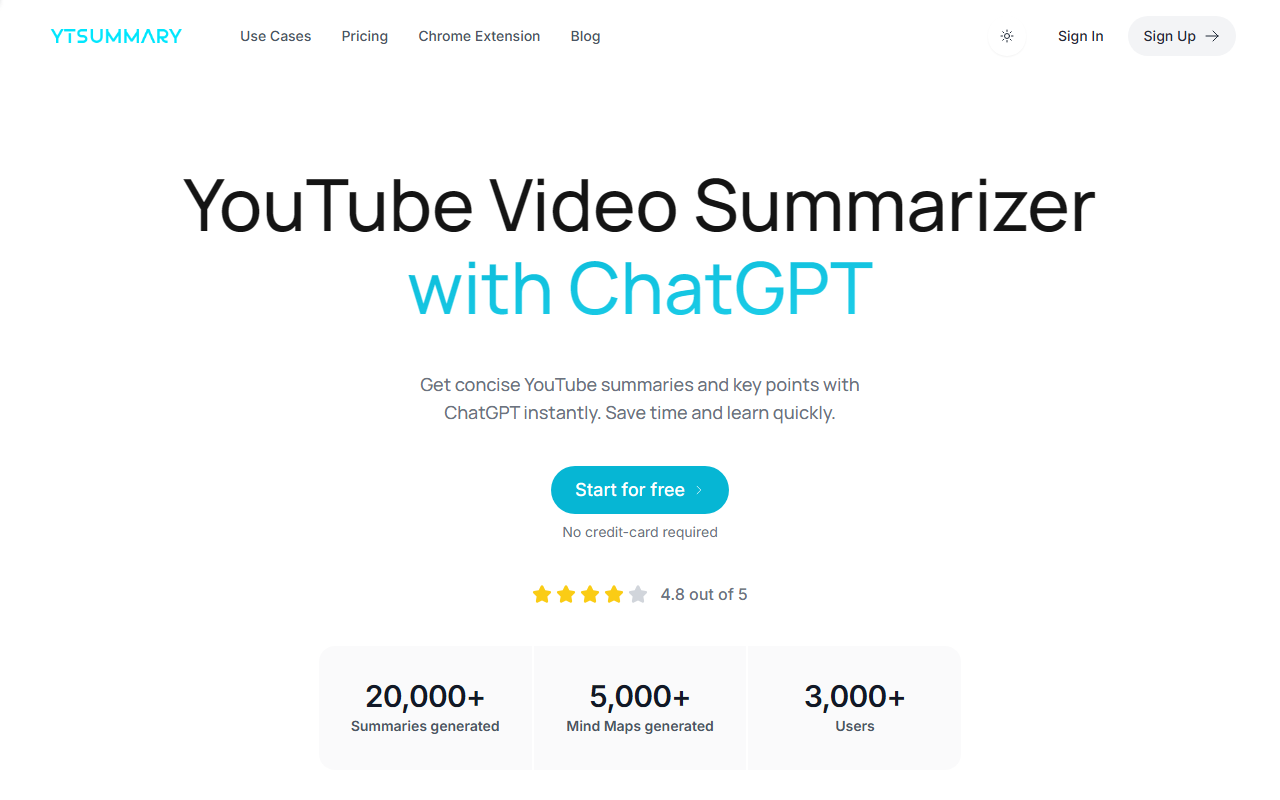
Upon visiting YTSummary.app, I was greeted by a clean, modern interface that immediately communicates the tool's core value proposition: summarizing YouTube videos with ChatGPT. The homepage prominently displays a text input box where users can paste a YouTube link, along with a large "Start for free" button. The design is uncluttered, with a navigation bar that includes links to Use Cases, Pricing, Chrome Extension, and Blog. Sign-up is straightforward, requiring only an email or Google account. The free tier gives you 10 credits, and no credit card is required initially—a smart move to lower the barrier to entry.
I tested the free tier by pasting a 15-minute educational video link. Within seconds, the tool generated a concise outline-based summary. The interface then offered three viewing modes: Outline, Mind Map, and Segment. The Outline mode presented bullet points of key highlights and a brief summary paragraph. The Mind Map rendered a hierarchical visual tree of the video's main concepts, useful for grasping connections at a glance. The Segment mode broke the video into timestamped sections aligned with YouTube chapters, providing detailed summaries for each segment. I could also export the summary as a text file or share it via a link. The entire experience felt snappy and well-designed.
Core Features and Performance
YTSummary leverages ChatGPT to generate its summaries, which means the output quality is largely dependent on the underlying GPT model. In my tests, the summaries were accurate, coherent, and captured the essence of the videos without hallucinating facts. The tool handles long videos—up to several hours—without issue, thanks to its long-video summarization capability. Multi-language support is another strong point; I tried a Spanish-language video, and the summary was correctly generated in Spanish. The Chrome extension is a convenient addition, allowing you to summarize videos directly from YouTube's watch page without leaving the site.
The Segment Mode deserves special mention. By dividing a video into timestamped chunks, it enables deep exploration of specific sections. This is invaluable for researchers or students who need to reference particular parts of a lecture or tutorial. The Mind Map feature, while not unique, is well-executed and visually appealing. YTSummary also maintains a summary history, so you can revisit past summaries, and sharing summaries with team members or classmates is effortless. The tool proudly states it has processed over 20,000 summaries and 5,000 mind maps, with 3,000+ users, lending credibility to its reliability.
Pricing and Limitations
YTSummary offers a free plan with 10 credits. However, specific paid tiers and their costs are not listed on the website. The FAQ mentions that upgrading requires manual intervention by contacting support—an uncommon approach that may frustrate users who prefer instant self-service upgrades. The payment methods include major credit cards, debit cards, and PayPal. This lack of transparent pricing is a notable limitation. Without knowing the cost per credit or monthly subscription, potential heavy users cannot budget effectively. Additionally, the tool appears to rely solely on ChatGPT, which means it may lack the customizable models or fine-tuning options that some advanced users might want.
Compared to competitors like TL;DR This (which also summarizes YouTube videos) or Open AI's own ChatGPT plugin for YouTube, YTSummary differentiates itself with its three distinct output modes and a polished user experience. However, TL;DR This offers known pricing plans (e.g., $10/month for more features), whereas YTSummary's hidden pricing could be a dealbreaker for some. Another alternative is using Bard or Bing Chat with a YouTube link, but those require more manual effort and lack dedicated export features. YTSummary excels in convenience and output variety, but its opaque pricing and dependency on a single AI model are genuine drawbacks.
Who Should Use YTSummary?
YTSummary is best suited for students, researchers, content writers, marketers, and international business professionals who regularly watch educational or informational YouTube videos and need to quickly extract key points. The free tier is generous enough to let casual users test the waters, while the feature set is robust for daily use. If you value visual mind maps and timestamped segment breakdowns, YTSummary is a strong choice. However, if you require transparent pricing, enterprise-level integrations, or the ability to switch AI models (e.g., Claude or Gemini), you might look elsewhere.
In summary, YTSummary delivers on its promise of saving time by turning long YouTube videos into digestible summaries. Its interface is intuitive, and the three output modes cater to different learning styles. The lack of public pricing and manual upgrade process are the main gripes. I recommend giving the free plan a try—it costs nothing, and you'll quickly see if it fits your workflow. Visit YTSummary at https://ytsummary.app/ to explore it yourself.













Comments