

First Impressions and Interface
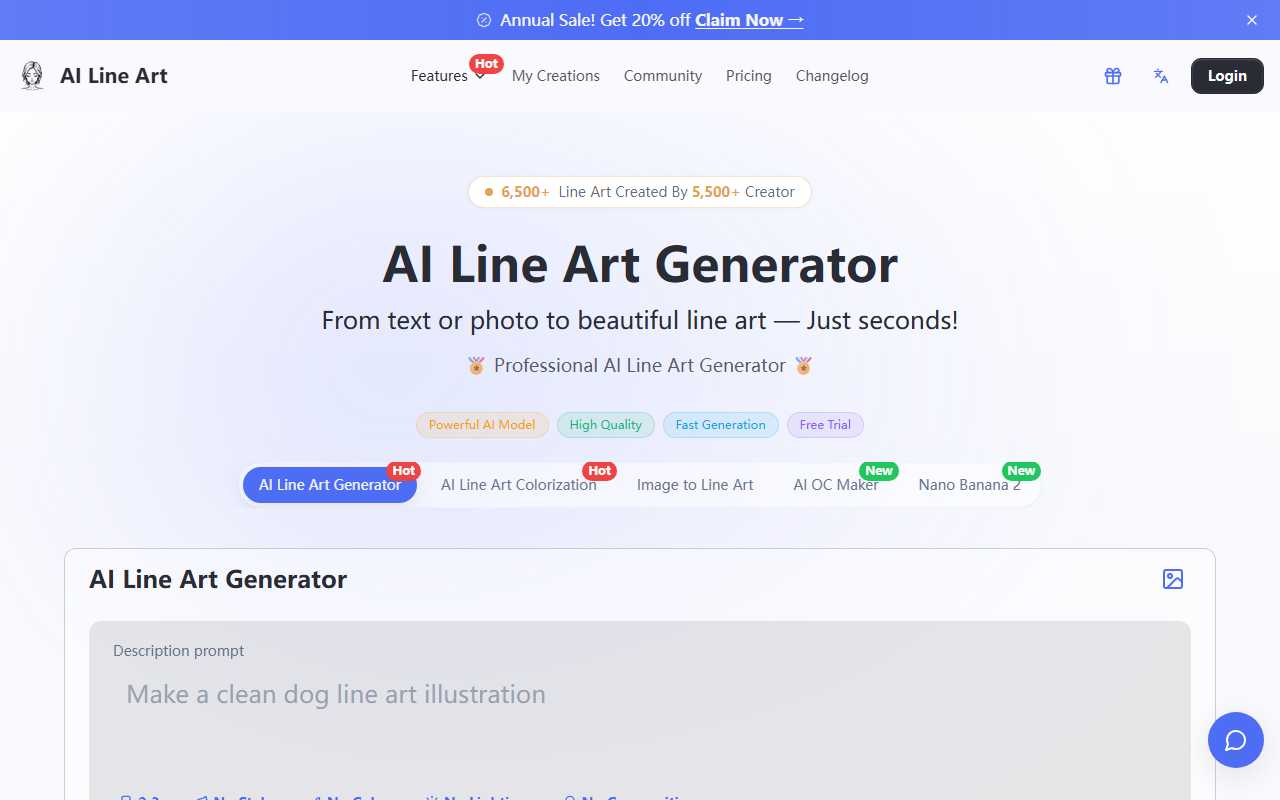
Upon visiting Ailineart at https://ailineart.com/, I was greeted by a clean, modern dashboard boasting 8,000+ line art creations from 6,900+ creators. The homepage immediately presents the core tool: an AI Line Art Generator with an upload area (up to 5 images) and a text prompt field. The layout is intuitive—upload a photo, optionally describe what you want, adjust parameters like aspect ratio (1:1, 16:9, etc.), art style (No Style, Sketching, Pencil, Woodcut, Watercolor, Minimalist), and lighting/composition controls. A "Generate" button sits prominently. I tested the free tier by uploading a simple portrait photo; within about 8 seconds, the AI produced a crisp, edge-detected line art version that captured facial contours without unwanted noise. The interface also offers a "Get Inspired" gallery showing other users' creations, which helps newcomers understand the output quality.
Core Features and Technical Performance
Ailineart specializes in converting images or text prompts into professional-grade line art. The underlying AI model appears optimized for edge detection and contour extraction, as the results I saw were notably cleaner than generic photo-to-sketch filters. Key features include: Image to Line Art (upload up to 5 images per batch), AI Line Art Colorization (turn B&W line art into colored illustrations), AI OC Maker (create original characters), and Nano Banana 2 (a separate 4K image generator). During testing, I also tried the text-to-line-art workflow by entering "a cat sitting in a garden" without an image; the output was a respectable line drawing, though less detailed than when using a photo reference. The generator offers advanced customization: aspect ratio, resolution (up to 1K in free tier—higher likely in paid options), style presets, and optional watermark removal. The "Turbo" toggle, marked as NEW, appears to accelerate generation (I didn't see a significant speed difference in free mode). One limitation I noticed: the free tier restricts resolution to 1K and adds a watermark unless you choose the "Private" option. Pricing is not publicly listed on the website beyond "Free to start" and mentions of a "Pro" upgrade for watermark-free, high-resolution exports—exact tiers are absent, which is a transparency gap.
Pricing, Use Cases, and Market Position
Ailineart positions itself as a free, accessible AI line art tool for creators, designers, and hobbyists. The lack of published pricing beyond a free trial is a drawback—users cannot evaluate value before committing. Alternatives include Linearity (vector-based line art with manual control) and Adobe Illustrator's image trace, but Ailineart's AI-driven approach is faster and requires no design skills. Other competitors like Midjourney can generate line art via prompts but lack the dedicated photo-to-line-art pipeline. Ailineart is best suited for: tattoo artists needing quick client sketches, fashion designers capturing garment outlines, and educators creating coloring pages. Who should look elsewhere? Professionals requiring vector output or precise line weight control may find the raster-only output limiting. The tool also offers related tools like AI Sketch Simplification and 3D Line Art, expanding its ecosystem.
Verdict: Strengths, Limitations, and Recommendation
Strengths: One-click conversion with impressive accuracy; multiple artistic styles; fast generation (under 10 seconds); high-resolution export in paid version; completely free to start with no credit card. Limitations: Free version includes watermark and caps resolution at 1K; no clear published pricing for pro plans; limited manual editing options (no vector output or layer control); occasional loss of fine details on complex images. I recommend Ailineart for anyone who needs quick, clean line art for digital projects, social media, or concept sketches without investing in expensive software. Tattoo artists, graphic designers, and content creators will find immediate value. However, professionals needing full vector workflows should test the free tier first to ensure output quality meets their standards. Visit Ailineart at https://ailineart.com/ to explore it yourself.













Comments