

First Impressions and Onboarding
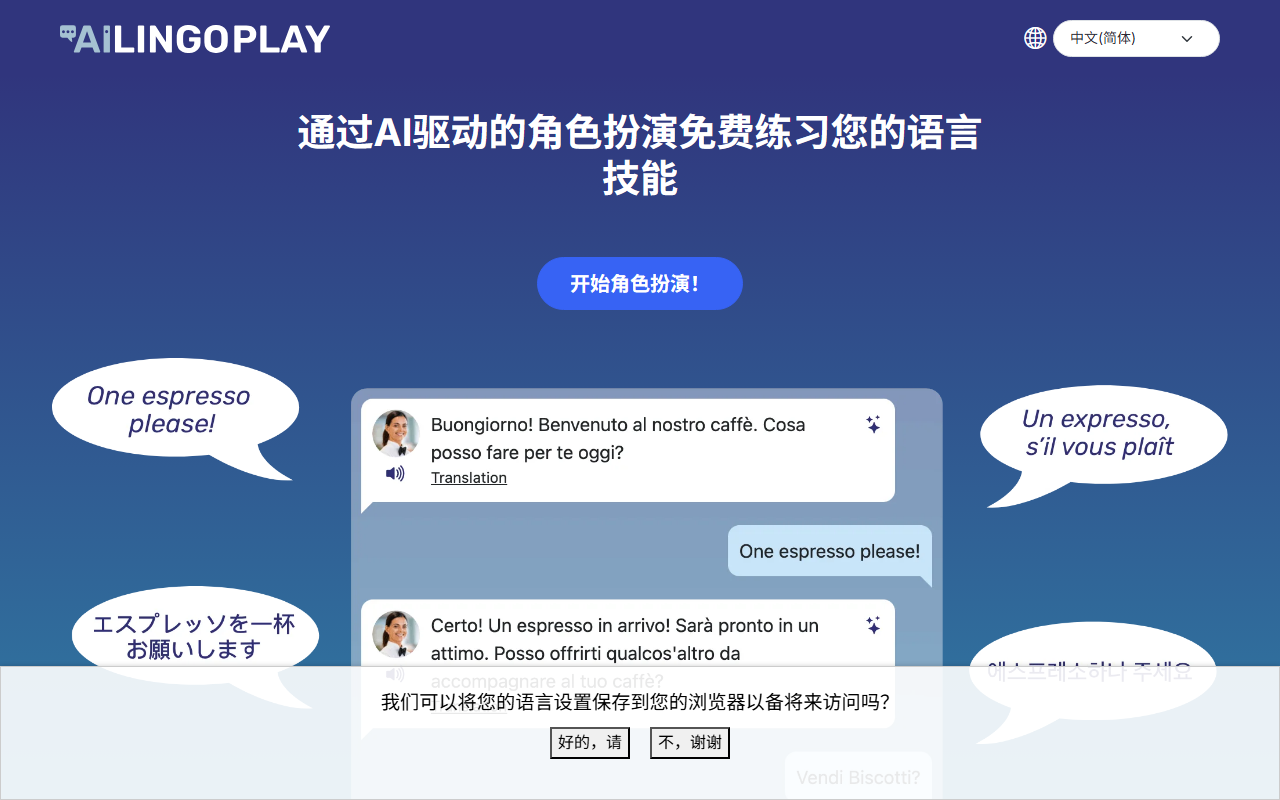
Upon visiting Ai LingoPlay, I was greeted by a clean, minimalist landing page that clearly states its purpose: learn a language through role play with life-like AI characters. The site loads quickly and the first prompt asks you to choose your target language from a dropdown featuring over ten options, including English, French, Spanish, Japanese, and Mandarin. Sign-up is required to use the chat features—I used my email, but social media login is also supported. The process took less than a minute. Once logged in, the dashboard presents a list of 30+ scenarios such as “Order coffee from a barista” and “Speak with a hotel receptionist.” Each scenario is illustrated with a simple icon, making the selection intuitive. The interface feels lightweight and mobile-friendly, which is a plus for on-the-go practice.
Core Features and Learning Experience
When I tested the “Order coffee from a barista” scenario, the AI character immediately greeted me in Spanish (I had selected that language). I typed my order, and the character responded naturally, even asking follow-up questions like “¿Algo más?" The conversation flow was realistic, though I noticed occasional canned responses. The app provides several very helpful tools: after each message, you can tap an “analyse” button to receive instant, tailored feedback on grammar and word choice. The feedback from GPT-3.5 (the underlying model) was accurate but sometimes generic. I also appreciated the translation feature—highlight any part of the AI’s response to see an instant translation into your native language. For languages with non-Latin scripts like Japanese Kanji, the app can simplify to Hiragana and Romaji. The “listen” button reads the AI’s line aloud with decent text-to-speech quality. However, I was disappointed that the app does not appear to use automatic speech recognition for your spoken replies; the “speak” feature seems to be a prompt for you to speak out loud, but the app does not transcribe or evaluate your pronunciation. This is a notable gap compared to dedicated language apps like Duolingo or Babbel.
Pricing, Limitations, and Future Plans
Ai LingoPlay is currently completely free. The FAQ explicitly states that during these early stages there are no subscription fees, but it will eventually become a paid service. Pricing for the future subscription is not disclosed yet. The app uses OpenAI’s ChatGPT 3.5, which is a capable but older model—occasionally it misunderstands context in less common languages like Polish or Korean. Another limitation is the inability to create custom characters or edit existing scenarios, though these features are on the roadmap. The number of scenarios (30+) is decent but may feel repetitive after extended use. There is no API available for integration with other learning tools. For context, competitors like Talkpal or Pimsleur offer more structured lessons, while ChatGPT itself can simulate role-play if you prompt it correctly. However, Ai LingoPlay’s dedicated interface and pre-built scenarios lower the barrier for beginners who might not know how to craft effective prompts.
Who Should Use Ai LingoPlay?
This tool is best suited for intermediate learners who want to practice spoken or written conversation in a low-pressure environment. It works well as a supplement to a formal course, especially for drilling common travel and social scenarios. The free tier makes it an attractive option for students on a budget. However, if you need pronunciation correction, advanced grammar explanations, or a structured curriculum, you should look elsewhere—Duolingo Max or iTalki tutors would be more appropriate. Absolute beginners may find the AI’s responses too advanced, though the translation features help. Overall, Ai LingoPlay is a promising, no-risk addition to your language learning toolkit, but keep expectations realistic: it’s a conversation simulator, not a full course. Visit Ai LingoPlay at https://ailingoplay.com/ to explore it yourself.













Comments