

First Impressions and Interface
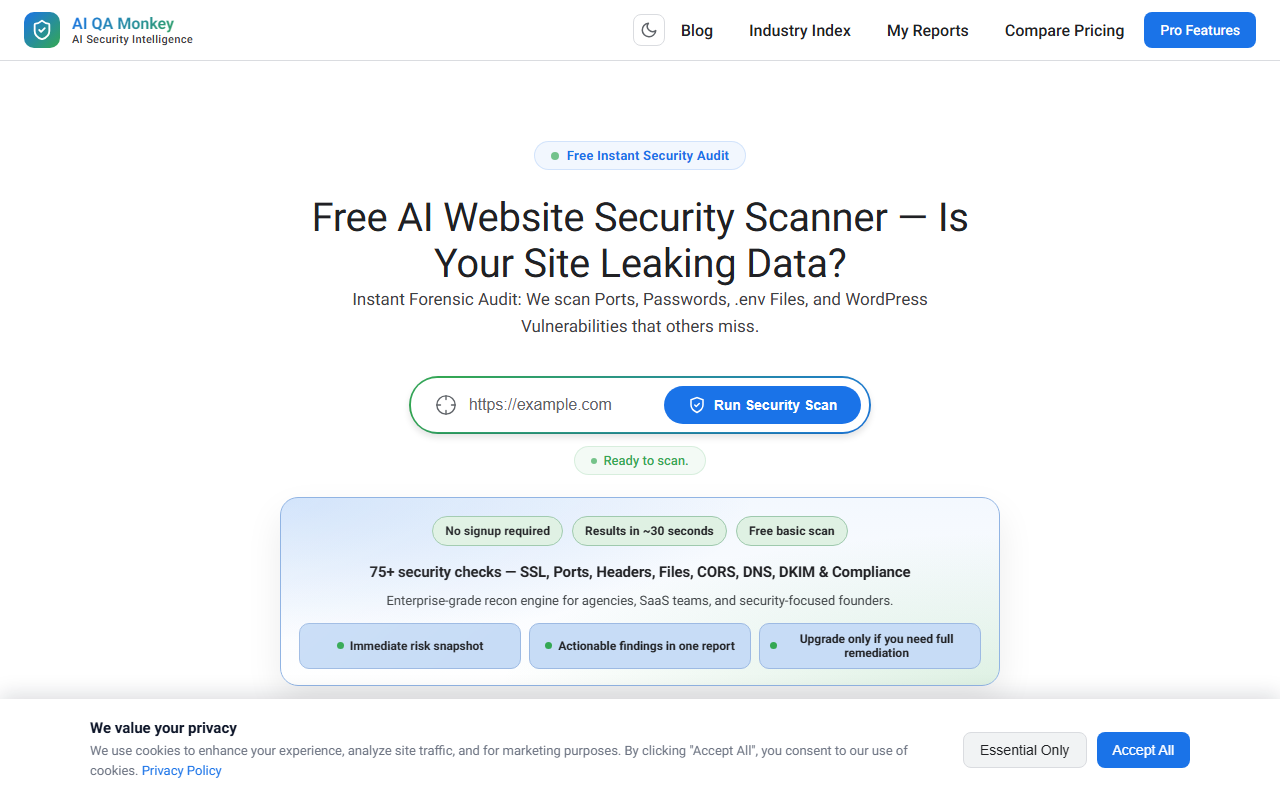
Upon visiting AI QA Monkey's website, I was greeted by a clean, dark-themed landing page with a prominent call-to-action: a single input field for a domain name and a "Free Security Audit" button. No signup is required for the basic scan, which is refreshing. I entered "example.com" just to test the workflow. The scanner immediately displayed a live progress indicator with simulated log output, and within about 30 seconds, the dashboard showed a security score along with key results for SSL, ports, and files. The interface is minimal but functional, with clear sections like "What We Scan" and a comparison table. However, to unlock the full vulnerability breakdown, severity charts, and executive summary, the site asks for an email address. This is a classic freemium funnel: you get a taste, then must provide contact info to go deeper. The scan for a free tier felt snappy, but I noticed the "Executive Summary" remained empty until I unlock the full report. Overall, the onboarding is smooth for a first-time user, though the product name "AI QA Monkey" suggests content detection, while its actual function is entirely website security scanning.
What It Does and the Technology Behind It
AI QA Monkey is a website security scanner that performs over 75 checks on a target domain. Despite its category being listed as "Content Detection," the tool is focused on external attack surface reconnaissance. It scans for SSL certificate validation, open ports (FTP, SSH, MySQL), sensitive file leaks (.env, .git, backup files containing credentials), WordPress vulnerabilities (username enumeration, plugin exposure, xmlrpc.php), DNS and email security (SPF/DMARC), CORS misconfigurations, subdomain takeover risks, and cloud storage exposure (AWS S3, Azure Blob, Google Cloud Storage). It also generates an attack surface map and offers HTTP/2 and protocol analysis. The "AI" part seems to refer to automated vulnerability detection and the ability to copy fix prompts directly into ChatGPT, Claude, or Cursor for remediation. The scanning engine appears to be a custom tool built for recon, not a traditional web application firewall or penetration testing suite. It does not appear to use large language models for analysis but rather rule-based detection; the "AI" branding feels more like marketing. The free basic scan returns a score and a few checks, while the full $29 report adds severity charts, risk breakdown, compliance mapping (OWASP, ISO), and an interactive dashboard.
Pricing and Market Positioning
Pricing is transparent: the basic scan is free with no signup, and the full report with fixes costs a one-time $29 per domain. There is no subscription model mentioned. The website features a comparison table showing that competitors like "Expensive Consultants" charge $1,500+, while free tools only offer SSL and headers. This positions AI QA Monkey as an affordable mid-tier option for agencies, SaaS teams, and security-conscious founders who need a quick, automated security audit without manual consulting fees. In the crowded security scanner space, alternatives include Qualys (free limited scans), Sucuri (paid, with WAF), and open-source tools like Nmap. AI QA Monkey differentiates with its all-in-one dashboard and the "Copy Fix" feature that pairs with AI coding assistants. However, I found no evidence of API access or integrations beyond exporting JSON/CSV. The tool does not claim real-time monitoring or continuous scanning; it's a per-domain snapshot. The 30-day refund guarantee is notable but limited to cases where fixes don't improve the score.
Strengths, Limitations, and Final Verdict
Strengths: The free tier is genuinely useful for a quick risk snapshot. The scan speed is impressive — under a minute. The breadth of checks (75+) covers many common misconfigurations that standard free scanners miss, like .env leaks and subdomain takeover. The "Copy Fix prompt" is practical for developers who use AI coding tools. The UI is modern and easy to navigate.
Limitations: The tool is mis-categorized as "Content Detection" when it is strictly a website security scanner, which may confuse users looking for AI-generated text detection. The full report requires an email, which could deter privacy-conscious users. I also noticed there is no mention of authentication scanning (login pages, session management) or deeper application-layer testing. The "AI" in the name is arguably overstated. Additionally, the scan for "example.com" returned a score but left many sections like "Exposed Assets" as "Run a scan to detect file leaks" — meaning the free scan is quite shallow. The $29 price is fair but only covers one domain; for multi-domain agencies, costs add up.
Recommendation: AI QA Monkey is best suited for small agencies, indie developers, and early-stage SaaS teams who need a fast, affordable external security check before a more thorough professional audit. It's not a replacement for comprehensive penetration testing or web application firewalls. If you need a quick look at your site's surface-level vulnerabilities (open ports, file leaks, SSL issues) and want actionable remediation prompts, this tool is worth the $29 per domain. For those needing continuous monitoring or deeper app security, look at solutions like HackerOne or Burp Suite. Visit AI QA Monkey at https://aiqamonkey.com/ to explore it yourself.










Comments