

First Impressions and Onboarding
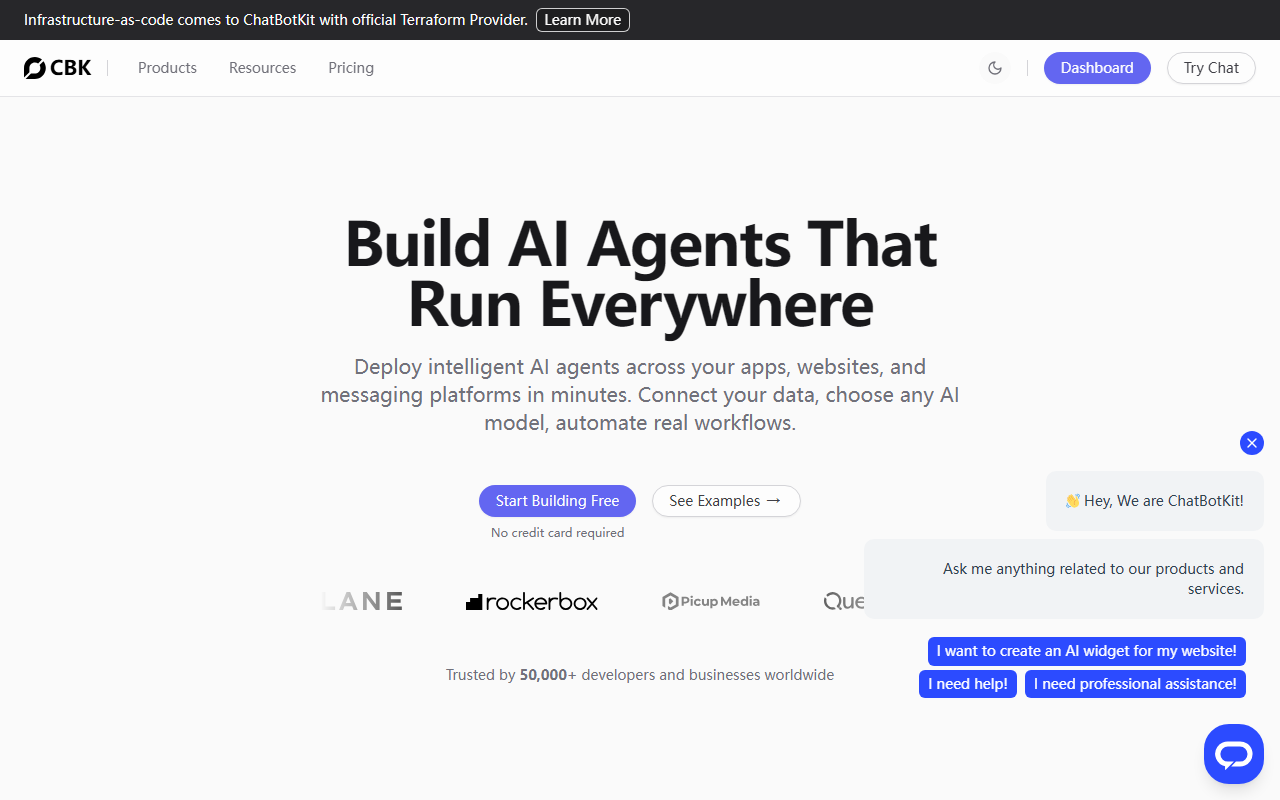
Upon visiting the ChatBotKit website, I immediately noticed the clean, developer-oriented dashboard layout. The headline—'AI Agent Infrastructure Platform'—sets clear expectations. The homepage features a prominent 'Start Building Free' button, which made it easy to begin exploring. Below, the site claims trust from 50,000+ developers and businesses worldwide, a strong social proof indicator. The introductory demo shows a real-time conversation where an AI agent patches a vulnerability on a web server and answers HR questions by pulling from a company's internal PTO policy. This immediately communicates the tool's practical value: it's not just a chatbot, but an agent that can execute real workflows.
When testing the free tier (which is available without a credit card), I was guided through a visual blueprint designer for creating agents. The onboarding flow walks you through connecting datasets, choosing AI models (OpenAI, Anthropic, Mistral, or custom), and defining abilities. Within minutes, I had a basic agent that could answer questions from a sample knowledge base. The interface is intuitive, though it clearly assumes some technical familiarity—this is not a no-code platform for complete beginners.
Core Features and Technical Depth
ChatBotKit positions itself as an all-in-one AI stack with composable building blocks. The main components are Agents, Blueprints, Datasets, Skillsets, Abilities, and an MCP (Master Control Program) server for multi-agent coordination. What impressed me most is the architecture: you can create multiple agents, each with a specialized skillset, and orchestrate them via the MCP. The reference architectures provided—such as a Multi-Agent MCP Skillset Architecture and a Playbook-based Agent—are concrete examples of how to build complex autonomous systems. This shows deep thought about production use cases.
Deployment channels include Slack, Discord, WhatsApp, Telegram, websites via embeddable widgets, and even custom apps via SDKs. The widget demo on the site is fully interactive. Technically, the platform supports any AI model via API, including custom models, which is a significant advantage over vendor-locked solutions. Additionally, built-in features for security (policies, OAuth), analytics, and observability are included, not bolted on. For developers, the open-source SDKs and API access allow deep customization. The platform claims 1M+ agent interactions and 10M+ messages processed monthly, indicating real-world scale.
Pricing and Market Positioning
ChatBotKit does not publicly list detailed pricing tiers beyond the free tier. The site says 'Start Building Free' and implies a usage-based model, but exact costs for scaling are not provided. In contrast, alternatives like the OpenAI Assistants API offer pay-as-you-go pricing per token, while LangChain is open-source but requires more manual infrastructure. ChatBotKit's value proposition is the integrated infrastructure—datasets, agents, security, analytics—all in one platform. This makes it a strong competitor to both raw API services and DIY frameworks. However, the lack of transparent pricing may be a concern for budget-conscious teams. The free tier is generous enough for prototyping, but enterprises will need to contact sales for volume pricing.
Who should use ChatBotKit? The tool is best suited for developers and engineering teams building production AI agents that need to interact with live data and multiple communication channels. It's ideal for automating support tickets, lead qualification, document processing, and internal HR workflows. Who should look elsewhere? Non-technical users who want a simple chatbot might find the learning curve steep. Also, if you only need a single-channel bot with minimal data integration, a lighter solution like Tidio or Zendesk Answer Bot might suffice.
Strengths, Limitations, and Final Verdict
Strengths: The ability to deploy one agent to multiple platforms including Slack, WhatsApp, and custom widgets is a standout feature. The multi-agent architecture with MCP is genuinely scalable for complex tasks. Built-in security and analytics are rare at this price point (free tier included). The reference architectures lower the barrier to building sophisticated systems.
Limitations: Pricing opacity is a real drawback—potential users cannot estimate costs without a sales call. The platform requires some technical expertise; while the blueprint designer helps, you still need to understand concepts like skillsets and MCP. Also, the AI agent's ability to 'patch vulnerabilities' as shown in the demo depends heavily on the underlying data and permissions you provide—it's not magic.
Overall recommendation: ChatBotKit is a powerful, production-ready AI agent platform that I would recommend to any development team looking to build autonomous workflows across channels. Start with the free tier to prototype an agent that handles your internal FAQs or simple tasks. Then, if you need to scale to multiple agents with complex data integrations, the platform can grow with you. Just be prepared to negotiate pricing directly for larger use cases.
Visit ChatBotKit at https://chatbotkit.com/ to explore it yourself.













Comments