

Exploring ClipTrend.ai’s Trend-First Video Generation Platform
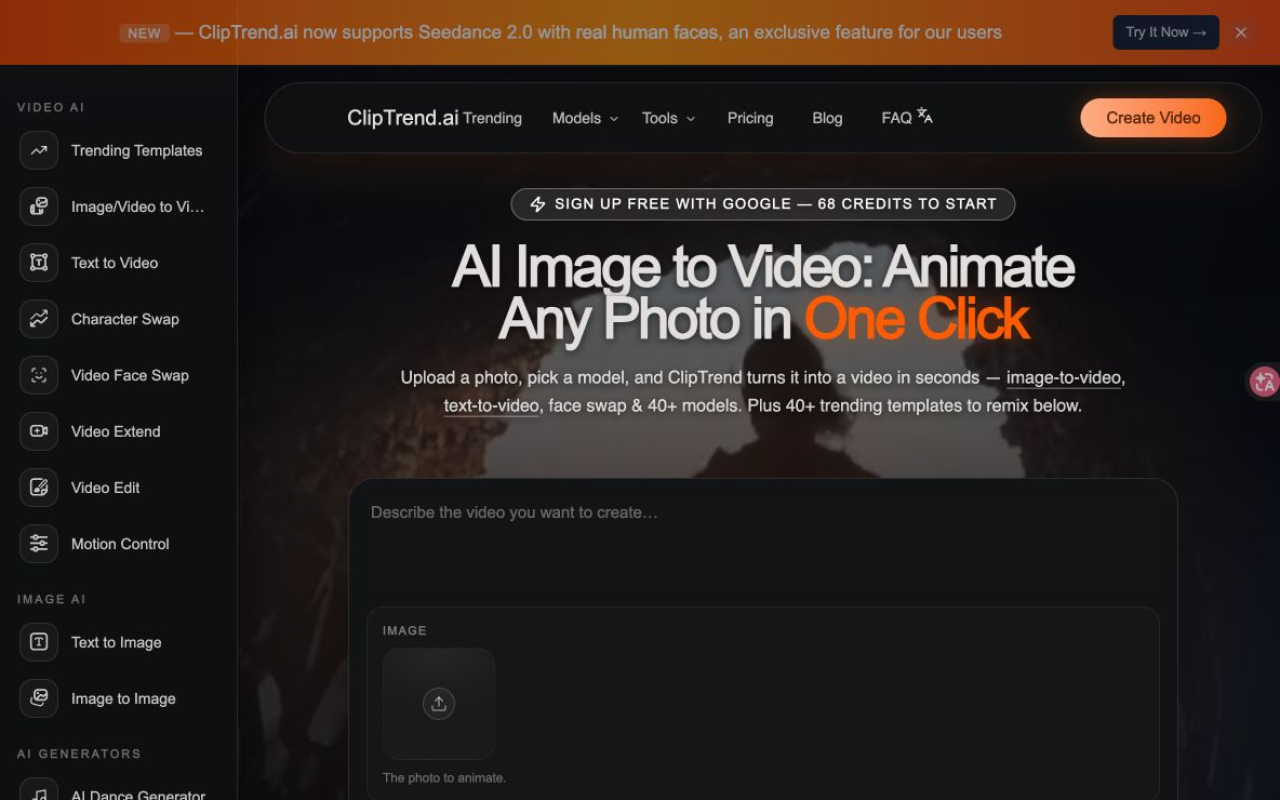
Upon visiting cliptrend.ai, I was immediately met with a dashboard that prioritizes speed over blank slates. The hero section proudly announces support for Seedance 2.0 with real human faces — an exclusive for its users — and a big “Create Video” button above a grid of trending templates. Signing up with a Google account awarded 68 free credits, enough to test several effects without entering payment details. The interface avoids the typical intimidating prompt box; instead, ClipTrend.ai presents categorized workspaces for image-to-video, text-to-video, face swap, and more, with each one displaying the models it supports. Browsing the gallery, I noticed real view counts beside each effect, like 81.8M plays for a “Fluffy Animal Dance,” which immediately signals what’s actually viral rather than what’s assumed to be.
Capabilities and Workflow: More Than Just Image-to-Video
ClipTrend.ai isn’t just an image-to-video converter — it’s a full suite of 15 video and image tools woven into a single workspace. Beyond animating a photo, I could generate a clip from a text prompt (text-to-video), drop a new character into a scene (character swap), or use face swap to insert myself into a trending template. The “AI Hug Generator” and “Motion Control” tools let me create warm embraces or choreograph dances from a reference clip. The workflow is deliberately frictionless: pick a trending template, upload a photo, and optionally type a short prompt. If I lacked inspiration, the “Surprise Me” button offered four pre‑tuned suggestions. I even copied a TikTok URL from a viral clip I admired, and the platform extracted the motion style to apply to my own upload. Each generation took 30 to 60 seconds, and I could preview the result right in the browser.
The Model Aggregation Advantage: Seedance 2, Kling 3, Veo 3.1 and More
The defining technical feature of ClipTrend.ai is its aggregation of 20+ AI models. When using a template, the system automatically routes my job to the best engine for that trend — whether that’s ByteDance’s Seedance 2 for real‑face fidelity, Kling 3 for cinematic motion, Veo 3.1 for native audio, or Wan 2.7 for fast, versatile generation. I also tested Grok Imagine for imaginative short clips and Nano Banana Pro for image‑to‑image restyling. Manually toggling between models revealed noticeable differences: Seedance 2 locked facial identity across frames without the typical censorship I’ve seen on other platforms, while Ideogram 3.0 rendered crisp text overlays inside generated images. The ability to A/B test the same prompt across multiple engines inside one workspace is a genuine efficiency boon, saving me from juggling separate subscriptions to Runway, Pika, or Kling’s own portal.
Pricing and Credits: Pay-As-You-Go with No Surprise Fees
ClipTrend.ai uses an internal currency called credits. Each template card clearly shows its cost before generation — typically 8 to 40 credits for a 5‑ to 10‑second clip, depending on the model and complexity. The free 68 credits upon sign‑up gave me a chance to test everything from an “Apocalypse Transform” effect to a face‑swap dance. The website emphasizes that no subscription is required; credit packs are pay‑as‑you‑go, and monthly plans simply offer larger allowances at a lower per‑credit cost for regular users. I could not find exact dollar amounts for credit packs without clicking through to the pricing page (the information is not publicly listed on the homepage). However, the company states that paid credits always produce watermark‑free MP4s with a commercial license, and failed generations are automatically refunded. For creators who publish daily, the credit model can feel like a recurring cost, but the transparency at the template level prevents unexpected charges.
Strengths and Real-World Performance
In my testing, ClipTrend.ai excelled at two things: speed and trend relevancy. The preset templates eliminated the trial‑and‑error of prompt engineering, and the face‑swap effects held up surprisingly well even with moderate lighting challenges. The fact that every output carries commercial rights and no watermark (on paid credits) makes it a safe choice for client work. The “mistake credits” policy — where the platform gives you back credits plus a small bonus if a generation fails due to their fault — adds a layer of goodwill. However, the tool isn’t without limitations. The generated clips sometimes exhibited minor artifacts around fast‑moving objects or complex backgrounds. The credit‑based pricing can become expensive if you’re rendering dozens of variations for a campaign without a monthly plan. Also, there is no visible API or direct integration with editing timelines like Premiere Pro, so ClipTrend.ai sits firmly in the “generation” phase rather than the post‑production suite.
Who Should Use ClipTrend.ai (and Who Should Look Elsewhere)
ClipTrend.ai is purpose‑built for short‑form content creators, social media marketers, and meme‑makers who need to ride viral waves without learning multiple AI toolchains. If you’re turning around daily Reels or TikTok series, the template gallery and one‑click remixes will save hours of research. It’s also appealing to small business owners who want pro‑looking animated ads without hiring a designer. Producers who need frame‑level editing, collaborative storyboarding, or API access will find the tool too template‑driven — in those cases, Runway’s studio environment or Pika’s creative workspace might offer more polish. Similarly, if you’re not interested in chasing what’s currently trending, the core value of ClipTrend.ai dwindles. For everyone else, the platform delivers on its promise: aggregate the best models, wrap them inside proven viral templates, and get you a publishable clip in under a minute. Visit ClipTrend.ai at https://cliptrend.ai to explore it yourself.













Comments