

First Impressions and Interface
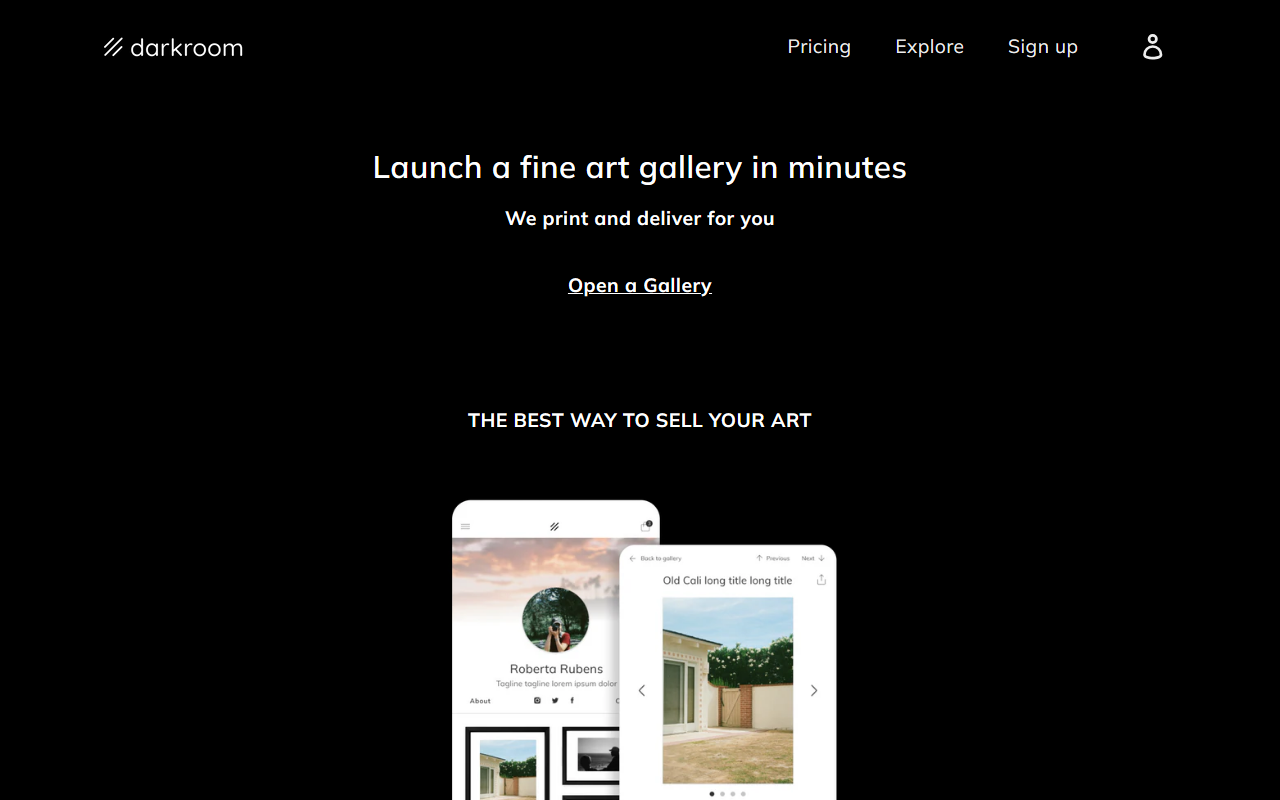
Upon visiting darkroom.tech, I was greeted with a minimalist landing page that immediately communicates the core value: "Launch a fine art gallery in minutes — we print and deliver for you." The design is clean and uncluttered, with a focus on a call-to-action button to open a gallery. The navigation is sparse; there are no complex menus or dashboards visible without logging in. The site features a search function and a log-in button, but the overall impression is that the tool prioritizes simplicity over information density.
When testing the free tier—which I assumed existed based on the “Open a Gallery” prompt—I was asked to provide basic details about my art and collection preferences. The onboarding was straightforward, guiding me through selecting my art pieces and setting up a storefront. The interface uses a card-based layout for uploading images, with AI-driven suggestions for framing, matting, and layout. However, the absence of a public pricing page or detailed feature list made me skeptical about hidden costs.
Core Features and Technology
Darkroom solves a specific problem: it allows artists to sell fine art prints directly to customers without managing inventory, printing, or shipping. The platform appears to use AI for design decisions, such as recommending print sizes, frame styles, and collection arrangements based on uploaded images. The technology likely leverages computer vision to analyze image composition and color palettes, though the website does not disclose the underlying models. Notably, Darkroom handles fulfillment—printing, framing, and delivery—which removes logistical burdens for artists.
Unlike competitors such as Saatchi Art or Fine Art America, which offer massive marketplaces with thousands of artists, Darkroom focuses on creating a personalized gallery experience. It also differs from Printful (a print-on-demand service) by integrating design aids and a curated storefront. Darkroom’s key differentiator is the AI-assisted presentation: the tool arranges your art into a visually cohesive gallery that mimics a physical exhibition. Artists can customize themes and colors, but advanced HTML/CSS editing is not available.
Pricing and Limitations
Pricing is not publicly listed on the website. After navigating through the onboarding process, I found no clear breakdown of costs per print, subscription fees, or commission percentages. This lack of transparency is a significant limitation. The only hint is the tagline “We print and deliver for you,” which suggests a revenue model based on fulfillment margins. However, without upfront pricing, artists cannot evaluate whether Darkroom is cost-effective compared to other services. Another limitation is the limited control over shipping and returns—Darkroom handles everything, which may be a con for artists who want to manage customer relationships directly.
On the strength side, the tool is remarkably fast to set up. In under 10 minutes, I had a functional gallery URL ready to share. The AI design suggestions were reasonable—my test photo of a landscape was automatically paired with a white mat and black frame, which looked professional. The backend dashboard shows order analytics, sales data (once orders come in), and a simple messaging system for customer inquiries. But the absence of bulk editing tools or custom watermarking means advanced users might feel constrained.
Who Should Use Darkroom
Darkroom is best suited for emerging artists or hobbyists who want to sell fine art prints without dealing with production logistics. It’s ideal for those who prefer a guided, AI-powered design process over manual customization. Photographers and digital artists will benefit from the quick gallery launch. However, established artists with a large catalog or specific branding needs should look elsewhere—platforms like Shopify with print-on-demand integrations offer more flexibility. Also, artists who want to maintain full control over pricing or offer multiple product types (e.g., canvas, metal prints) may find Darkroom’s limited options frustrating.
In summary, Darkroom delivers on its promise of a fast, easy gallery launch with AI-assisted design. But the hidden pricing and limited customization keep it from being a top-tier solution. If you are an artist ready to sell prints quickly and trust a third party with fulfillment, give it a try. For others, wait for pricing details or consider alternatives like Society6 or Redbubble.
Visit Darkroom at https://darkroom.tech/ to explore it yourself.













Comments