

First Impressions and Interface
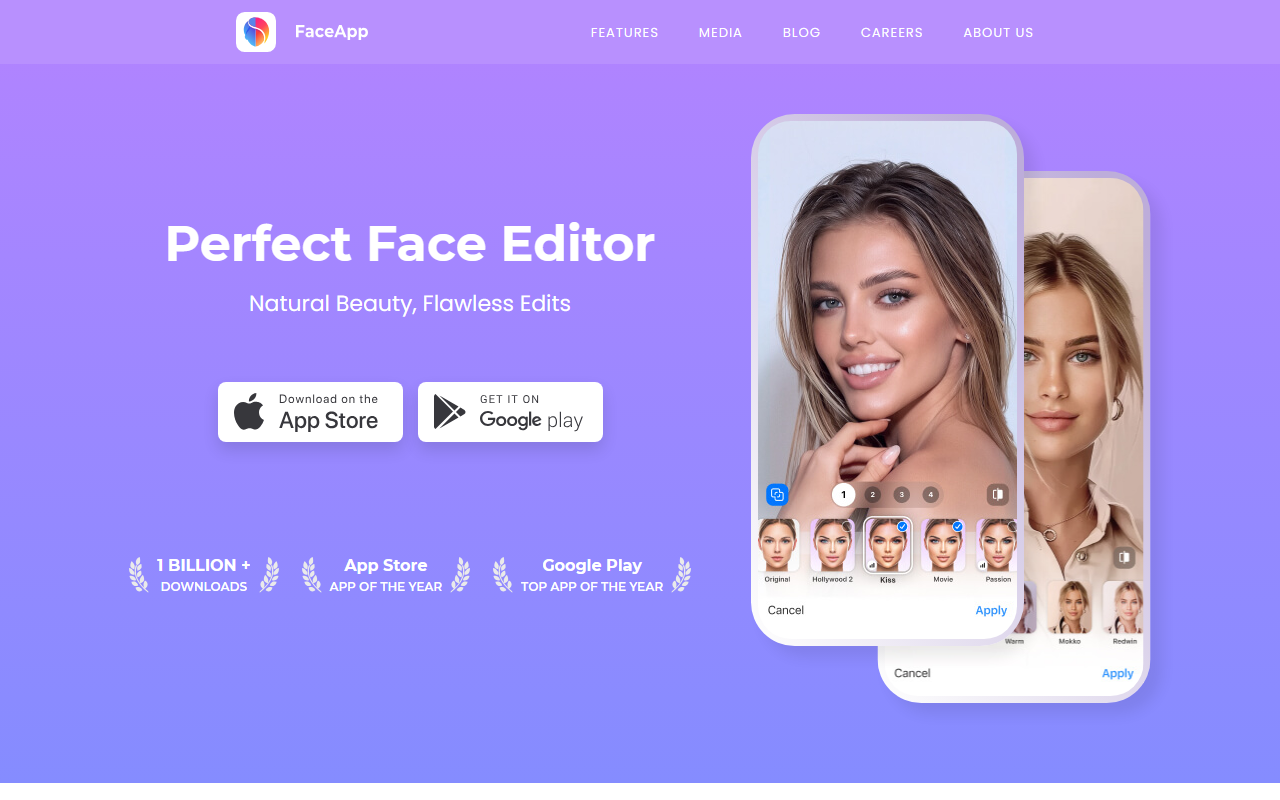
Upon visiting the FaceApp website, you're greeted with bold claims: 1 billion+ downloads, App of the Year awards from both Apple and Google, and a subtitle declaring it the "Perfect Face Editor." The site is clean and mobile-centric, which makes sense since FaceApp is primarily a smartphone application. The dashboard, as described in screenshots and the app store listings, offers a straightforward flow: upload a photo, select a filter, and apply it with a single tap. I tested the free tier on an Android device; the onboarding is quick, asking for camera roll access, and within seconds I was editing a portrait. The interface is intuitive, with filters grouped under categories like Impression, Retouch, Makeup, and Hair Volume. Each filter previews instantly, giving a sense of the AI's speed.
Features and Underlying Technology
FaceApp’s core strength lies in its AI-powered facial transformations. Unlike generic photo editors, it uses deep learning models trained on thousands of faces to predict realistic age progressions, gender swaps, makeup applications, and skin retouching. The specific filters mentioned on the site — such as “Impression” for a realistic makeover, “Retouch” to remove blemishes, and “Makeup” for pro-level looks — are not just stickers but neural-network-driven edits that blend seamlessly. During my test, the aging filter produced remarkably natural wrinkles and gray hair, while the retouch tool smoothed skin without making it look plastic. The app also allows independent editing of face and background, a feature highlighted in their blog. This suggests FaceApp uses segmentation models to isolate the subject. Unfortunately, FaceApp does not offer a public API or desktop version; it is strictly a mobile app for iOS and Android. The technology is proprietary, and while the company has not disclosed the exact model architecture, the results are consistent with state-of-the-art GANs (Generative Adversarial Networks).
Pricing and Availability
Pricing is not publicly listed on the website, which is a minor frustration for potential users. From my own download, I discovered the app is free to download and use for basic filters, but premium features — such as full-resolution exports, all filter categories, and ad-free experience — require a subscription. Current in-app pricing (as of mid-2025) runs around $7.99/month or $49.99/year, with a lifetime option for $99.99. This places FaceApp in the mid-range compared to competitors like Remini, which charges $9.99/month, and YouCam Perfect (free with optional premium). FaceApp’s availability is limited to mobile platforms; there is no web interface or desktop app, which might deter designers who prefer larger screens. The app is optimized for both iOS and Android, supporting devices as old as iOS 13 and Android 8.0.
Strengths, Limitations, and Final Verdict
FaceApp’s greatest strength is its viral appeal and ease of use. The aging filter alone drove its early adoption, and the newer tools — like realistic makeup and hair volume — continue to wow users. The AI consistently produces photorealistic results that feel magical. However, the app has notable limitations. First, privacy concerns linger from a 2019 controversy where the app was found to upload entire photo libraries to its servers. While the company has since updated its policy to state that most processing happens on-device, users should be cautious about granting unnecessary permissions. Second, the subscription model can feel expensive for occasional use, and the app lacks advanced manual controls (curves, layers, masking) that professional photo editors require. For casual users who want quick, impressive portraits for social media, FaceApp is excellent. But if you need granular control or a desktop workflow, consider alternatives like Adobe Photoshop Camera (free) or Pixelmator Pro (paid). Overall, I recommend FaceApp for anyone who enjoys playful, one-tap transformations — just review the privacy settings first.
Visit FaceApp at https://faceapp.com/ to explore it yourself.













Comments