

First Impressions and Onboarding
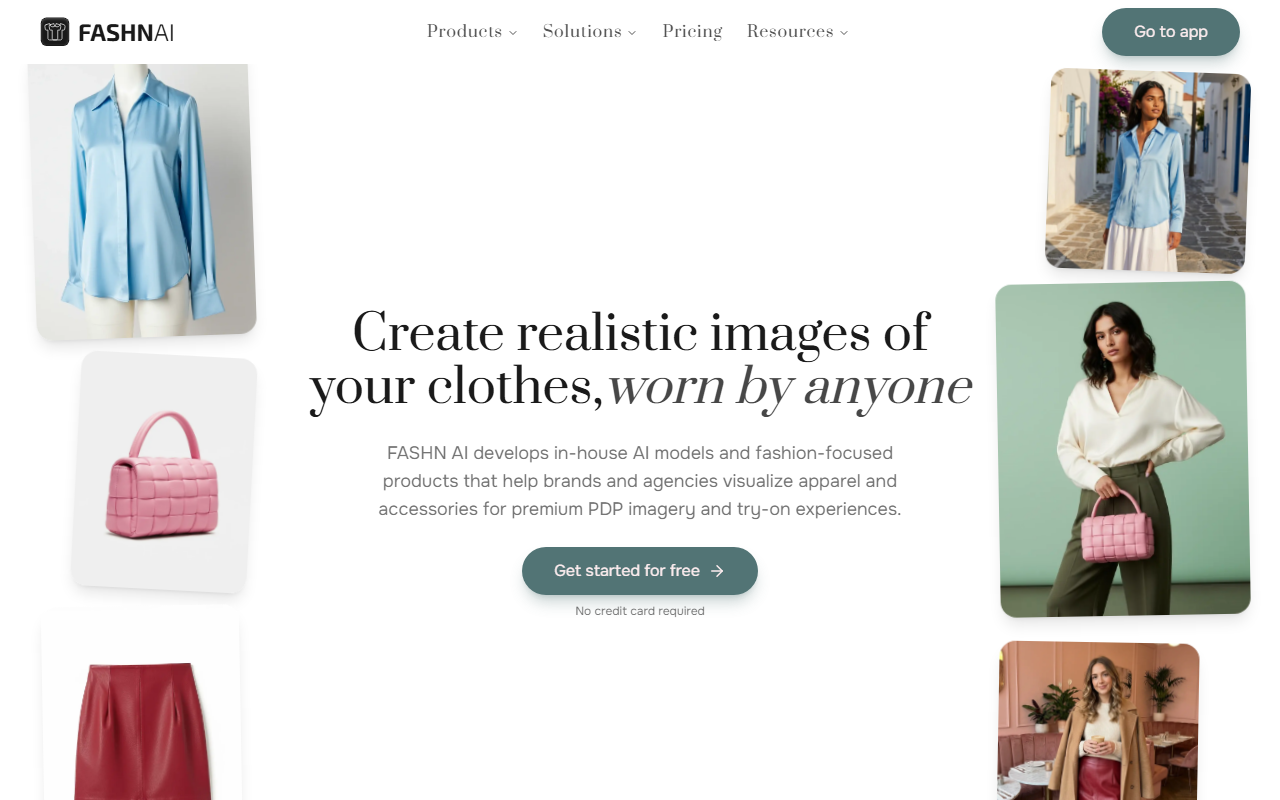
Upon visiting fashn.ai, the first thing I noticed was the clean, brand-focused homepage that immediately pitches the core value proposition: “Create realistic images of your clothes, worn by anyone.” There is no sign-up wall—you can click straight into an interactive demo. I appreciated that the demo lets you upload your own flat-lay garment or use a sample. The interface is intuitive: a left sidebar with feature tabs like Product to Model, Model Swap, Change Background, and Edit. The image canvas in the center shows the current product or model. I tested the free tier without providing a credit card, which gave me three credits to try out the tools. This low-friction onboarding makes Fashn ideal for quick evaluations. The dashboard also links to API documentation and a blog, signaling that the tool is built for both casual users and enterprise integration.
Core Features in Action
I started with the Product to Model feature. I uploaded a flat-lay photo of a t-shirt on a white background. Within about 10 seconds—no exaggeration—Fashn returned a realistic image of that shirt worn by a model with a neutral pose. The garment’s folds and shadows were convincing, though the model’s hand placement looked slightly off on the first attempt. I then tried the Model Swap feature: I uploaded an existing model photo (from a stock image) and specified a new model type (age, ethnicity, pose). The result preserved the original lighting and product perfectly while swapping the person. This is a huge time-saver for brands that need consistent PDP imagery without reshoots.
Virtual Try-On (Outfit Changer) worked well on a full-body shot. I selected a different garment from Fashn’s library, and it mapped onto the model realistically. The background remained untouched. Fashn uses proprietary in-house models, which explains the above-average realism compared to generic AI tools. However, the free tier’s three credits limit thorough testing of the Consistent Models feature, which promises to keep a model’s face identical across shoots. I did not have enough credits to verify this, but the blog highlights it as a key differentiator.
Pricing and Integrations
Fashn’s pricing is not publicly listed on the website—only a “Get started for free” button with no credit card required. After signing up, the dashboard showed a credit-based system. For detailed pricing, I had to request a quote via the contact form. This is common with enterprise-focused tools. They do mention an API for integration into e-commerce platforms (e.g., Shopify, custom storefronts). Competitors like Zegami or Veesual offer similar virtual try-on solutions but often require monthly subscriptions. Fashn’s credit model may appeal to brands with variable volume. Based on testimonials, Collart.ai saw a 47% satisfaction jump after integration, indicating strong results for storefronts. The blog also references Google Research’s FIT dataset, showing technical credibility.
Verdict: Who Should Use Fashn AI?
Strengths: Fashn delivers studio-quality results in seconds, significantly cuts photoshoot costs, and offers a free tier for testing. The ability to swap models while preserving product details is a genuine productivity win for e-commerce teams. The company publishes technical research, reinforcing trustworthiness.
Limitations: The credit system can be restrictive—three free credits barely scratch the surface of features like Consistent Models. Pricing opacity may frustrate small businesses. Also, the AI occasionally struggles with complex poses or sheer fabrics (I noticed slight warping on a dress test).
This tool is best suited for fashion brands and agencies that produce high volumes of product imagery and need rapid iteration. Casual creators or one-off projects might find the credit model too costly. For them, alternatives like Remove.bg’s fashion tools or Clo3D’s rendering are worth considering. Fashn is a solid choice if you value realism and API-first integration. Visit Fashn at https://fashn.ai/ to explore it yourself.













Comments