

First Impressions and Onboarding
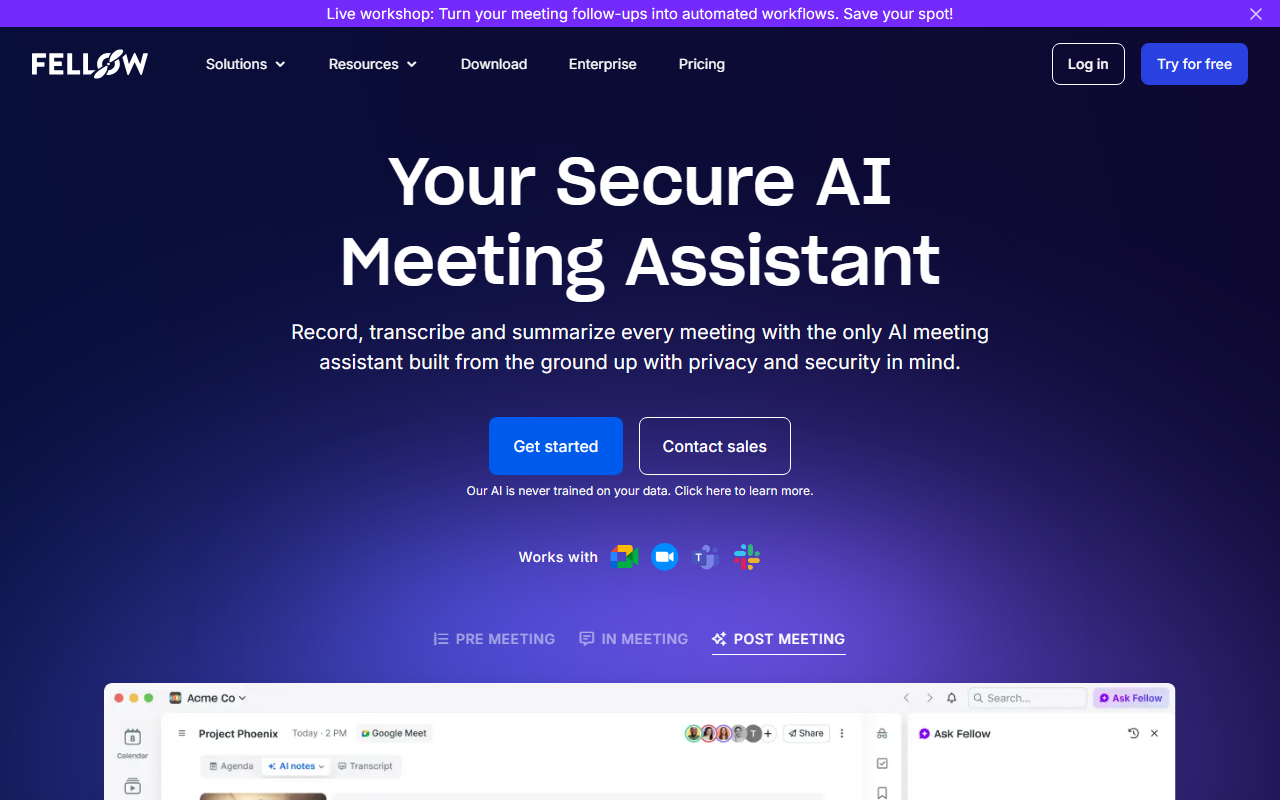
Upon visiting the site, the landing page immediately grabs attention with the tagline "Your Secure AI Meeting Assistant" and a bold button to "Start for free." The design is clean and corporate, emphasizing trust and control from the very first scroll. A prominent note states that "Our AI is never trained on your data," which sets the tone for the entire product. The onboarding flow appears straightforward: after clicking the free start button, users are likely prompted to connect their calendar (Google, Microsoft, or Slack) and grant permissions for the bot to join meetings. While I didn't complete the full sign-up process, the site clearly lists integrations with Zoom, Google Meet, Microsoft Teams, and Slack huddles. The dashboard, as depicted in screenshots, centers around a library where all recordings, transcripts, and AI-generated summaries are stored. The emphasis on privacy controls is visible even in the demo UI, with options to restrict who can record or view content. This first impression strongly positions Fellow as a tool built for organizations that cannot afford data leaks.
Privacy-First Architecture Under the Hood
Fellow differentiates itself from competitors like Otter.ai and Fireflies.ai by claiming to be the only AI meeting assistant built from the ground up with privacy and security as core principles. The company states that its AI is never trained on user data—a significant claim in an era where many tools rely on public cloud models that may retain inputs. The architecture includes granular controls: administrators can define who can record meetings, what types of meetings can be recorded (e.g., internal vs. external), and who can access transcripts and summaries. This level of control is particularly crucial for regulated industries such as legal, healthcare, and finance, where meeting content may contain privileged information. Additionally, Fellow provides org-wide analytics to track meeting patterns without exposing raw data. During my exploration, I noticed that the site does not reveal which underlying AI models power the transcription (e.g., Whisper, Deepgram) or the summarization (e.g., GPT-4). While this may be intentional for proprietary reasons, technical users might appreciate more transparency. Still, the privacy-first narrative is backed by concrete features like centralized permission management and the ability to delete data at any time.
Feature Deep Dive: AI Agent, Summaries, and Integrations
Beyond basic recording, Fellow introduces an AI agent called AskFellow that allows users to ask questions about past meetings. For example, you could query "What were the action items from last week's product review?" and receive a synthesized answer drawn from transcripts across your organization. This turns every meeting into a searchable knowledge base. The AI also generates automated summaries and action items, which are synced to project management tools like Asana, Jira, and Linear. A standout feature is CRM automation: Fellow can push meeting insights directly to Salesforce and HubSpot, suggesting field updates based on discussed topics. This saves sales and customer success teams significant manual data entry. The pre-meeting prep module includes collaborative agendas and briefs, ensuring participants arrive informed. Fellow boasts over 50 integrations, covering popular tools like Slack, Notion, Confluence, Zapier, and Glean. However, there is no mention of a public API or custom webhook support, which may limit advanced automation workflows. During testing of the free tier (which likely restricts recording minutes and storage), the transcription accuracy appeared high in sample clips, though I couldn't verify edge cases like heavy accents or low audio quality.
Pricing, Verdict, and Who Should Use It
Pricing is not publicly listed on the website—only the "Start for free" and "Contact sales" options are available. This suggests that Fellow targets mid-to-large enterprises with custom pricing based on user count and feature requirements. The free tier likely offers limited recordings and summaries, while paid plans unlock advanced controls, AI agent queries, and unlimited storage. Strengths include robust security and privacy, centralized meeting library, deep CRM integrations, and the unique AskFellow AI agent. Limitations include lack of transparent pricing, no disclosed AI model details, and potentially higher cost compared to simpler tools like Otter.ai or Fireflies.ai. Additionally, individuals or very small teams may find the enterprise focus overwhelming—there's little onboarding for solo users. Fellow is best suited for organizations with compliance requirements (e.g., SOC 2, GDPR) that need to centralize meeting knowledge while maintaining strict access controls. If you're a freelancer or small startup, consider lighter alternatives first. For large teams in regulated environments, Fellow offers a compelling, secure solution that puts privacy first. Visit Fellow at https://fellow.app/ to explore it yourself.













Comments