

First Impressions and Onboarding
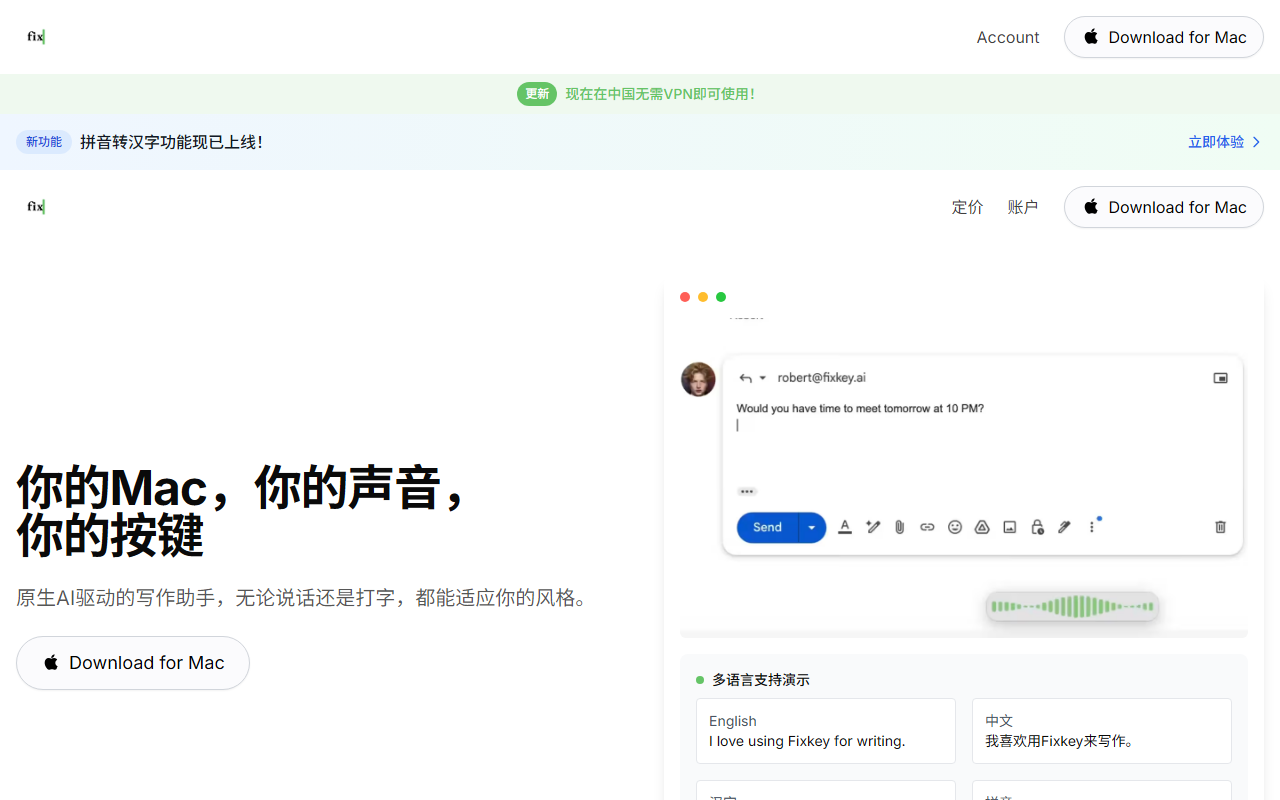
Upon visiting the Fixkey website, the design is clean and focused, with a prominent “Download for Mac” button. The message is clear: this is a macOS-native tool that works anywhere on your system. After downloading and installing, the onboarding walks you through a simple shortcut-based interface. The app sits in your menu bar, and you trigger it with a customizable keyboard shortcut. I tested the free tier, which includes basic rewriting and speech-to-text features. The setup took less than two minutes, and I immediately saw how it integrates—no need to switch windows or copy-paste text into a separate editor.
Core Features and Observed Workflows
Fixkey’s primary function is to let you type or speak and get polished writing instantly. I tested the voice mode in a Slack message. I spoke a rough draft, and within a second or two, Fixkey transcribed and rewrote it into a clear, professional sentence. The interface shows a small pop-up near your cursor where you can choose to improve, shorten, expand, or translate the text. You can also create custom prompts—for example, “make this more persuasive.” The tool works in every macOS app: browsers, email clients, note-taking apps, etc. I also tried the “Polish” action on a messy email draft in Apple Mail. One click rewrote the entire paragraph while preserving my tone. The speed felt real, consistent with the claimed under-200ms response time. Voice commands for formatting (e.g., “bold that word”) worked as advertised, though I had to speak clearly.
Pricing, Integrations, and Technical Details
Fixkey offers a free tier with limited usage. For full access, the pricing is $12 per month (annual) or $15 month-to-month. A lifetime license is also available for $299. These details are clearly listed after clicking “Pricing” on the site. The app uses advanced LLMs for translation and improvement, though the specific model is not named. It supports over 200 languages for translation and 180+ for voice input. There is no API mentioned, and the tool is currently Mac-only (no Windows or web app). Unlike alternatives like Grammarly (which works across platforms and includes a web editor) or TextExpander (focused on snippets), Fixkey is laser-focused on real-time, on-the-fly text transformation via voice or keyboard. It integrates at the OS level, so there’s no need for browser extensions or plugins. The team behind Fixkey has received positive mentions from Product Hunt (Product of the Day) and well-known tech sites like Cult of Mac and t3n. They also claim 20,000+ users, which suggests a growing base.
Strengths, Limitations, and Recommendation
The greatest strength of Fixkey is its speed and integration. It truly works in any app without friction. The voice-to-text accuracy is high, and the custom prompt feature gives power users fine control. The app feels lightweight and native—not a resource hog. However, a significant limitation is its macOS-only nature. If you use Windows or Linux, you’re out of luck. Also, while the free tier is generous for testing, heavy users will need to pay. I also noticed that the Polish feature sometimes over-rewrites, stripping personal voice—so you may need to tweak custom prompts. For Mac users who frequently write in multiple apps and want a quick way to improve or dictate text, Fixkey is an excellent choice. It’s especially useful for non-native English speakers who need instant translation and polish, or professionals who dictate ideas on the go. If you’re on Windows or prefer a full-featured editor with plagiarism checks, consider Grammarly or ProWritingAid. But for pure speed and OS-level integration, Fixkey stands out. Visit Fixkey at https://fixkey.ai/ to explore it yourself.













Comments