

First Impressions and Onboarding
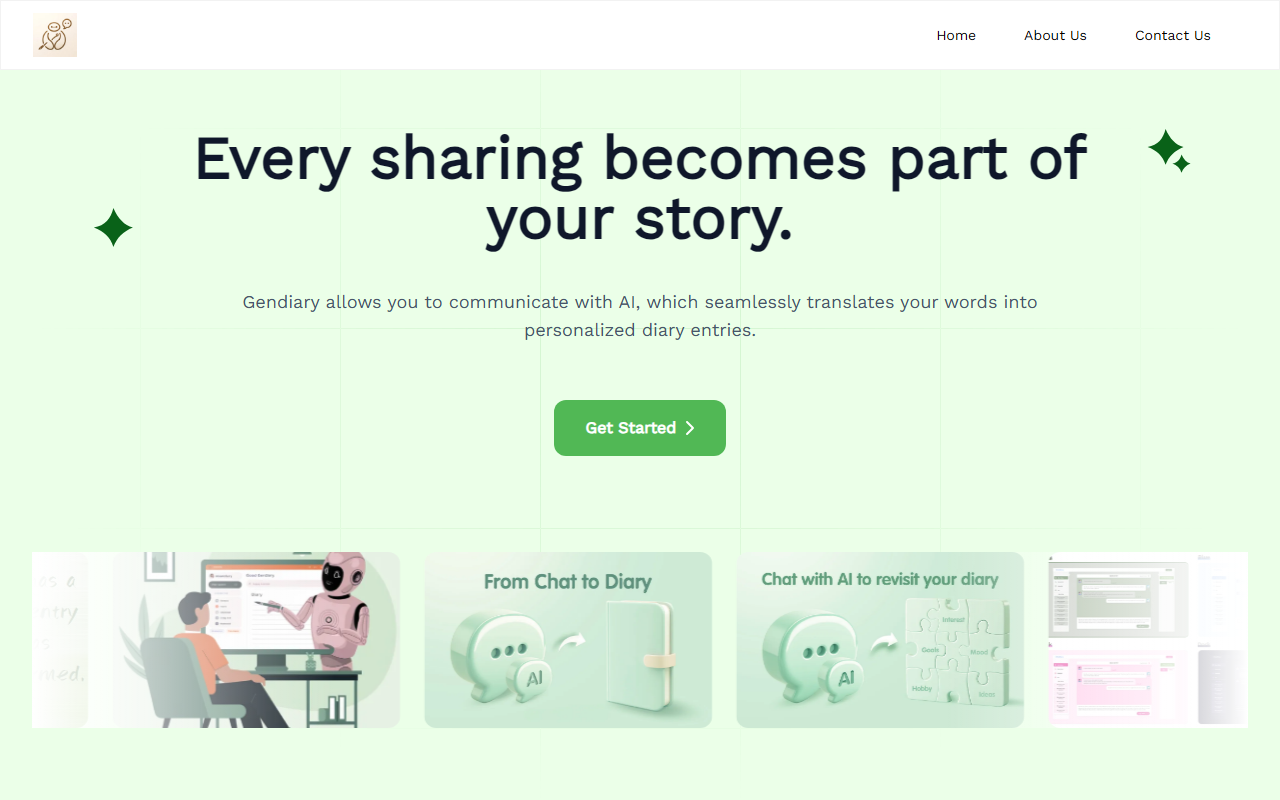
Upon visiting Gendiary, I was greeted by a clean, pastel-toned landing page that immediately sets a calm, introspective mood. The tagline “Every sharing becomes part of your story” appears above a simple call-to-action button to “Get Started.” There’s no sign-up wall initially; clicking the button brings me to a single chat interface. No dashboard clutter – just a text box and a friendly greeting from the AI. I typed a few sentences about my stressful day, and the AI responded with empathetic acknowledgment and asked follow-up questions. After a brief conversation (maybe five exchanges), I clicked the “Generate Diary” button. Within seconds, Gendiary reformatted our chat into a polished, first-person diary entry with date, headings, and even a sentiment summary. The flow is nearly frictionless: chat, click, done. The site is entirely web-based, and I saw no mobile app download prompts, though the interface is responsive on a phone browser.
Features and AI Performance
Gendiary’s core offering is its ability to transform unstructured speech into structured diary entries. During my test, the AI demonstrated strong contextual understanding – it picked up on my mention of “project deadline anxiety” and wove that into a coherent narrative without parroting my exact words. Beyond generation, the tool offers emotion tracking and analysis (visible as a small “Mood Trend” tab after you’ve created a few entries) and a “Smart Query” feature to search past entries by emotion or keyword. The AI companion is surprisingly warm; its responses never felt robotic or overly generic. However, I noticed the generated diary entries sometimes omitted specific names or locations I mentioned, possibly to protect privacy. The tool does not reveal which underlying model it uses (likely GPT-3.5 or similar), but the quality is on par with premium chatbots. There is no mention of API access, integrations with calendars or wearables, or any data export format beyond plain text. The user testimonials – from a psychologist, project manager, social worker, and others – speak to real-world appeal, but I would have liked to see clearer details on data security and retention policies.
Pricing and Target Audience
Pricing is not publicly listed on the website. The free tier seems fully functional; I created five diary entries without hitting any limit. The site claims “5M+ diary entries created” and “98% user satisfaction,” but there is no pricing page or mention of premium plans. For a tool that relies on ongoing chatbot interactions, this is a notable gap – without a pricing model, users cannot evaluate long-term costs. Gendiary is best suited for busy professionals, students, and anyone who struggles to write a traditional diary but wants the therapeutic benefit of journaling. It is less ideal for power journalers who need offline access, rich formatting, or deep integration with apps like Day One or Notion. Compared to traditional diary apps, Gendiary emphasizes emotional reflection over record-keeping; it feels closer to an AI therapist than a simple log. The main strength is its simplicity and emotional intelligence. The main limitation is the lack of transparency on privacy, export, and cost. I recommend trying the free version for a week – especially if you’ve wanted to keep a diary but always found the ritual too time-consuming.
Visit Gendiary at https://gendiary.wegic.app/ to explore it yourself.













Comments