

First Impressions and Onboarding Experience
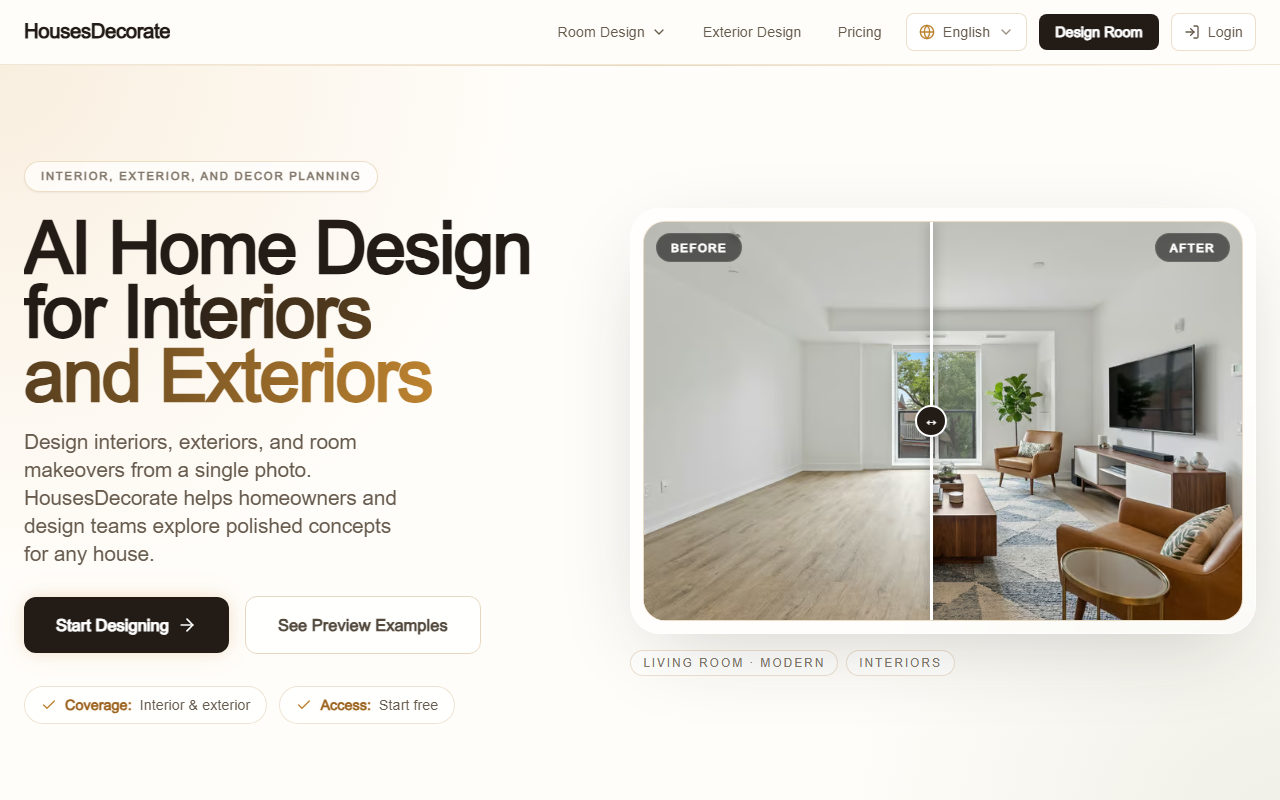
Upon visiting HousesDecorate, I was greeted by a clean, visually driven landing page that immediately sells the value: AI home design for interiors and exteriors. The hero section features a before-and-after example of a living room transformed into a modern interior, and the call-to-action is a single "Start Designing" button. The menu is minimal, listing room pages (e.g., AI Interior Design, AI Exterior Design, Paint Color Visualizer) and a pricing section. I clicked "Start Designing" without creating an account—no email or credit card was required, which felt refreshing. The onboarding flow is straightforward: upload a photo of a room or house facade, choose a style direction (Modern, Scandinavian, Japanese Zen, etc.), and generate concepts. I tested the free tier by uploading a photo of my own living room. The generation took about 15 seconds, and the result was a polished, photorealistic render that maintained the room’s layout while swapping the color palette and furniture style. The dashboard itself is simple: a grid of your designs with options to regenerate or save. I appreciated that the tool offers room-specific entry points (AI Bedroom Design, AI Kitchen Design) with presets tailored to each space, which speeds up the workflow for users who know exactly what they want.
Core Features and Workflow
HousesDecorate focuses on three core capabilities: interior design, exterior design, and decor idea generation. Each is accessible from the main navigation or through dedicated room pages. The workflow is consistent: upload a photo, pick a style, and explore polished concepts. During my test, I noticed that the AI handles lighting and shadows realistically, and it preserves structural elements like windows and doors while changing finishes, colors, and furniture. The tool covers a wide range of rooms: living rooms, bedrooms, kitchens, bathrooms, offices, and even exteriors like facades and patios. For each room type, the presets adjust the underlying model to focus on relevant features—for example, kitchen designs prioritize cabinet styles and countertop materials, while exterior designs emphasize siding, roofing, and landscaping. The Paint Color Visualizer is a nice add-on: you can upload a photo and test different wall colors without repainting. This feature works quickly and accurately, showing color variations on the actual room geometry. Overall, the user experience feels polished and intentional for non-designers. Unlike more open-ended AI image tools like Midjourney, HousesDecorate constrains outputs to realistic home-improvement scenarios, which reduces the need for prompt engineering and makes it beginner-friendly.
Pricing, Limitations, and Target Audience
HousesDecorate offers two paid plans: Pro at $19.90/month for 700 credits and standard generation speed, and Premier at $49.90/month for 1,700 credits, priority speed, and advanced style customization. Both include a commercial use license, which is important for real estate agents or contractors. The free tier lets you generate a small number of designs without payment. Pricing is competitive compared to dedicated interior design AI tools like RoomGPT (which starts at $29/month) or professional platforms like Planner 5D. However, there are limitations: the free tier is likely very restricted in credits—I could only generate about three designs before hitting a limit. Also, the tool does not seem to offer collaboration features or high-resolution exports for professional printing. The style library, while diverse, is not as extensive as some competitors; I counted about a dozen styles including Modern, Scandinavian, Japanese Zen, and Minimalist. Users looking for hyper-specific or avant-garde styles may need to look elsewhere. The tool is best suited for homeowners doing renovation planning, real estate agents visualizing property updates, and small design teams who need quick concept renders. If you’re a large architecture firm requiring photorealistic renderings with custom materials and lighting controls, you’ll find HousesDecorate too limited. The tool’s strength is its simplicity and focus on real-world home improvement, not abstract artistic generation.
Final Verdict
HousesDecorate delivers on its promise: it turns a single photo into multiple realistic design options within seconds. The interface is clean, the pricing is affordable, and the room-specific features add genuine value. My main criticism is the lack of a free trial that allows more than a few generations—it’s hard to fully evaluate the tool without committing to a paid plan. Additionally, advanced users may miss the ability to fine-tune prompts or adjust specific object placements. Still, for the target audience—DIY homeowners, interior design hobbyists, and small-scale property professionals—this tool is a practical, cost-effective solution. I recommend starting with the free tier to test a single room, then upgrading to Pro if the results meet your expectations. Visit HousesDecorate at https://housesdecorate.com/ to explore it yourself.













Comments