

First Impressions and Onboarding
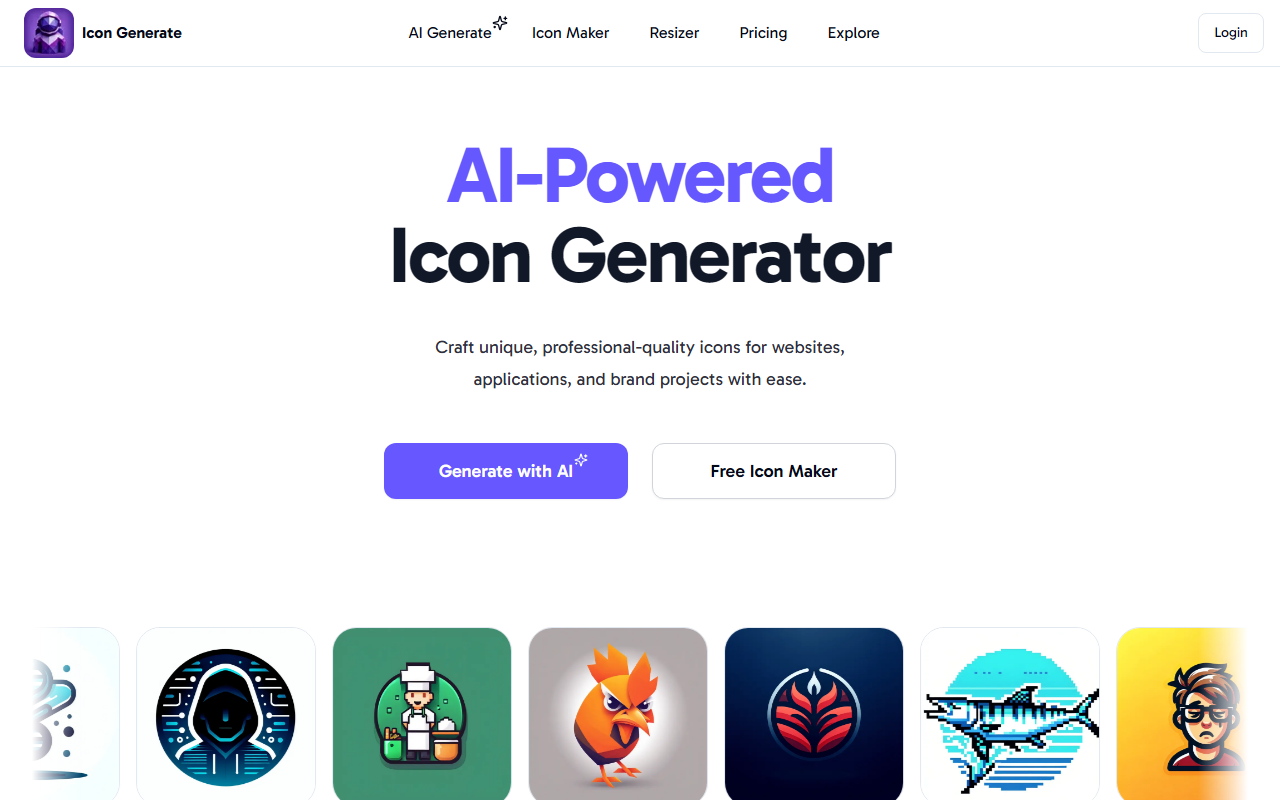
Upon visiting IconGenerate, I was greeted by a clean, modern landing page that immediately highlights its core value proposition: an AI-powered icon generator. The interface is minimalistic, with a prominent "Generate with AI" call-to-action and a login button tucked in the top right. Scrolling down, I discovered a gallery of 11 distinct icon styles—Modern, Polygonal, Pixelated, Metallic, 3D, Neon, Clip Art, Hand Drawn, Abstract, Isometric, Origami, Minimalistic, and Line Art. Each style comes with a brief description; for instance, Polygonal is described as bringing "a dimensional and geometric aesthetic." This helped me understand the variety without being overwhelmed.
I clicked into the free icon maker section, which is clearly marked as a free tier. Here, I could browse a collection of pre-designed icon templates. The process is straightforward: select a template, customize its style and color, and download. However, I noticed that downloading high-resolution PNGs required either signing in or purchasing credits—a limitation I explored later. The onboarding flow is intuitive, guiding users through three steps: Design Drafting (describe the icon or pick a theme), Select a Style, and Color Customization. This step-by-step approach lowers the barrier for non-designers, as advertised.
How It Works and Core Features
IconGenerate’s core functionality revolves around generating custom icons using AI. You start by either describing your desired icon or choosing a template. The AI then creates an initial design based on your input. You can then refine the style and color scheme—options range from monochrome to full spectrum. One feature I found particularly useful is the built-in cloud storage for organizing your icon library. This eliminates the hassle of version control, especially for branding projects.
The tool supports popular styles like Isometric and Pixelated, which are detailed on the site. I tested the free icon maker by choosing a "calendar" template, applying a 3D style, and changing the color to a company brand blue. The preview updated in real-time, and I could instantly see the final look. However, the free tier limits downloads to lower resolution (likely 128x128 pixels) unless you have credits. For high-resolution PNGs (up to 1024x1024, as implied by their premium tier), you need to purchase credits. The AI generation itself seems fast, but I couldn’t test a full custom generation without paying because the free tier only permits template-based creation.
From a technical standpoint, IconGenerate doesn’t disclose the underlying AI model. The output quality is good for typical icon sizes, with crisp edges and consistent style adherence. There is no API mentioned, and integrations with design tools like Figma or Sketch are absent. This makes IconGenerate a standalone tool rather than a plugin.
Pricing and Value
IconGenerate offers three credit packs: Starter ($3 for 20 credits, ~$0.15/icon), Pro ($5 for 50 credits, ~$0.10/icon), and All-in ($10 for 150 credits, ~$0.07/icon). These are one-time purchases with no subscription requirement. This pricing is competitive compared to alternatives like Iconscout (which charges per download or via subscription) or Looka (which focuses on logo packages). For solo creators and startups, the pay-per-credit model is appealing because you only pay for what you need. However, note that “premium icons” consume credits, while free users are limited to the templates and possibly lower resolution outputs.
Compared to other AI icon tools, IconGenerate stands out for its simplicity and focus on icons alone. Competitors like Designs.ai include icon generation as part of a broader suite, but IconGenerate’s niche approach may be more efficient for users who only need icons. Still, the lack of a free tier for fully custom generation is a downside—users must invest credits to explore the AI’s full capabilities.
Strengths and Limitations
Strengths: IconGenerate excels in ease of use. The UI is clean, and the step-by-step guide makes it accessible to anyone, regardless of design skill. The variety of 11 styles covers many modern and retro aesthetics, which is more than some competitors offer. Cloud storage is a welcome addition for project organization. Pricing is transparent and affordable for occasional use.
Limitations: The free tier is quite restricted—only template-based creation and likely lower resolution outputs. Full custom generation requires purchasing credits, which may deter casual users. The tool lacks integrations with popular design ecosystems, so you cannot export directly to Figma or Sketch. Additionally, the underlying AI model is not disclosed, making it hard to judge scalability or future improvements. For professional designers needing batch generation or vector outputs (SVG), IconGenerate only offers PNG, which is a notable gap.
In summary, IconGenerate is best suited for non-designers, startup founders, or small business owners who need quick, branded icons without learning complex software. Designers who require high-volume output or vector formats should look to tools like Icons8 or Font Awesome instead. The credit-based system is fair, but I recommend using the free icon maker first to decide if the quality meets your standards before investing.
Visit IconGenerate at https://icongenerate.com/ to explore it yourself.













Comments