

First Impressions and Onboarding
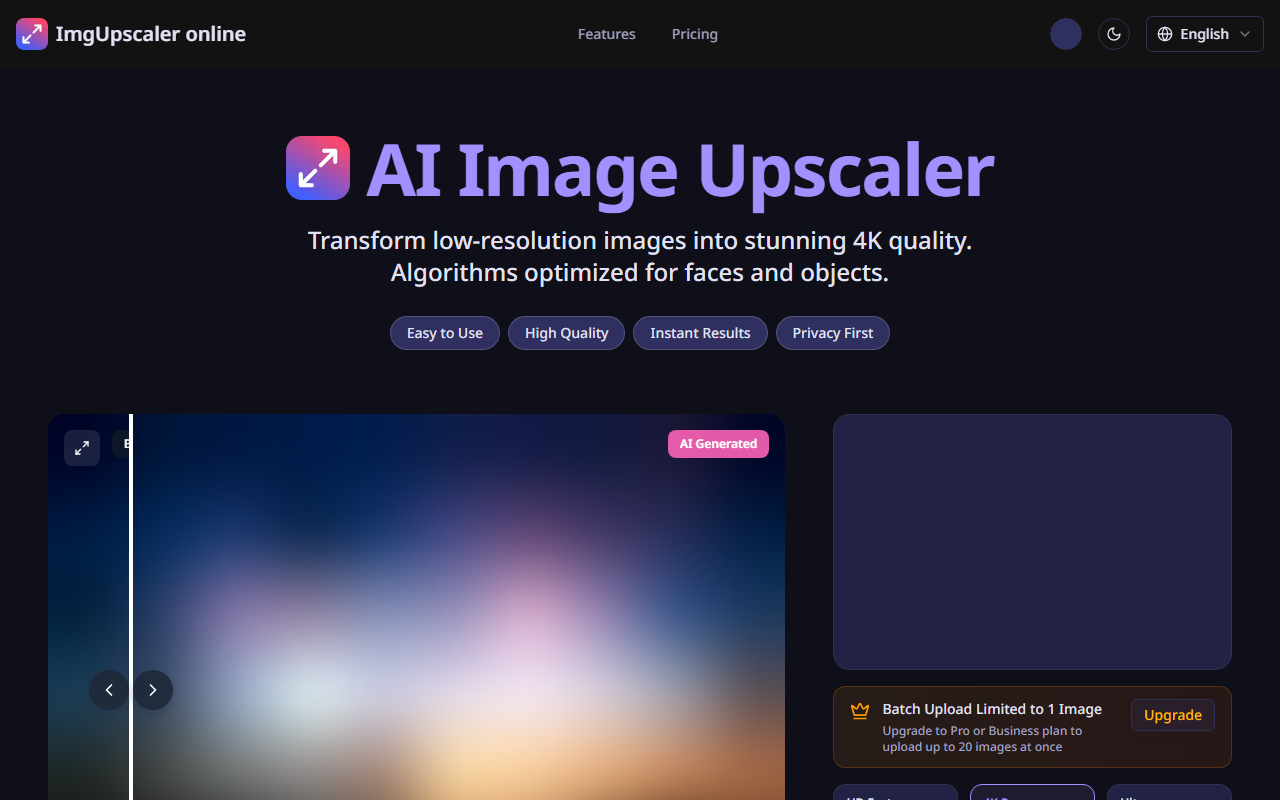
Upon visiting ImgUpscaler, I was greeted by a clean, modern interface that immediately communicated its purpose. The hero section shows a side-by-side comparison slider of an old, blurry photo and its upscaled version, driving home the value proposition. The site offers a clear toggle for light/dark mode and language selection—a nice touch for international users. Uploading an image is straightforward: a drag-and-drop area or a file picker. I tested the free tier by uploading a low-resolution selfie (480×640 pixels). The dashboard then presents three quality modes: HD Fast (free), 4K Pro (2 credits), and Ultra (3 credits). A progress indicator appears during processing, and the result downloads automatically. The entire workflow is frictionless, requiring no account creation for the free tier. That said, the free mode limits batch uploads to a single image, which is clearly stated. An upgrade prompt encourages moving to Pro or Business for multi-image processing.
Features and Performance
ImgUpscaler leverages deep learning models optimized for faces and objects, as noted on the site. I tested HD Fast mode first. The server returned a 2x upscaled image in roughly 10 seconds, as advertised. Facial details—like eye sharpness and skin texture—were noticeably enhanced without introducing artifacts. The tool also offers 4K Pro and Ultra modes for higher magnification and refinement, but these consume credits. Unfortunately, specific pricing per credit or plan is not publicly listed on the website; you must upgrade to see the cost. The 24-hour auto-delete policy on uploaded images is a strong privacy feature, and the service is fully browser-based, meaning no software installation. Mobile responsiveness is solid—I accessed the site from an iPhone and the layout adapted well. A major limitation: the free tier cannot batch upload, lacks advanced manual controls (like separate denoising or sharpening sliders), and credit usage for higher-quality modes may add up for frequent users. Compared to desktop tools like Topaz Gigapixel AI, this lacks offline capabilities and granular settings, but for quick online upscaling, it excels.
Use Cases and Pricing
ImgUpscaler clearly targets a broad audience—from photographers and e-commerce sellers to social media enthusiasts. The site lists specific use cases such as professional photography portfolios, product images for online stores, real estate listings, and restoring family photos. For each, the tool promises "gallery-quality results" and "crystal-clear" output. My test with an old vacation snapshot confirmed that the AI effectively recovers lost detail in faces and backgrounds. The free HD Fast mode is genuinely useful for quick social media posts or previews, while the paid modes likely suit print-ready work. However, the lack of transparent pricing for Pro and Business plans is a drawback. Credits seem to be the currency, but without a visible price list, you must commit to an upgrade to evaluate value. Alternatives like Let’s Enhance.io or Clipdrop Image Upscaler offer free tiers with more upfront pricing transparency. Nonetheless, for users who prioritize simplicity, speed, and privacy, ImgUpscaler is a compelling choice, especially for one-off jobs.
Verdict and Recommendations
ImgUpscaler delivers exactly what it promises: an effortless way to upscale images to 4K quality using AI, optimized for faces and objects. Its strengths lie in ease of use, fast processing (10 seconds on free mode), and privacy-first approach (24-hour auto-delete). The tool is ideal for casual users, small business owners, and anyone needing quick, high-quality image enhancement without installing software. However, power users requiring batch processing, fine-grained controls, or transparent subscription costs should look elsewhere. The free tier is generous for single-image use, but the credit-based premium system feels opaque without clear pricing. I recommend trying the free HD Fast mode first—you’ll see results instantly. If you need higher resolution or multiple images, evaluate the paid plans carefully once you upgrade. Overall, it’s a solid online upscaler that punches above its weight in the free tier. Visit ImgUpscaler at https://imgupscaler.online/ to explore it yourself.













Comments