

First Impressions and Onboarding
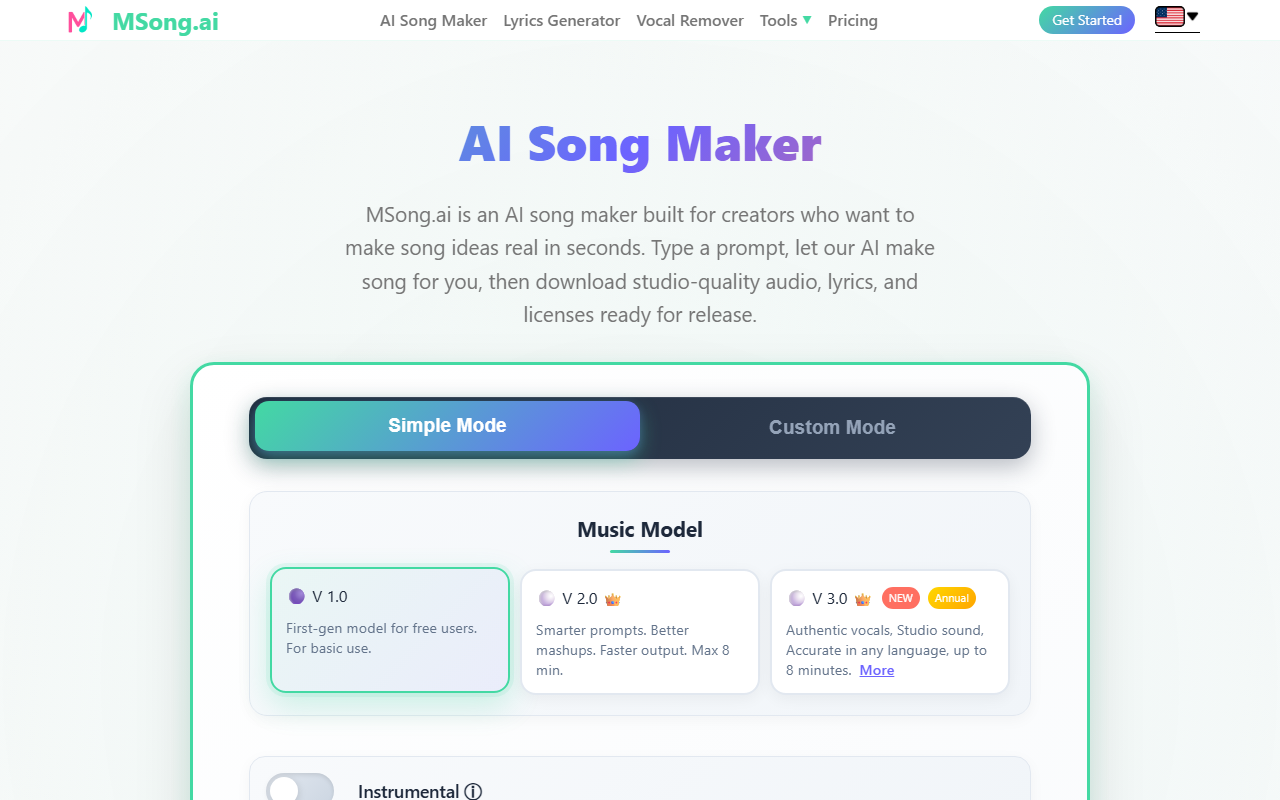
Upon visiting MSong.ai, the landing page immediately presents a clean sign-in screen with Apple and Google options or an email code. After logging in, the dashboard shows a two-mode interface: Simple Mode and Custom Mode. Simple Mode offers a single text prompt box with a character limit of 400 for song descriptions, while Custom Mode expands into fields for lyrics, style, genre, moods, voices, instruments, and tempo. The initial experience feels intuitive for beginners, though the free tier locks you into the V1.0 model, which produces short, basic tracks. I tested a simple prompt in Simple Mode—"upbeat pop song about morning coffee"—and within about 15 seconds, MSong.ai generated a 30-second preview with passable melody and synthetic vocals. The interface provides a "Get Inspired" button that auto-fills prompts, which helps new users understand the tool's capabilities.
Key Features and Generative Quality
MSong.ai's core strength is its all-in-one approach: not only does it generate songs from prompts, but it also includes a built-in AI Lyrics Generator, vocal removal, Audio-to-MIDI conversion, and a Music Video Maker for up to 60-second clips. The Custom Model allows you to input your own lyrics (up to 3,000 characters), choose a genre, mood, and voice type, and then generate a full track. The premium V2.0 and V3.0 models promise higher quality, smarter prompts, and up to 8-minute songs. When I tested the free V1.0 model, the output had noticeable robotic vocal artifacts and a limited instrumental palette—suitable for drafts but not release-ready. The Vocal Removal feature worked well on a short uploaded MP3, separating vocals and instrumentals within seconds, though the free tier restricts this to a single use per day. The Audio-to-MIDI conversion is a standout for musicians who want to repurpose generated melodies in a DAW. The premium tier also adds unlimited WAV downloads, commercial licenses, and time-synced lyrics in LRC/SRT formats, making it a practical tool for content creators who need legally safe music for monetization.
Pricing, Plans, and Limitations
MSong.ai operates on a subscription model with monthly and annual plans, plus one-time Lifetime Credit packs. Pricing is not fully transparent on the main page, but the premium features page reveals that V3.0 access is exclusive to Annual subscribers, who also get unlimited WAV downloads, MP4 lyrics video creation, and Audio-to-MIDI exports. The monthly plan appears to cap daily song generation—free users likely get only a handful of songs. Credit packs start at a price not disclosed without logging in, but they are described as never-expiring, useful for heavy users who want to avoid ongoing billing. The main limitation: the free tier is severely restricted to the basic V1 model with short durations, no downloads beyond limited MP3, and no commercial license. For casual exploration, this is fine, but serious content creators will need at least a monthly subscription. Another shortcoming is the lack of real-time collaboration or a community library of prompts—features competitors like Suno and Udio offer. MSong.ai also does not provide public API access, which limits integration into existing production workflows.
Who Should Use MSong.ai?
MSong.ai positions itself as a one-stop AI song maker for creators who want speed over depth. It is best suited for YouTubers, podcasters, and social media managers who need quick, royalty-free background music with matching lyrics. The built-in vocal separation and MIDI export also appeal to bedroom producers who want to sketch ideas without opening a full DAW. However, for professional musicians seeking high-fidelity, convincing vocals and complex arrangements, tools like Suno or Udio deliver more organic results, though at a higher cost or learning curve. MSong.ai's main advantage is its all-in-one utility—prompt to vocal separation in one platform—but its reliance on an annual subscription for the best model is a barrier. I would recommend it for hobbyists and content creators on a budget who want to experiment with AI-generated music without diving into multiple standalone tools. Visit MSong.ai at https://msong.ai/ to explore it yourself.













Comments