

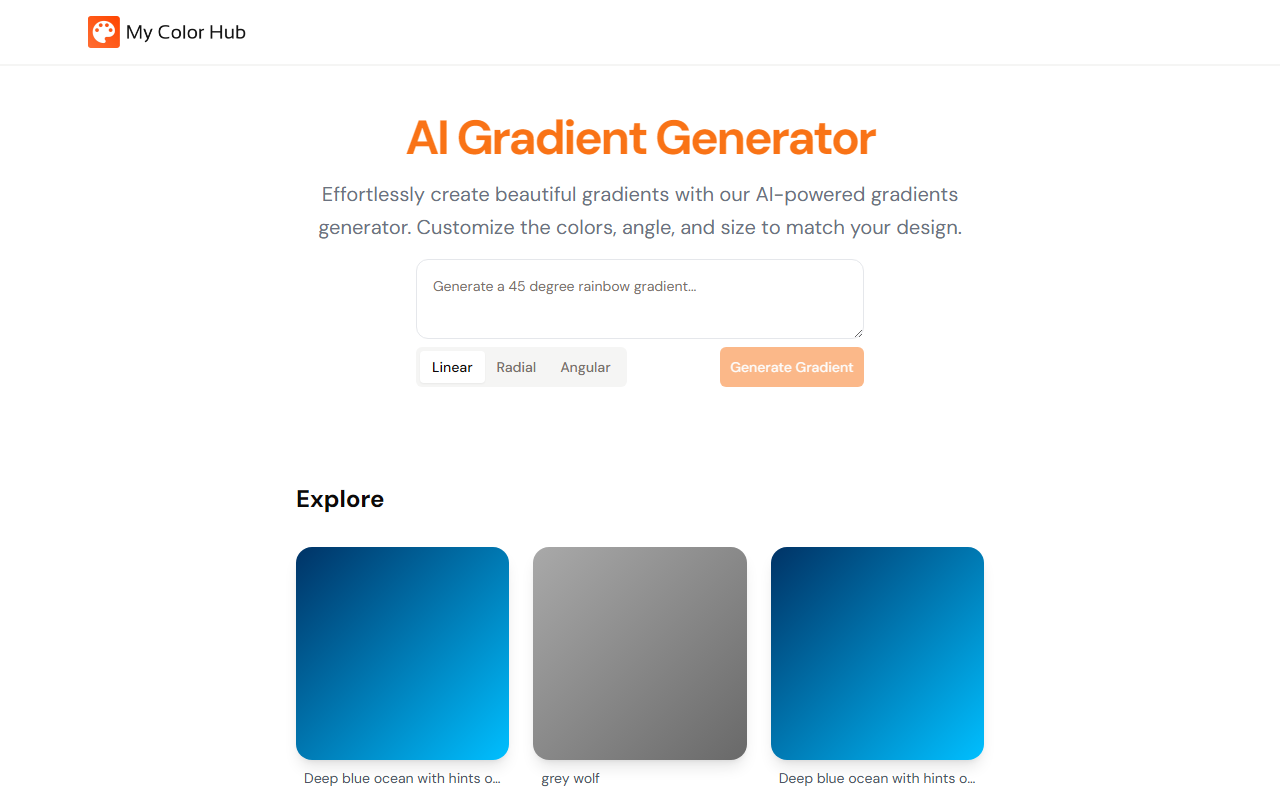
First Impressions and Interface
Upon visiting My Color Hub, I was greeted by a clean, minimal dashboard. The homepage centers on a single text input box labeled "Describe your gradient" alongside a Generate button. Below, a scrolling gallery displays previously generated gradients, offering immediate inspiration. The onboarding is instant—no sign‑up required. I typed "Starry night sky transitioning from deep navy to bright white" and clicked generate. Within seconds, a visual preview appeared, accompanied by the corresponding CSS code (including hex values and gradient direction). The interface also lets me toggle between linear, radial, and angular gradient types and adjust angle and size sliders. This simplicity makes it ideal for quick design experiments.
Features and Capabilities
My Color Hub is essentially an AI‑powered gradient generator that interprets natural language prompts. It supports a wide range of inputs: color names, hex codes, mood descriptions, and even multi‑color requests like "5 colors, messy random splashes not linear." The AI logic appears to be a custom model or fine‑tuned GPT variant that maps textual color schemes to gradient CSS/CSS‑gradient syntax. I tested several prompts—"white fading to transparent vertical gradient" and "black to maroon with golden sparkles"—and each generated a passable gradient, though complex spatial requests (e.g., "random splashes") sometimes produced unexpected results. The tool currently supports only linear, radial, and angular gradients; there is no support for conic gradients or gradient meshes. The output is pure CSS, which can be copied directly into a stylesheet or design tool. No download or export to image format is available, which may be a limitation for non‑developers. Pricing is not publicly listed on the website; the tool appears to be fully free to use at the time of testing, with no obvious usage limits. There is no mention of an API or integration with design apps like Figma or Adobe.
Pricing, Limitations, and Verdict
While My Color Hub excels at speed and ease of use, it has clear limitations. The absence of granular controls—like adding color stops at specific percentages, using multiple gradient layers, or adjusting opacity—means it cannot replace dedicated gradient tools such as CSS Gradient or Gradient Hunt. It also lacks a history or saved palette system, so you must copy the CSS each time. Competitors like Khroma offer AI color palette generation with more editing features, while simpler sites like uiGradients provide curated gradients. My Color Hub is best suited for front‑end developers and designers who need fast, prompt‑based gradient generation during prototyping or asset creation. For those requiring precise, multi‑stop gradients or exportable images, other tools may be more suitable. Strengths include zero friction, quick interpretation of natural language, and a clean interface. The main weakness is the lack of advanced editing and export formats. Overall, if you want to quickly turn a textual color idea into a usable gradient without signing up, My Color Hub is a solid choice. For professional production work, supplement it with a full‑featured design tool.
Visit My Color Hub at https://mycolorhub.com/ to explore it yourself.













Comments