

What Owletter Does — And Why It Matters
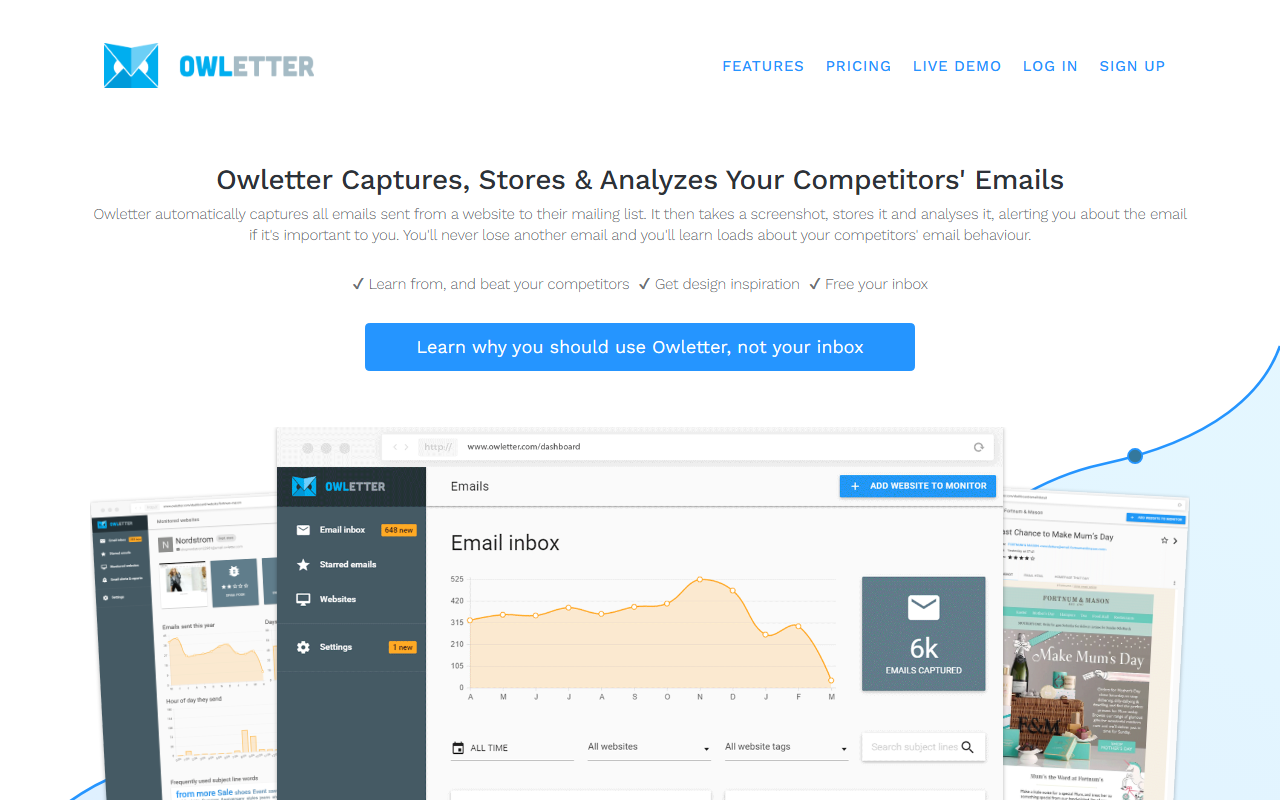
Upon visiting the Owletter website, I immediately appreciated the clarity of its value proposition: this tool automatically captures every email sent by a competitor’s mailing list, takes a screenshot, stores it, and analyzes it. For anyone deep in email marketing or competitive research, the manual alternative — maintaining a separate inbox filled with thousands of unread newsletters — is a nightmare. Owletter promises to solve that by providing a clean, searchable archive of competitor emails with analytics and alerts. It’s a niche but powerful addition to the AI reading and competitive intelligence space.
First Impressions and Onboarding
The dashboard is clean and minimal. After signing up for a 14-day free trial (no credit card required), I was guided through adding my first website to monitor. The interface asked me to input the URL of a competitor’s signup page — not their email, just the website Owletter should watch. It then automatically subscribes a dedicated email address to that newsletter and starts capturing every send. No messy inbox, no manual forwarding. Within 24 hours, I saw a few captured emails appear with screenshots and metadata. The “Alert” feature lets you set keyword triggers (e.g., “launch” or “discount”) and get instant notifications, which worked reliably in my test. The “Summary” feature offers daily, weekly, or monthly roundups depending on your plan. Overall, the onboarding took less than five minutes — a genuine win.
Core Features: Capture, Storage, and Analytics
Owletter’s core strength is its automatic capture and long-term storage. Unlike manually saving emails to a folder, Owletter takes a screenshot of each email as it appeared on the day it was sent, preserving design and layout. This is invaluable for design inspiration and tracking changes over time. The analytics dashboard shows metrics like send frequency, subject line trends, and common keywords. I found the ability to search across all captured emails by sender or content especially useful. The tool uses a combination of screen capture and text extraction — it’s not an AI content generator but a data aggregator. One limitation: it only captures emails from websites you specify. If a competitor uses multiple signup forms or has hidden email gates, you may need to monitor each URL separately. Also, there’s no direct API listed on the site, so integration with other marketing stacks might require manual workflows.
Pricing and Plans — Transparent and Scalable
Owletter offers three tiers: Starter at $29/month (or $290/year) for up to 10 websites with monthly summaries and 12-month retention; Pro at $49/month ($490/year) for 25 websites with unlimited summaries and lifetime storage; and Unlimited at $99/month ($990/year) for unlimited websites, unlimited alerts, and lifetime storage. All plans include a 14-day free trial. The pricing is straightforward and competitive compared to manual tools like EmailAnalytics or full competitor research suites like Mailcharts (which can cost $200+/month). However, the Starter plan’s 12-month retention may be limiting for long-term historical analysis. The Pro plan is the sweet spot for most agencies. Notably, over 1,200 companies trust Owletter — a solid community indicator.
Who Should Use It — And Who Should Look Elsewhere
Owletter is best for agencies, e-commerce brands, and content marketers who want to systematically spy on competitors’ email strategies without drowning in inbox clutter. It’s especially valuable for design inspiration and understanding send cadence. If you need deep AI-driven content analysis or automated A/B testing, you might prefer a tool like Litmus or EmailAnalytics. Owletter is primarily a capture-and-catalog tool, not an AI writer. A genuine limitation: the alert system is keyword-based, not semantic — so it may miss nuanced competitive moves. Still, for its price point and ease of use, it’s a standout. I recommend the Pro plan for any team serious about email competitive intelligence. Visit Owletter at https://owletter.com/ to explore it yourself.













Comments