

First Impressions and Onboarding
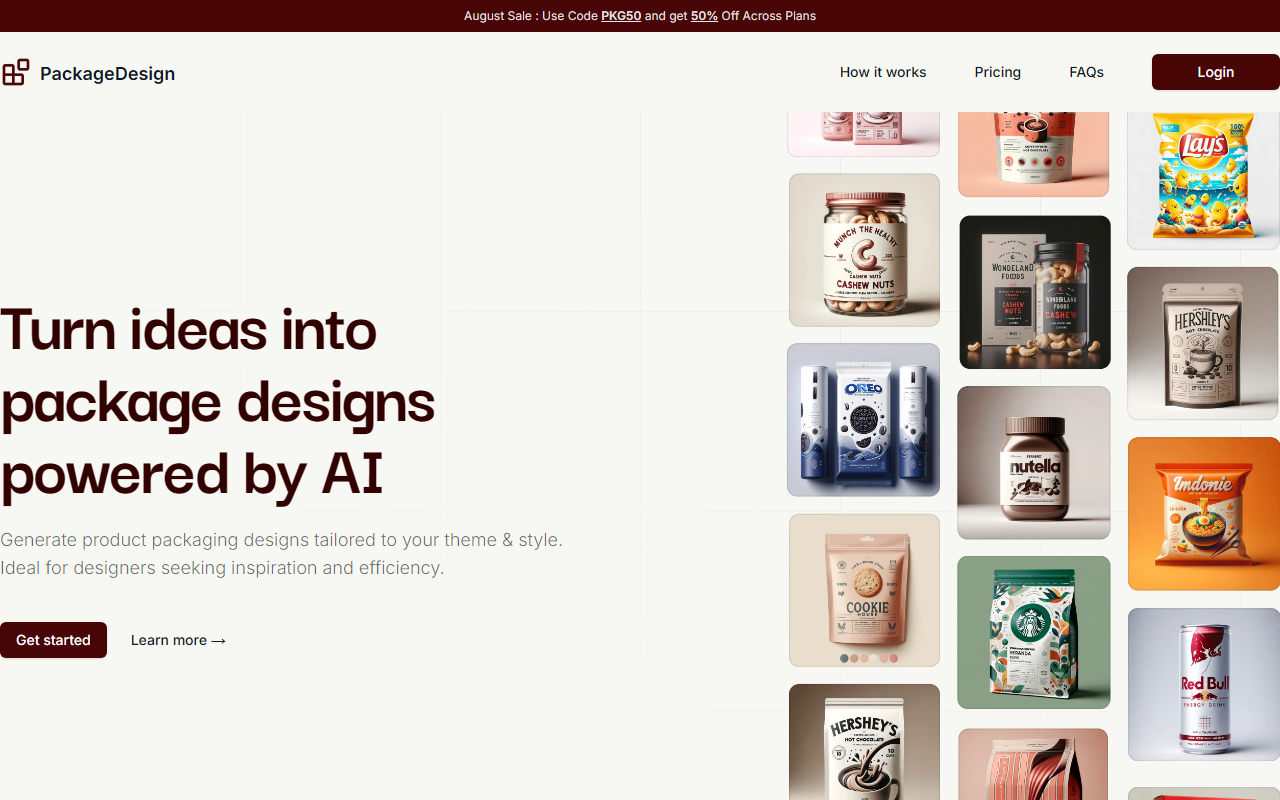
Upon visiting the Package Design website, I was greeted by a clean, modern landing page that wastes no time in explaining the value proposition: "Turn ideas into package designs powered by AI." The headline is backed by a short animation of sample packaging mockups, which immediately sets expectations for the type of output to expect. The site is responsive and loads quickly on both desktop and mobile browsers. A small banner at the top announces an August sale with code PKG50 for 50% off across plans—a detail I noted before diving deeper.
The onboarding process is straightforward. After clicking "Get Started," I was directed to create an account. No credit card is required for the free trial, which gives you 1 credit. The account setup took less than a minute, and I was able to access the generation dashboard immediately after confirming my email. The user interface is minimal: a left sidebar with navigation links (Dashboard, Generate, Pricing, Support) and a central area where the magic happens. For a first-time user, the lack of clutter is refreshing.
How It Works and Real-World Use
The tool’s core workflow is a three-step process: input product details, select a packaging style and theme, and hit generate. When I tested the free credit, I entered a hypothetical product—\”Organic Herbal Tea\”—and chose \”Eco-friendly\” as the theme and \”Pouch\” as the packaging style. The system then generated a single design in about 15 seconds. The output was a high-resolution PNG file showing a front-facing pouch mockup with a minimalist label, organic motifs, and a color palette that matched the eco-friendly brief. The design was unique and did not feel like a generic template; the AI clearly considered my inputs.
One notable feature is the ability to manage designs after generation. You can download the current design in PNG or PDF, share it directly, or regenerate a different variation with the same configuration in one click. I tried regenerating three times, and each iteration produced a distinctly different layout and color scheme while staying on-brief. This is valuable for brainstorming sessions. However, the tool does not yet support multi-angle mockups or 3D renders—something competitors like Adobe Dimension or Boxshot offer, but those are far more complex and expensive.
Regarding the underlying technology, the website does not specify which AI models are used, but the responsiveness and style consistency suggest a custom fine-tuned diffusion model or a variant of Stable Diffusion. There is no mention of an API, so this is strictly a web-based tool.
Pricing and Value
Package Design operates on a credit system. Each credit equals one design generation. The pricing is straightforward, especially with the current 50% discount:
- Trial: Free – 1 credit, PNG/PDF download, early access to new features.
- Standard: $5 (down from $9) – 10 credits, one-time payment.
- Pro: $19 (down from $39) – 80 credits, one-time payment.
I found the pricing reasonable compared to alternatives. For example, Canva offers some packaging templates but lacks AI generation; DALL·E 3 can generate packaging concepts but requires precise prompting and often yields inconsistent mockup layouts. Package Design abstracts the technical complexity effectively. However, there are limitations: credits are allocated monthly from the purchase date, and unused credits do not roll over? The FAQ says "credits will be allocated on monthly basis," but it's unclear if unused ones carry forward. Additionally, the tool only exports in PNG and PDF—no SVG or editable source files. The no-refund policy is also worth noting; you cannot get a refund for unused credits.
For a quick prototyping tool aimed at designers, small business owners, or e-commerce sellers, the pricing feels fair. The Pro plan (80 credits) is ideal for someone with multiple products. But for heavy users needing hundreds of iterations, the credit system could become limiting.
Verdict: Who Should Use Package Design?
After a thorough exploration, I believe Package Design is best suited for freelance product designers, small consumer goods brands, and e-commerce entrepreneurs who need fast, on-brand packaging concepts without learning complex 3D software. Its one-click variation generation is a genuine time-saver. However, the tool is less appropriate for packaging engineers or companies requiring precise dielines, extrusion measurements, or print-ready vector files. The lack of editing capabilities inside the tool means you'll need to export and polish in another application.
Strengths: extremely intuitive UI, fast generation, unique outputs, affordable entry price. Weaknesses: limited export formats, no vector or editable files, no refund policy, no API for automation, and credit-based system that may not suit frequent users.
Overall, if you need quick design inspiration or client mockups, Package Design is worth the free trial. Just be aware of the credit constraints and ensure you can work with raster outputs. Visit Package Design at https://packagedesign.app/ to explore it yourself.













Comments