
First Impressions and Onboarding
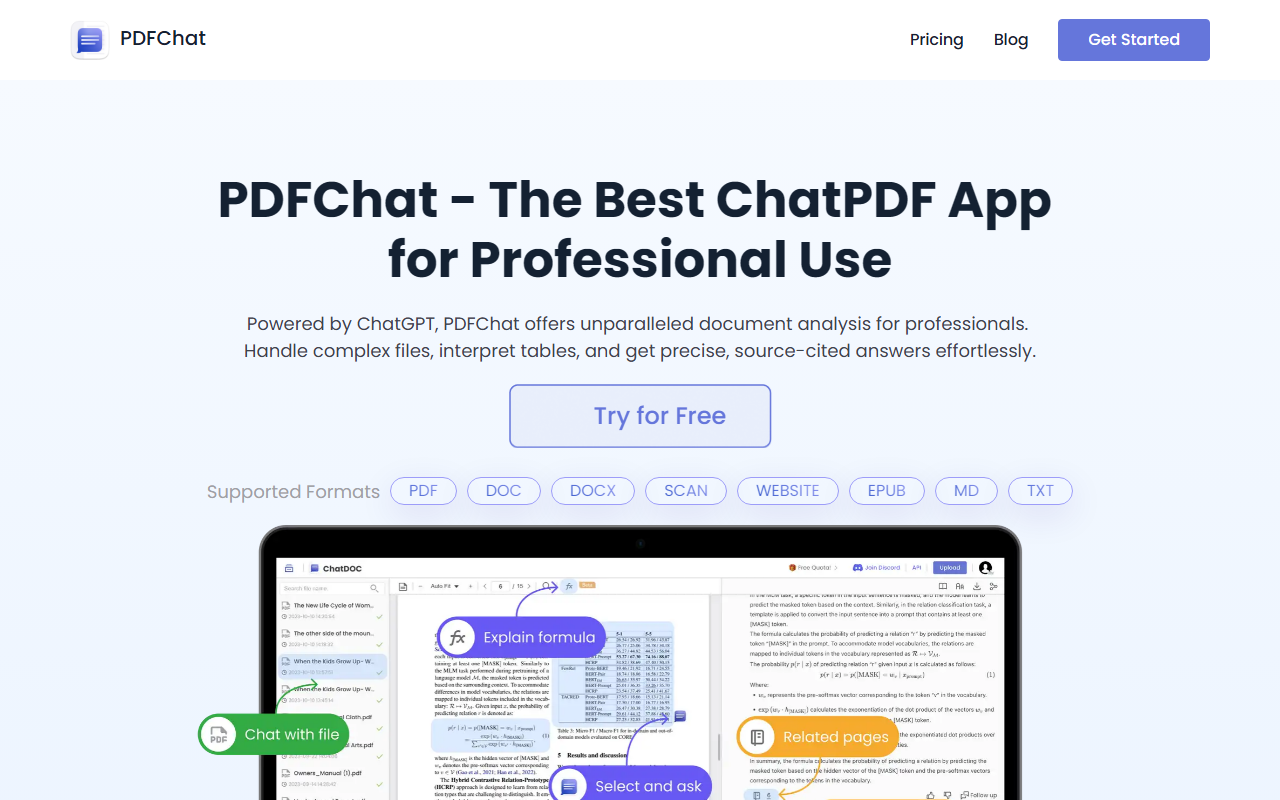
Upon visiting PDFChat.com, I was greeted by a clean, modern landing page that immediately highlights its core value: chat with your documents using AI. The headline boasts it as the best ChatPDF app for professional use, powered by ChatGPT. I clicked 'Try for Free' and was taken to a straightforward upload interface. No credit card is required, which lowered the barrier to test the tool. I uploaded a multi-page PDF containing tables and technical text—the kind of file I'd normally struggle to extract information from quickly. The upload processed in under five seconds, and I was presented with a chat panel on the right.
Core Features and Document Handling
The dashboard shows the supported file types clearly: PDF, DOC, DOCX, SCAN, WEBSITE, EPUB, MD, and TXT. That's a broader range than many competitors, which often stop at PDF. I started by asking a simple question about a table in my document: "What is the revenue growth percentage in Q3?" The AI answered correctly and highlighted the source cell—a feature called Precise Traceability. Clicking the citation opened a preview of the original data in the sidebar, which made verification effortless. I also tested the new GPT-4o add-on for image analysis; I snipped a math formula from a scanned page, and the AI explained it step-by-step. The ability to start a thread for deeper follow-ups worked smoothly, allowing me to build a conversation around one topic without losing context. Cross-document queries are supported too—I uploaded a second file and asked a question referencing both, and the tool merged insights from each source.
Performance, Accuracy, and Traceability
I was impressed by the accuracy of responses, especially for complex tables and long documents. The tool allows switching between multiple LLMs, which is a rare flexibility: you can choose from different models (likely GPT-3.5, GPT-4, and GPT-4o) to balance speed vs. depth. I used the standard model for quick answers and GPT-4o for nuanced analysis of legal clauses. The citation traceability is a standout feature—every answer includes a source reference, and you can click to see the exact location in the original file. This builds trust and saves time when verifying facts. In contrast, many rivals like ChatPDF provide citations but often lack the ability to preview the surrounding context. PDFChat also handles OCR on scanned documents, though the free tier does not include OCR—that requires the Pro plan.
Pricing, Limitations, and Verdict
Pricing is not fully transparent on the website. The page lists a Free plan and a Pro plan with 30-day and 360-day subscriptions, but the actual dollar amounts are missing (the table shows "NaN" for some values). The Free tier is very limited: only 10 questions per day, no OCR, no GPT-4o, and only supports PDFs. For professional use, you'll need the Pro plan, which claims unlimited questions, all formats, OCR, formula recognition, and GPT-4o as a paid add-on. Without exposed pricing, it's hard to recommend blindly, though the feature set justifies a paid subscription for heavy users. Who should try it? Researchers, analysts, and legal professionals who need precise, source-cited answers from complex documents. Who should look elsewhere? Casual users who just need quick summaries—there are simpler free tools like ChatPDF with less friction. Overall, PDFChat offers a robust, accurate document chat experience with unique traceability. Visit PDFChat at https://pdfchat.com/ to explore it yourself.













Comments