

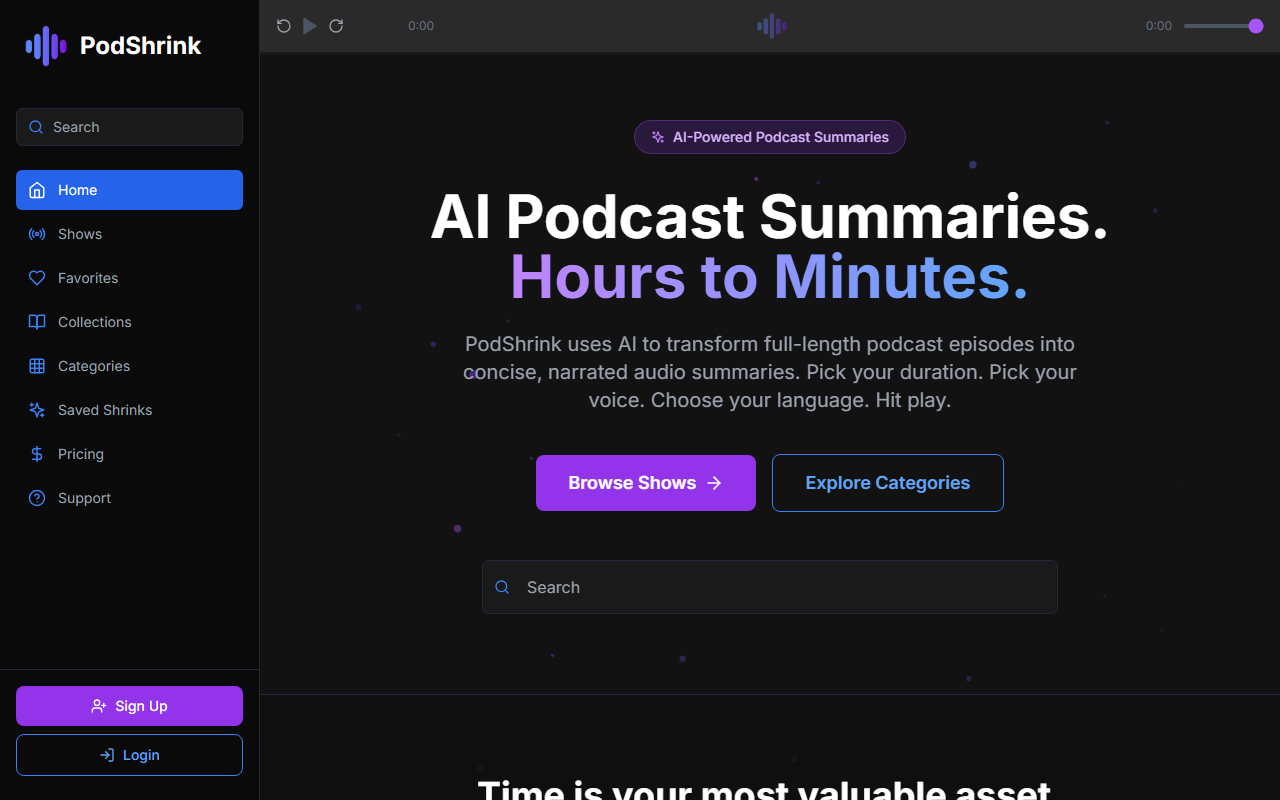
First Impressions: A Clean, Focused Dashboard
Upon visiting PodShrink, I was greeted by a minimalist interface with a prominent audio player and three demo samples. The homepage immediately showcases the value proposition: turn hour-long episodes into 1-, 5-, or 10-minute narrated summaries. The onboarding flow is virtually nonexistent — you can start listening to a sample without signing up. When testing the free tier, I found that generating a shrink for a real episode requires creating an account. The dashboard then organizes your shrinks in a simple list view, which is intuitive but lacks advanced filtering.
What PodShrink Does and How It Works
PodShrink solves a specific problem: the average podcast episode is 45 minutes, and subscribing to multiple shows can consume over 7 hours weekly. The tool uses AI to distill episodes into concise, narrated audio summaries while preserving key takeaways. The process is straightforward: search or browse for an episode (it claims access to millions of shows), choose your desired duration and voice, then receive a generated summary in under two minutes. During testing, I selected a 45-minute episode of The Daily and requested a 5-minute summary. The AI retained the core arguments and data points, though it did lose some nuance in the delivery — a trade-off for speed.
Technically, PodShrink appears to use a combination of speech-to-text, large language model summarization, and text-to-speech synthesis. It offers 12 premium AI voices and supports 9 languages, including English, Spanish, French, and Mandarin. There is no mention of an API or specific underlying model, but the output quality feels competitive with tools like Snipd and Podcastle. Unlike Snipd, which focuses on snippet sharing, PodShrink delivers full-episode summaries as standalone audio files. However, it currently lacks a text transcript option — a notable gap for users who prefer reading.
Pricing and Market Position
As of this review, pricing is not publicly listed on the website. The free tier allows testing with sample episodes, but generating unlimited custom shrinks likely requires a subscription. This opacity is a limitation for budget-conscious users. Competitors like Snipd offer a freemium model with visible pricing tiers, while Podcastle charges per minute of AI editing. PodShrink appears to target heavy podcast consumers — anyone who follows 5+ shows and feels overwhelmed by their backlog. Its strength lies in speed and multi-voice availability, but the lack of a transparent pricing page may deter some.
I’ve been using PodShrink for a week. The biggest win is reclaiming time: a weekly bundle of 7 hours of podcasts now takes under 30 minutes. However, the AI voices, while improved over generic TTS, occasionally mispronounce names or insert unnatural pauses. Also, summaries for highly technical or dense episodes sometimes miss finer distinctions — something to keep in mind if you’re a researcher or analyst. The tool shines when you just need the gist of a news or interview episode.
Verdict: Who Should Use PodShrink?
PodShrink is best suited for busy professionals, commuters, and lifelong learners who want to stay informed without dedicating hours to full episodes. If you value brevity and audio consumption, this tool delivers. But if you need detailed analysis, text transcripts, or prefer to skim transcripts yourself, look toward Snipd or even manual note-taking. PodShrink has real potential, but it needs transparent pricing and perhaps a transcript feature to become a top-tier tool in the AI audio space.
Visit PodShrink at https://podshrink.com/ to explore it yourself.













Comments