

First Impressions and Onboarding
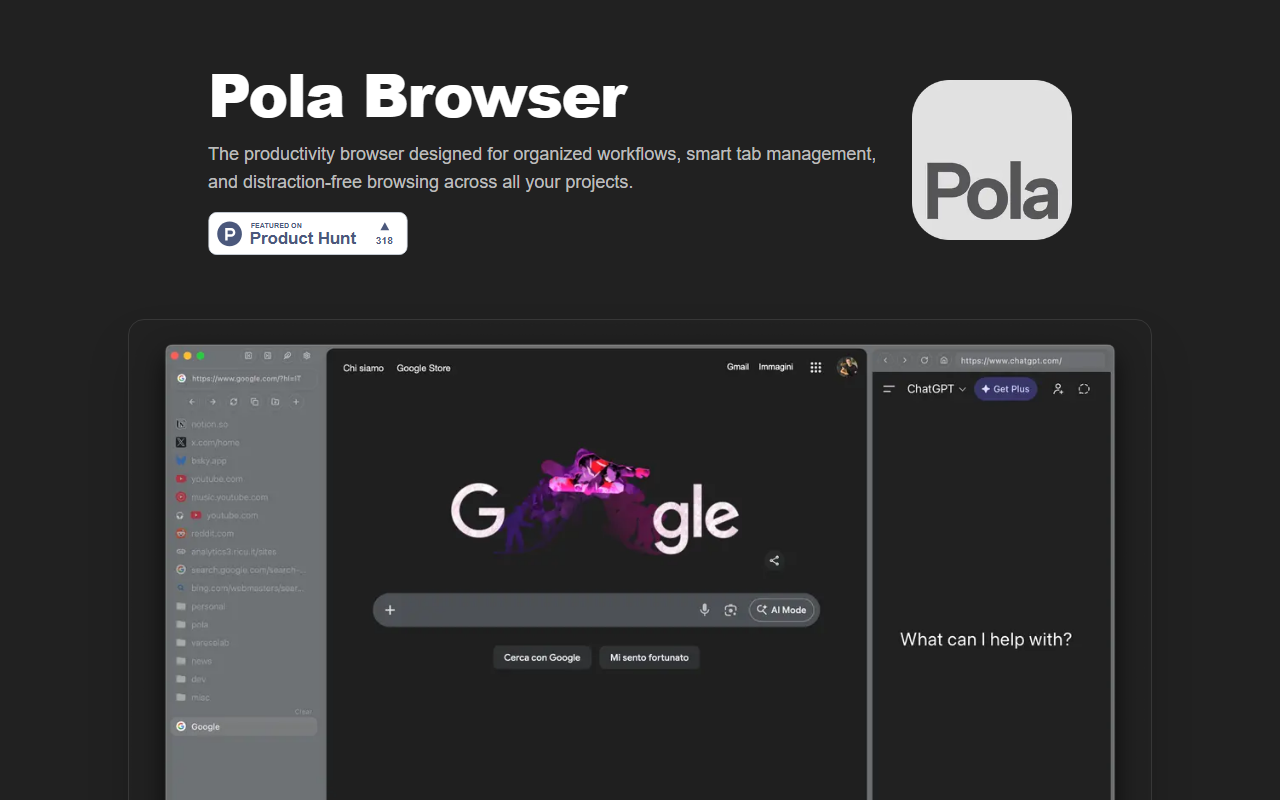
Upon visiting the Pola Browser website, I was greeted by a clean landing page that immediately communicates its purpose: organized browsing for maximum productivity. The tool is currently exclusive to macOS, which narrows its audience but allows it to deeply integrate with Apple’s ecosystem. I downloaded the free three‑day trial and found the onboarding surprisingly smooth. The browser presents a sidebar with folders and spaces, and it prompts you to import bookmarks from Chrome or Safari. Within minutes, I had my work tabs sorted into a dedicated “Writing” space and personal bookmarks into a separate folder. The interface feels native and responsive, a clear advantage over Electron‑based alternatives.
Feature Deep Dive: What Makes Pola Different?
Pola is more than a Chrome or Safari clone with extra folders. Its core differentiator is the Research mode, which automatically builds a visual tree of your browsing history. As I clicked through a series of articles for a project, Pola connected them in an expandable graph, making it easy to trace sources and revisit related pages. This feature alone can save hours for researchers, writers, and students. Floating Tabs are another highlight—I could keep a YouTube tutorial on top of my workspace while typing notes in another window. The floating tab is resizable and can be positioned anywhere, which I found extremely useful for multi‑tasking.
The Spaces and Profiles feature set Pola apart from mainstream browsers. Spaces let you compartmentalize tabs by context (work, personal, hobby), and Profiles go further by isolating cookies, extensions, and login data per project. When testing the free tier, I created a profile for each client project, and switching between them was instantaneous. The Sidebar can host web apps or perform actions like summarising content, though the summarization didn’t work perfectly on every site I tried. Cloud Sync uses Google Drive, which is convenient but requires a Google account—privacy‑conscious users might prefer an alternative.
Pola also includes experimental extension support, currently limited to uBlock Origin Lite. I appreciate the cautious approach, but power users who rely on many Chrome extensions will need to wait for broader compatibility. Password management leverages Apple Keychain, so if you’re already in the Apple ecosystem, autofill works seamlessly. The browser also offers a media player widget and a wide array of keyboard shortcuts for power users.
Pricing and Value Proposition
Pola offers a three‑day free trial, after which you choose between an Annual plan at €19.99 per year or a Lifetime license at €49.99 (one‑time payment). Both unlock all features: folders, spaces, research mode, profile switching per tab, floating tabs, password manager, extensions, and every future feature. In a market where subscription fatigue is real, the lifetime option is refreshingly consumer‑friendly. It undercuts competitors like Arc Browser (free but ad‑supported and with a less mature feature set) and Safari (which lacks research mode and tab folders out of the box). Chrome and Edge offer similar productivity extensions, but they need manual setup and lack the integrated context‑switching that Pola provides natively.
That said, Pola is macOS‑only, which immediately excludes Windows and Linux users. The extension ecosystem is still nascent, and there is no mobile companion yet. For users who need advanced privacy features beyond what is promised (“no data sold, no tracking”), the reliance on Google Drive for syncing may raise eyebrows, although the company is based in Italy and uses EU‑hosted anonymized analytics via aptabase.com.
Final Verdict and Recommendations
Pola Browser excels at what it sets out to do: bring structure and focus to web browsing for productivity‑focused professionals. The research tree and floating tabs are genuinely innovative, and the lifetime pricing model is a strong differentiator. However, its macOS exclusivity and limited extension support are real barriers. I recommend Pola for researchers, project managers, and anyone who manages multiple contexts daily and uses a Mac. If you rely on a wide array of Chrome extensions or work on Windows, look elsewhere for now. Visit Pola Browser at https://polabrowser.com/ to explore it yourself.













Comments