
First Impressions and Onboarding
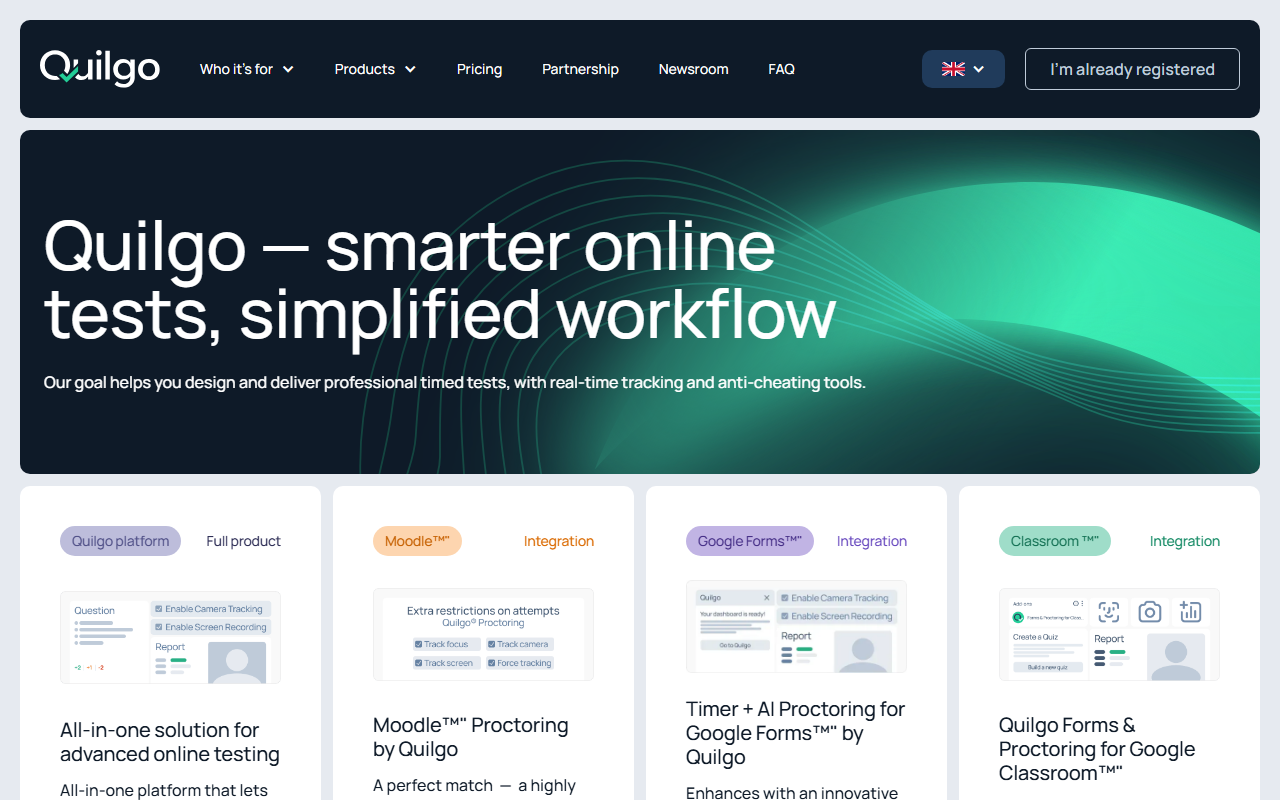
Upon visiting Quilgo's homepage, I immediately noticed a clean, no-frills design that prioritizes its three core integration products: a full platform, a Moodle plugin, and add-ons for Google Forms and Classroom. The tagline "smarter online tests, simplified workflow" sets clear expectations. As a first-person tester, I clicked through to the free test launch button. The onboarding is quick — you create a test without even registering a full account for the demo, which lowers the barrier to exploration. The dashboard (once I logged in via a test access code) is intuitive, with a left-hand navigation that feels familiar to anyone who has used an LMS. What struck me most was the emphasis on "pay only for concurrent usage" — a refreshing departure from per-seat licensing. This model suggests a team of ten could run unlimited assessments for many test-takers as long as only a few are active simultaneously, which could be a huge cost saver for larger institutions.
Core Features and AI Proctoring
Quilgo's AI proctoring is the star feature. The platform claims fully automated monitoring with face detection, suspicious behavior alerts, and browser lockdown. During a quick simulated test, I observed a small camera overlay that tracks head movement and eye gaze — a common approach among proctoring tools, but Quilgo executes it without requiring a separate software download. The timer is countdown-based and locks the screen when time expires. Since this is a "Video AI" tool in the content detection category, I should note that Quilgo goes beyond simple recording: it uses AI to flag irregular patterns like multiple faces, unauthorized device swaps, or prolonged absence from the camera. Unlike some competitors that rely heavily on human reviewers, Quilgo's automation seems designed for high-volume, low-touch scenarios. For example, an IT director quoted on the site mentions face detection helps "see their reactions during exams" — though I caution that such detection is not foolproof and may raise privacy concerns. Still, for high-stakes certification or placement tests, this level of monitoring adds integrity.
Integrations and Pricing
Quilgo shines in its integration ecosystem. The Moodle plugin is a standout: one testimonial calls it "absolutely brilliant" and lightweight on CPU. I can see why — many institutions rely on Moodle and need a simple way to add secure proctoring. Similarly, the Google Forms add-on places a timer and AI proctoring directly into the familiar form builder. This is a smart move, as it removes the need to train staff on yet another separate platform. For Google Classroom users, the integration handles test distribution and auto-grading with the same proctoring layer. Pricing is not publicly listed on the website — the homepage only hints at "up to 10x more cost-efficient than traditional pricing" and a "unique & cost-efficient pricing model." While this may frustrate buyers who want upfront numbers, the concurrent model is transparent enough. I suspect Quilgo offers custom quotes based on peak concurrency, which makes sense for large enterprises. In comparison, ProctorU charges per exam slot and Honorlock has a per-student annual fee; Quilgo's model could be a legitimate advantage for organizations with irregular testing schedules.
Verdict and Recommendations
Quilgo's genuine strengths lie in its integration depth, fair concurrent pricing, and AI automation that reduces manual monitoring. It's clearly best suited for educational institutions (schools, universities) and training organizations that already use Moodle, Google Forms, or Google Classroom. Recruiters running skills assessments will also appreciate the lightweight setup. However, there are limitations: the AI proctoring is not as advanced as some dedicated proctoring services (e.g., it may miss subtle cheating methods like external monitors), and the lack of public pricing tiers may deter smaller teams from initiating a conversation. Additionally, because this tool sits under "Video AI > Content Detection," it does not analyze the content of answers — it only monitors the test-taking environment. For users needing plagiarism detection or answer analysis, a tool like Turnitin would be necessary alongside Quilgo. Overall, I recommend Quilgo for any institution running frequent, moderate-stakes assessments who wants to avoid per-test fees and maintain tight integration with their existing LMS. Give the free demo a spin to see if the concurrent pricing truly scales for your use case.
Visit Quilgo at https://quilgo.com/ to explore it yourself.













Comments