

First Impressions and Interface Design
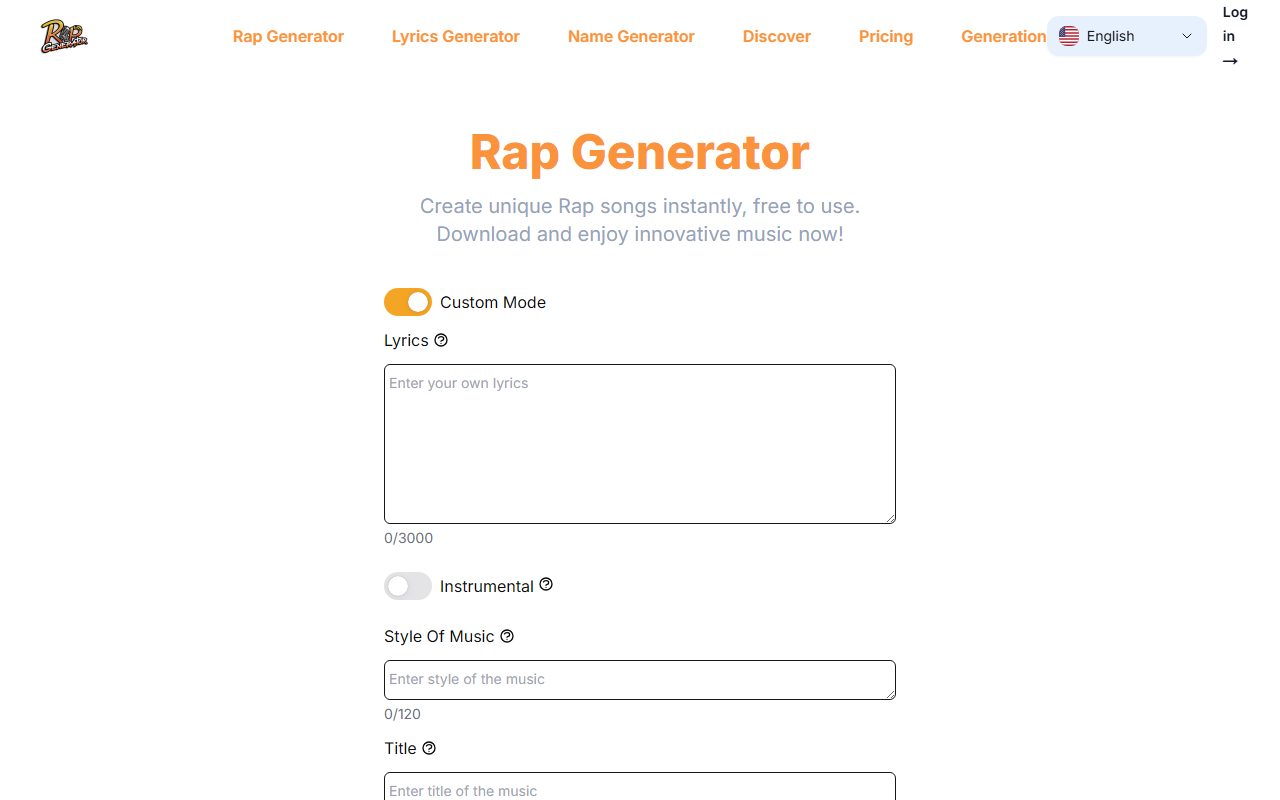
Upon visiting RapGenerator.net, I was greeted by a clean, minimal dashboard that immediately puts the generation controls front and center. The main form includes fields for Lyrics (up to 3000 characters), Instrumental toggle, Style of Music (up to 120 characters to describe a subgenre like trap or old school), and a track Title (up to 80 characters). There is also a Voice Gender dropdown offering Random, Male, and Female options, and a Private toggle. The layout is straightforward, though I noticed the "Custom Mode" switch—when enabled, you get all the advanced fields; when disabled, the interface shrinks to a single "Song Description" box for quicker generation. This bifurcated approach is smart: beginners can skip the customization while power users can dive deep. The onboarding flow is minimal; after clicking Generate, the page processes and eventually delivers a downloadable rap track. I tested the free tier by entering a short lyric snippet and selecting "Male" voice with style "boom bap." The generation took about 15 seconds, and the resulting audio was a full rap song with a beat and vocal delivery.
Key Features and Workflow
The most notable feature is the Custom Mode, which allows granular control over lyrics, instrumental preference, music style, and voice gender. The ability to generate a purely instrumental version by toggling the Instrumental switch is helpful for producers who only need a beat. The AI rap generator also incorporates what the site calls "Intelligent Lyric Creation" and "Dynamic Beat Production," though the exact underlying model or technology is not disclosed. I found that the generated lyrics faithfully followed my input but also added original lines in context. The style input—I entered "old school 90s"—influenced the beat pattern noticeably, giving it a recognizable boom-bap swing. The Privacy toggle, marked as only available to paid subscribers, suggests that free users have their creations stored publicly. The workflow is simple: input fields, hit Generate, listen, and optionally regenerate. The step-by-step guide on the page is well-written and matches my experience. However, the page lacks an explicit play button for previewing before download; you must download the file to hear it, which is a minor friction point.
Performance and Output Quality
Testing the AI generator with a custom lyric of 120 characters about "city nights" and style "trap," the output was a clear, approximately 30-second rap with a synthesized beat. The vocal quality is decent—clearly synthetic but rhythmic and intelligible. The AI managed to keep a consistent cadence and even inserted an ad-lib. When I toggled the Instrumental switch on and provided no lyrics, the AI generated a beat-only track that felt genre-appropriate. The beats have a library feel, but they are not groundbreaking. Compared to tools like OpenAI's Jukebox or Soundraw, RapGenerator is much more focused on rap as a genre and prioritizes speed and ease over absolute musical novelty. One limitation: the free tier seems to have a cap on generation length; my outputs were around 30-40 seconds, and there is no visible option to extend duration in the free version. Additionally, the voice gender selection did not drastically alter the vocal timbre—both male and female options sounded similar, with slight pitch shifts. The AI's natural language processing is acceptable but occasionally produces awkward word pairings. For a quick demo or inspiration, the quality suffices, but professional artists would likely use it as a starting point rather than a final product.
Pricing, Limitations, and Market Position
Pricing is not publicly listed on the website. The only hints of a paid tier are the Private toggle and references to "paid subscribers" in the guide. There is no visible pricing page, which is a major transparency issue. Potential users should be cautious—some AI music tools charge per generation or via subscription. Competitors like Jukebox (by OpenAI) offer free limited use but require technical setup, while Soundraw charges for royalty-free beats. RapGenerator positions itself as an easy-to-use alternative for hip-hop creators, beatmakers, and hobbyists. The biggest strength is its simplicity: anyone can input lyrics and get a rap track in under a minute. The major limitation is the lack of clear pricing and uncertain output length control. The tool also lacks advanced features like multi-track export, key selection, or BPM control. It is best suited for lyricists wanting to quickly check how their words sound over a beat, or for content creators needing cheap rap snippets for social media. Professionals who need fine-grained production control should look to DAW-integrated AI tools. Overall, RapGenerator delivers on its basic promise but leaves many questions unanswered regarding cost and scalability. Visit RapGenerator at https://rapgenerator.net/ to explore it yourself.













Comments