

First Impressions and Onboarding
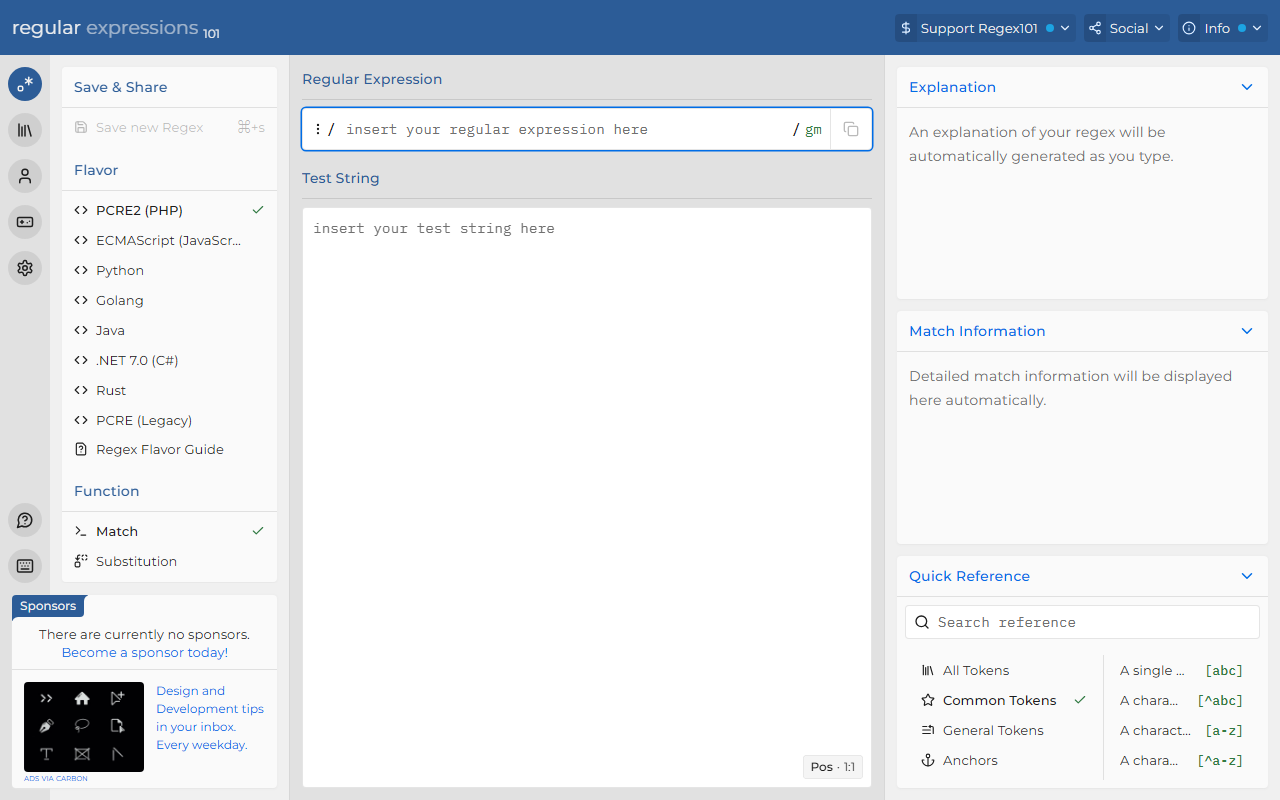
Upon visiting Regex101, I immediately noticed the clean, no-nonsense interface. The editor is front and center, with a large text area for the regex at the top and a test string panel below. The default flavor is PCRE2 (PHP), but you can switch to Python, JavaScript, Golang, or other engines via a dropdown. The dashboard shows a quick reference panel on the right, which expands when you click on any token. I found the onboarding intuitive: you type a pattern, and the tool automatically updates the match information and explanation panels. There is no login required to start testing, which lowers the barrier. However, the tool requires JavaScript – a mandatory script tag appears if disabled, so offline or low-js environments won’t work.
When testing the free tier, I pasted a simple regex to extract email addresses from a paragraph. Within seconds, the tool highlighted matches in the test string and generated a detailed breakdown of each capturing group. The “Explanation” box on the left is a standout feature: it translates even complex patterns into plain English, like “\d+ matches one or more digits (quantifier +).” This is incredibly helpful for debugging or learning.
Core Features and Real-World Testing
Regex101 offers four main modes: Match, Substitution, List, and Unit Tests. I spent the most time in Match mode, which is the default. The substitution tab lets you replace matched text with a replacement string, previewing the result in real time. I tested a simple substitution to redact phone numbers (replacing \d{3}-\d{3}-\d{4} with “[REDACTED]”), and the output updated instantly as I typed. The List tab outputs all matches as a separate list, useful for extracting data. The Unit Tests tab is a gem: you can add test cases with expected pass/fail results, and Regex101 runs them against your regex. This is invaluable for regression testing when modifying complex patterns.
The tool also includes a “Quick Reference” sidebar organized by token types (anchors, quantifiers, character classes, etc.). Each entry includes a short description and an example. For beginners, this is a great learning aid. For experts, it is a handy lookup. The explanation panel is regenerated live as you edit the regex, which helps you catch errors early.
Advanced Tools and Developer Workflow
Below the editor, Regex101 provides several advanced functions. The Code Generator outputs your regex as code snippets in languages like PHP, Python, JavaScript, Java, and C#. It includes the flag modifiers and a compiled pattern if your language uses one. I tested the PHP snippet and it worked without modification. The Regex Debugger steps through the pattern character by character, showing the engine’s internal state. This is excellent for understanding why a regex does not match as expected. I used the debugger on a backtracking-heavy pattern and immediately spotted a catastrophic backtracking issue. The tool also offers Export Matches (as CSV or text), Benchmark Regex (to compare performance), and Format Regex (to pretty-print a compact pattern). These are not found in many competitors like RegExr.
Another noteworthy feature is the ability to save and manage your regexes. You can create an account (free) to store patterns, share them via unique URLs, and organize them into folders. Saved regexes retain their flavor and test strings, making it easy to revisit later. The community also shares public regexes, though the library is smaller than dedicated pattern repositories.
Pricing, Limitations, and Final Verdict
Pricing is not publicly listed on the website; Regex101 appears to be entirely free for all features, including saving an unlimited number of regexes. I found no premium upgrade or paywall. The tool does not display ads, though it has a “Sponsors” section. This is generous, but also raises concerns about long-term sustainability. In terms of alternatives, RegExr offers a similar interface but lacks the debugger and unit tests. RegexBuddy is more powerful but is a desktop app and costs money. Regex101 strikes a balance between free accessibility and advanced functionality.
Genuine strengths include the real-time explanation, unit testing, performance benchmarking, and support for multiple regex flavors. The only real limitation I encountered is the requirement for JavaScript – the tool is unusable without it, and there is no offline version. Also, while the interface is polished, it can become cluttered on smaller screens due to the fixed side panels. Still, for developers who write regex more than a few times a week, Regex101 is indispensable. I recommend it for web developers, data scrapers, and anyone learning regular expressions. Beginners will appreciate the explanations, and pros will love the debugger and test framework.
Visit Regex101 at https://regex101.com/ to explore it yourself.













Comments