

First Impressions and Onboarding
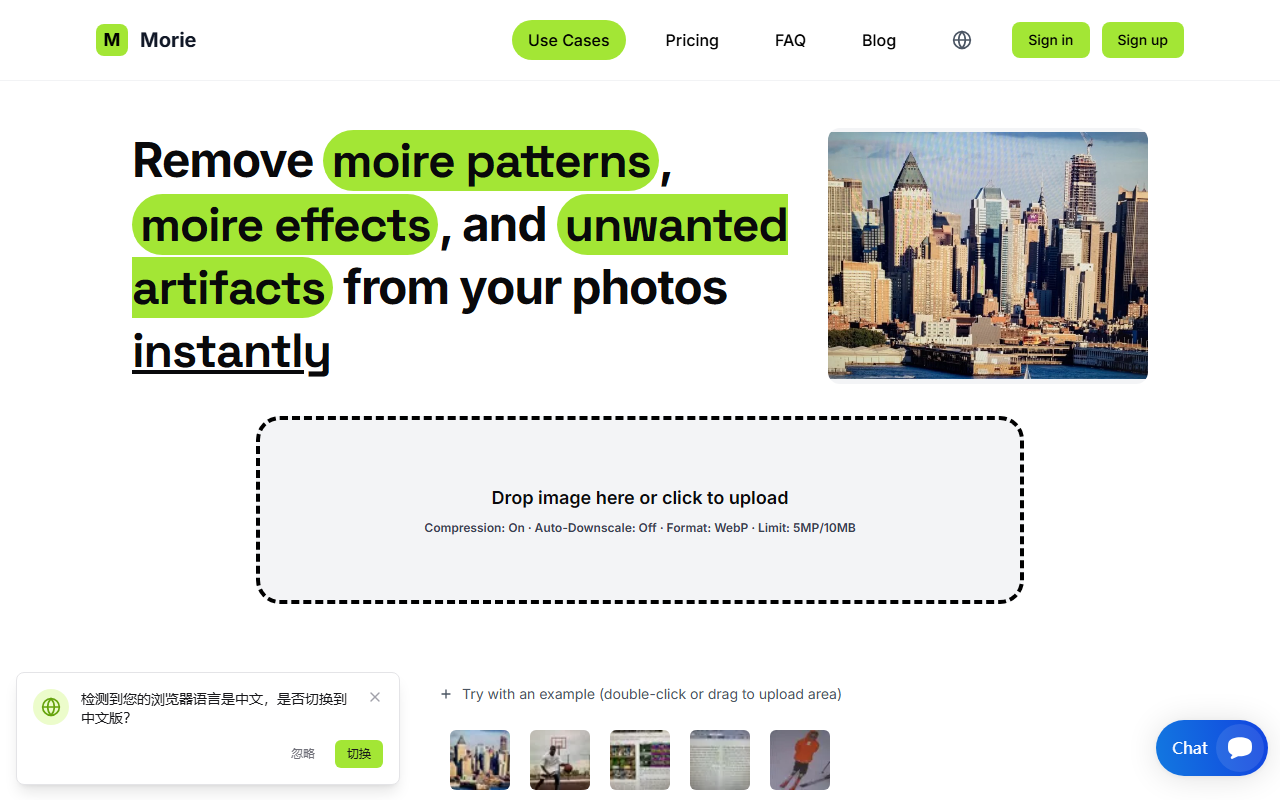
Upon visiting the Remove Moire website, I was greeted by a clean, minimal interface. The hero area displays a large drop zone with the text "Drop image here or click to upload," making it immediately obvious how to start. I tested the free tier by dragging a scanned magazine photo with obvious wavy interference patterns onto the area. The upload was quick, and within seconds the processed image appeared. The before/after slider let me compare results side by side. The interface also offers a "Try with an example" button, which is helpful for newcomers. Overall, onboarding takes under a minute—no account required for the free trial.
Performance and Technology
Remove Moire uses advanced AI to automatically detect and remove moire artifacts while preserving original image details. During my test, the tool eliminated nearly all wavy lines from the scanned magazine page. The colors remained natural, and I noticed no new distortions or artifacts. According to the FAQ, the algorithm is specifically trained to handle moire from scans, fabric textures, and screen captures—three common scenarios. The free plan exports at up to 720px, which is enough for social media but not for print. Paid plans support higher resolutions. Compared to manual removal in Photoshop or Lightroom, where you must use filters and clone tools, Remove Moire is dramatically faster. However, it currently lacks support for video footage: you must export frames individually. The roadmap mentions batch and video workflow, but as of this review, still images only.
Pricing and Plans
Remove Moire offers a free tier with limited resolution and three paid subscriptions. The Basic plan costs $5 per month for 5 processes, up to 5MP images and 10MB file size. The Pro plan at $20 per month grants 15 processes, up to 15MP and 25MB, plus priority processing. The Enterprise plan at $100 per month allows 50 processes, up to 25MP and 50MB, with highest priority. All plans include secure processing and no setup fees, but subscriptions are non-refundable. The free plan is a good way to test quality before committing. One limitation: if you need more than 50 processes per month, there is no higher tier listed, so heavy users may need to contact support. Also, there is no pay-as-you-go option, which could discourage occasional users.
Who Should Use It
Remove Moire is best suited for photographers, e-commerce sellers, designers, and archivists who frequently need to remove moire from scanned documents, product photos of textiles, or screen captures. It excels at speed and simplicity, producing professional results without manual editing. However, video editors and users requiring bulk processing on a tight budget should look elsewhere. Alternatives like Adobe Photoshop or Lightroom offer more comprehensive editing but require more time and skill. For a dedicated, AI-driven tool that just works, Remove Moire delivers. I recommend starting with the free tier to see if the quality meets your needs. Visit Remove Moire at https://removemoire.com/ to explore it yourself.













Comments