

First Impressions and Onboarding
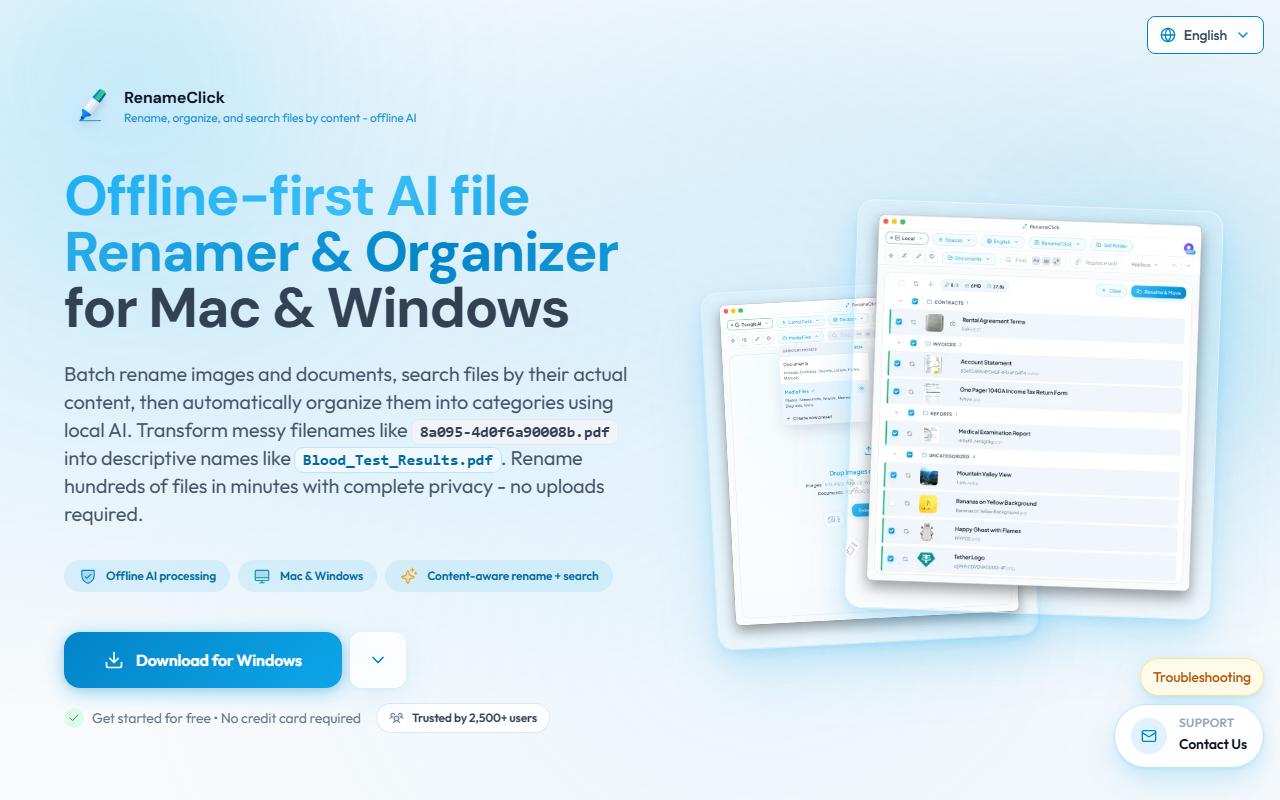
Upon visiting the RenameClick website, the message is clear: this is a privacy-first, offline AI file renamer. I downloaded the Mac version (about 4GB due to the bundled local LLM) and installed it without issues. The dashboard opens to a clean, two-panel interface: a drop zone on the left and a file list with suggested names on the right. After dragging a batch of PDFs and JPEGs—some with meaningless names like "IMG_0472" and "scanned_doc_2022-001.pdf"—the app prompted me to download the local AI model, which took a few minutes on my USB-C connection. Once ready, it began analyzing each file. Within seconds, it suggested descriptive names like "Meeting_Notes_March2024.pdf" and "Beach_Vacation_Sunset.JPG". The review process is intuitive: each suggestion shows a confidence indicator, and you can approve, edit, or reject individually before clicking "Apply Changes". The app consumed about 3.8GB of RAM during processing, but the local AI engine (likely a quantized LLaMA variant) ran smoothly even without a dedicated GPU—though slower, as promised.
Core Features and Performance
RenameClick’s standout feature is its content-aware renaming. Unlike traditional batch renamers that only modify file metadata or patterns (e.g., adding dates or incrementing numbers), this tool reads the actual text inside documents and the objects in images. For instance, a scanned invoice PDF became "Invoice_AcmeCorp_2025-01-15.pdf", and a photo of a dog turned into "Golden_Retriever_Park_2024.jpg". The app supports both images (JPG, PNG, HEIC, etc.) and documents (PDF, DOCX, TXT, CSV, etc.). Beyond renaming, the File Organizer feature lets you sort files into folders based on category presets (Documents, Media Files) or custom presets with up to 20 categories when using local AI settings. I tested the Organizer with a folder of mixed receipts and screenshots; it accurately placed receipts into an “Invoices” subfolder and screenshots into “Media/Screenshots”. The AI Search function is also notable: you can type queries like “find the lease agreement from last year” and the app scans file content locally without uploading anything. Under the hood, RenameClick can use the built-in local model or switch to external providers (OpenAI, Google Gemini, Alibaba Cloud, LM Studio, Ollama) via API keys—giving you flexibility if your hardware struggles. The app also integrates with Finder/File Explorer via right-click context menus, making it easy to rename files without opening the app.
Pricing and Target Audience
RenameClick offers a genuinely useful free tier: unlimited AI processing and unlimited AI search—you can generate names for as many files as you want. The catch is that you only get 30 “credits” per month to actually apply the changes (rename or move files on disk). For occasional cleanup, that’s plenty. Frequent users will need the Pro Monthly ($8 + VAT) or Pro Lifetime ($48 one-time). The lifetime plan is excellent value if you intend to use the tool for years. The pricing is transparent and rare for a local AI app—most competitors either charge a recurring fee or lock advanced features behind a paywall. Compared to alternatives like Adobe Bridge (part of Creative Cloud, ~$55/mo) or the free Bulk Rename Utility (no AI), RenameClick fills a unique niche for privacy-sensitive professionals. It is ideally suited for freelancers, researchers, and small office workers who deal with large, messy file collections and want to keep data on-device. If you have weak hardware (no GPU, less than 8GB RAM) or need mobile app support, this tool may not perform well for you.
Strengths and Limitations
The biggest strength of RenameClick is its offline-first design—your files never leave your machine unless you opt for a cloud provider. The AI naming accuracy is impressive across diverse file types, and the Organizer feature adds practical value beyond renaming. The lifetime license is a rare bargain. However, there are real limitations. The local model requires about 4GB of free disk space and 4GB of VRAM/RAM; on CPU-only systems, renaming a dozen large PDFs can take several minutes. The free tier’s 30 apply credits per month may feel restrictive if you regularly rename hundreds of files. Additionally, while the app works with cloud storage folders (Google Drive, iCloud, Dropbox), there is no native integration—you must point to the local synced folder. For power users accustomed to command-line tools like rename or exiftool, the GUI-focused approach might seem slow. But for the target audience—non-technical users who want AI-powered organization without sacrificing privacy—RenameClick is a solid choice.
Visit RenameClick at https://rename.click/ to explore it yourself.










Comments