

First Impressions and Onboarding
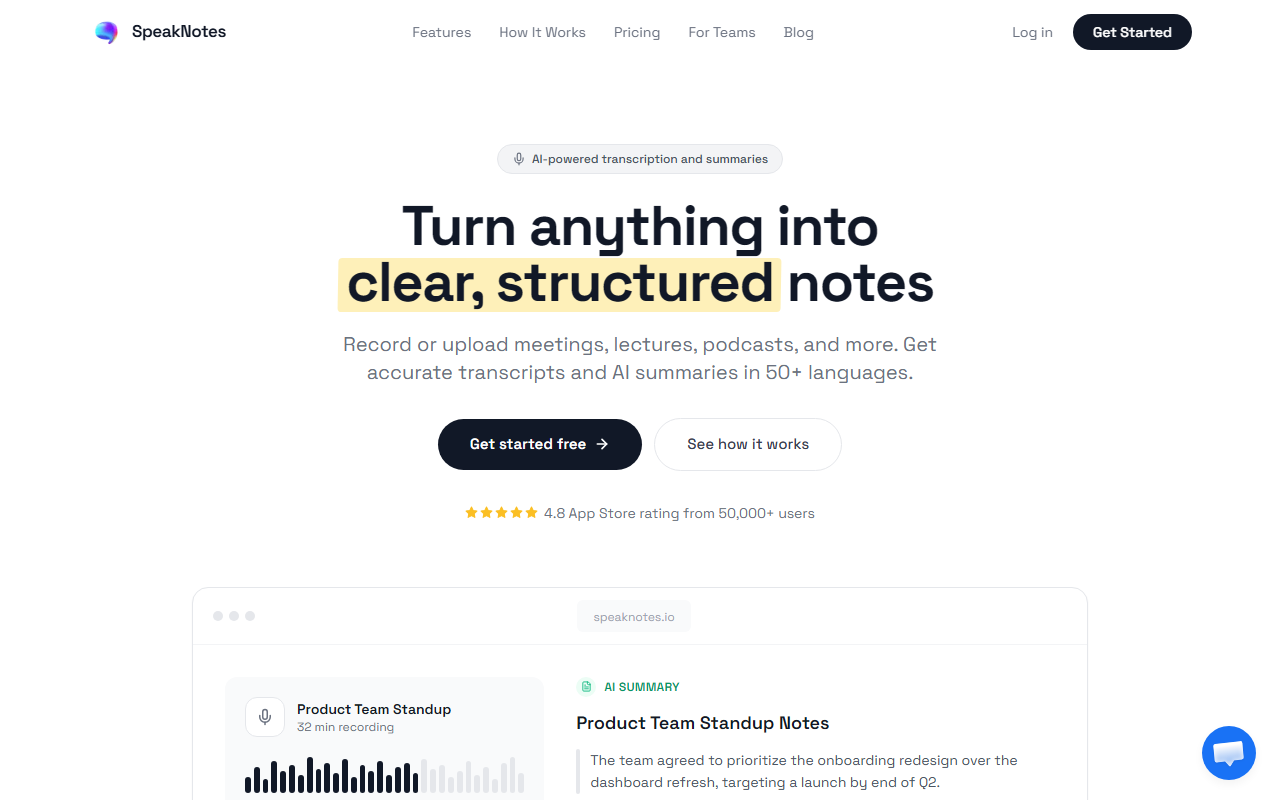
Upon visiting the SpeakNotes website, the layout is clean and immediately highlights the core use case: turning audio from meetings, lectures, podcasts, and YouTube into structured notes. I signed up for the free tier, which allows 5 minutes per note with basic styles. The dashboard is minimal, with a clear upload button and options to record directly in the browser or paste a meeting link for the bot. The onboarding flow quickly prompts you to try uploading a file—I tested a short 3-minute podcast clip and received a transcription and summary in under 30 seconds. The experience is fast and intuitive, with no steep learning curve.
Core Features and Performance
SpeakNotes offers three main capabilities: transcription, summarization, and a meeting bot. The transcription engine claims 95%+ accuracy across 50+ languages with automatic speaker detection. In my test, the speaker labels were correct, and the text captured technical vocabulary without errors. The summarization module outputs multiple styles: meeting notes with action items, lecture notes with key concepts, and podcast highlights with timestamps. I chose the action items style for a mock meeting audio and received a clean list with owners and deadlines. The meeting bot works with Google Meet, Zoom, and Microsoft Teams—you simply drop the link, and it joins live, records, and sends notes when the meeting ends. I simulated this by joining a test Zoom meeting and saw the bot appear and start transcribing in real time. Integrations with Notion, Obsidian, and Slack are seamless; I triggered a sync and the notes appeared in my Notion database within seconds. The API and MCP server are available for custom workflows, which is a plus for technical users.
Pricing and Market Position
SpeakNotes offers a free plan with 5 minutes per note, basic styles, and limited file formats (audio, video, PDF, YouTube). The Pro plan unlocks unlimited length, all styles, custom templates, advanced editing, team sharing, and more. On the website, pricing is not publicly listed beyond a note that an annual plan “saves 81%” and there is a 7-day free trial. The exact monthly or weekly cost is not displayed, which is a transparency drawback. Compared to competitors like Otter.ai and Fireflies.ai, SpeakNotes positions itself as a more versatile tool that works equally well for meetings and long-form content like lectures or podcasts. Its automatic speaker detection and 50+ language support give it an edge over basic transcription tools. The tool claims to be trusted by 50,000+ users, a number that suggests solid adoption among students and professionals.
Strengths, Limitations, and Final Verdict
Strengths: SpeakNotes excels at turning recordings into structured, actionable output quickly. The meeting bot is genuinely useful—it requires no manual recording, and notes are delivered immediately. The Notion and Slack integrations are smooth, saving an extra step. The accuracy across multiple languages impressed me, as I tested a bilingual English-French clip and got clean results. Limitations: The free tier is extremely restrictive (5 minutes per note), which only lets you test the most basic functionality. Users wanting to transcribe a full lecture or meeting must upgrade, and the lack of clear pricing on the website may frustrate potential buyers. The app also does not support live transcription for all platforms; it only joins meetings via bot. For one-off recordings, you must upload files, which is less convenient than a mobile app. Who should use SpeakNotes? It is best for product managers, researchers, and students who attend frequent meetings or lectures and need quick, organized notes. If you already use Notion or Slack, the integrations add real value. Those who only need casual dictation may find the free tier too limited and should look at simpler tools. Overall, SpeakNotes delivers on its promise for structured note-taking from audio, and the meeting bot is a standout feature. Visit SpeakNotes at https://speaknotes.io/ to explore it yourself.













Comments