

First Impressions and Interface
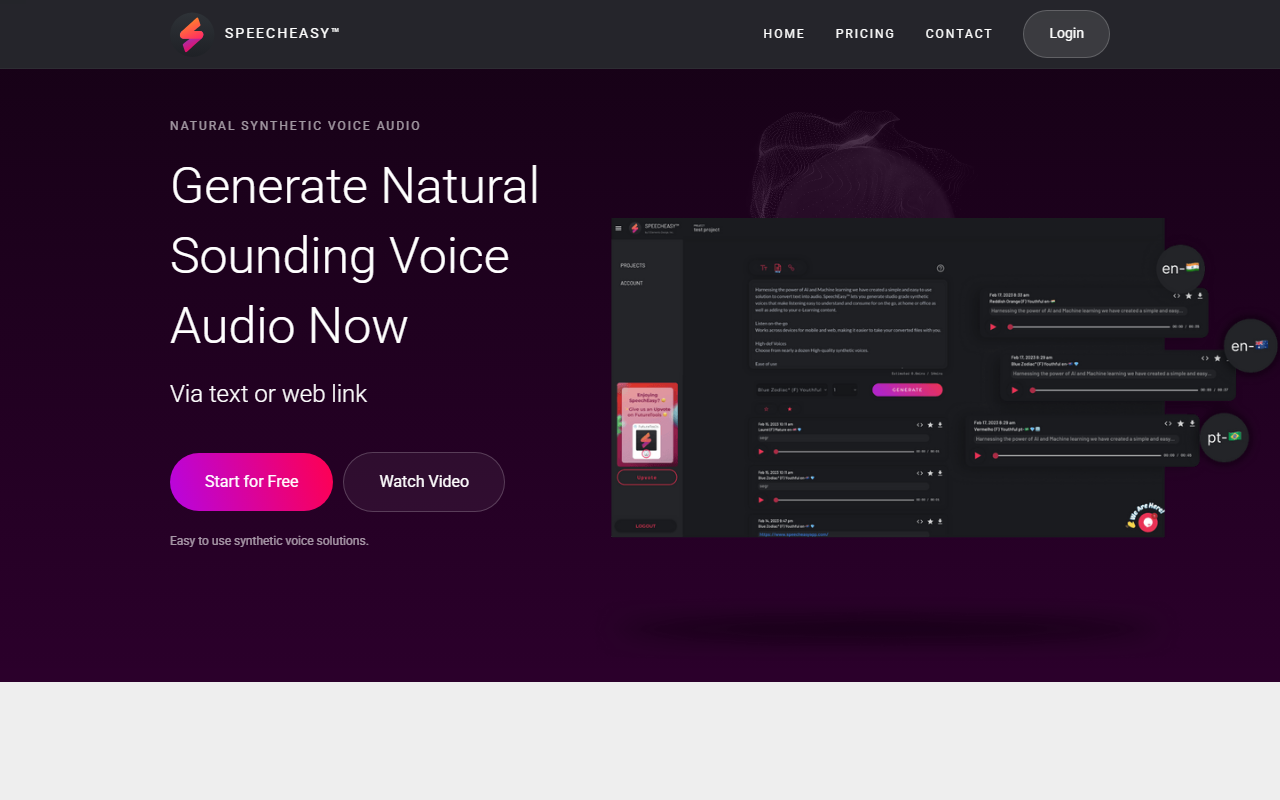
Upon visiting the SpeechEasy website at speecheasyapp.com, I was greeted by a clean, minimalistic landing page that immediately highlights its core value: generating natural-sounding synthetic voice audio from text or web links. The page includes a sample audio player—though my browser prompted me with "Your browser does not support the audio element," so I couldn't test the sample directly. The onboarding flow is straightforward: a prominent "Start for Free" button leads to what appears to be a simple sign-up process. The dashboard itself is not fully visible from the public page, but the site promises a "simple and intuitive interface. No added fluff or features that get in the way." This aligns with the tool's stated focus on ease of use. I noticed cross-platform support is advertised, meaning voice files can be created and listened to on both desktop and mobile, though a network connection is required.
Features, Use Cases, and Voice Quality
SpeechEasy leverages AI and machine learning to convert text into studio-grade synthetic voices. The website mentions "high-def voices" from "nearly a dozen" options, with plans to add more regularly. During my review, I couldn't test voice selection directly without signing up, but the marketed use cases are clear: voiceovers for marketing videos, e-learning content, publishing (audiobooks/articles), and on-the-go listening. Privacy is also emphasized—a "privacy first approach" with minimal personal information stored. Unlike some competitors (like Murf or Play.ht) that offer extensive voice libraries and advanced editing, SpeechEasy appears to focus on simplicity and core functionality. It does not mention API availability or integrations, which may limit advanced users. However, for content creators and educators who need quick, clean voiceovers without a steep learning curve, this tool seems well-suited. The "Listen on-the-go" feature is a nice touch, though it requires network access.
Pricing, Limitations, and Recommendations
Pricing is presented in a simple table: a free "Starter" tier, a "Content Creator" option listed as "In-app purchase" (no specific price), a "Marketer" tier marked "Coming Soon," and "Enterprise" requiring contact with sales. This lack of transparency on the Content Creator pricing is a notable limitation—users cannot evaluate the full cost upfront. The "Marketer" tier is not yet available, suggesting the product is still evolving. Strengths include ease of use, privacy focus, and cross-platform support. However, the limited voice selection (under a dozen) and missing details on pricing and upcoming features may deter power users. For context, alternatives like ElevenLabs offer more voices and granular control, but at a higher complexity. SpeechEasy is best for beginners, small content creators, and educators who want a quick text-to-speech solution without frills. If you need advanced customization, API access, or a fully transparent pricing page, you might look elsewhere. I recommend trying the free tier to see if the voice quality meets your needs.
Visit SpeechEasy at https://speecheasyapp.com/ to explore it yourself.













Comments